EasyManua.ls Logo

Technics SX-G5 - Page 34

Technics SX-G5
44 pages
Print Icon
To Next Page IconTo Next Page
To Previous Page IconTo Previous Page
Loading...
@
Play
Sequencer
All
parts,
bass,
lower,
upper
and
solo
can
be
stored
at
one
time
or
parts
can
be
played
separately
and
then
synchronized
FSC VEC
PCC
for
storage.
PRE
PS
For
example,
a
bass
line
played
on
the
pedal
keyboard
is
first
bass
lower
upper
solo
recorded.
As
it
is
played
back,
chords
can
be
added
using
the
FE
IE
Ie
|
Pray
lower
keyboard.
Then,
as
the
new
recording
is
played
back,
a
Sequencer
melody
line
can
be
added
using
the
upper
keyboard.
Solo
<
GE
organ
synthesizer
presets
can
also
be
used.
The
combined
“1m
De
recording,
or
any
of
its
elements,
can
be
retrieved
at
any
time.
Solo
button
@
Bass
notes
can
most
easily
be
stored
in
the
Play
Sequencer
bass
button
by
using
the
full
bass
pedal
and
A
different
melody
from
that
stored
in
the
upper
button
can
playing
the
lower
keyboard.
Such
stored
notes
may
notail
be
stored
in
the
solo
button
using
one
of
the
solo
synthesizer
be
heard
or
their
pitch
may
change,
however,
if
presets.
Automatic
performance
using
the
lower,
upper,
and
transposed.
To
store
bass
notes
that
can
be
accurately
be
solo
buttons
produces
the
sound
of
three
keyboards
played
transposed,
use
only
the
pedal
keyboard.
at
once.
For
Storage:
1.
Memory
Pack
Preparation
and
Registration
1.
Set
the
mode
selector
at
the
PS
position
and
turn
off
the
pack's
memory
protector.
Then
firmly
insert
the
memory
mode
seletor
pack
in
the
slot
to
the
right
of
the
upper
keyboard.
Fse
OH
9s
off
MD
on
memory
protetor
2.
Set
the
tones
and
effects
for
the
song
to
be
stored.
*lf
an
introduction
is
needed,
turn
on
the
Fill
in
&
Intro
button.
elf
Play
Sequencer
storage
operation
is
performed,
this
setting
will
be
automatically
stored
in
the
memory
pack.
lf
necessary,
store
in
advance
the
Voice
Setting
Computer,
Organ
Presets
and
the
Program
Rhythm
Computer,
etc.
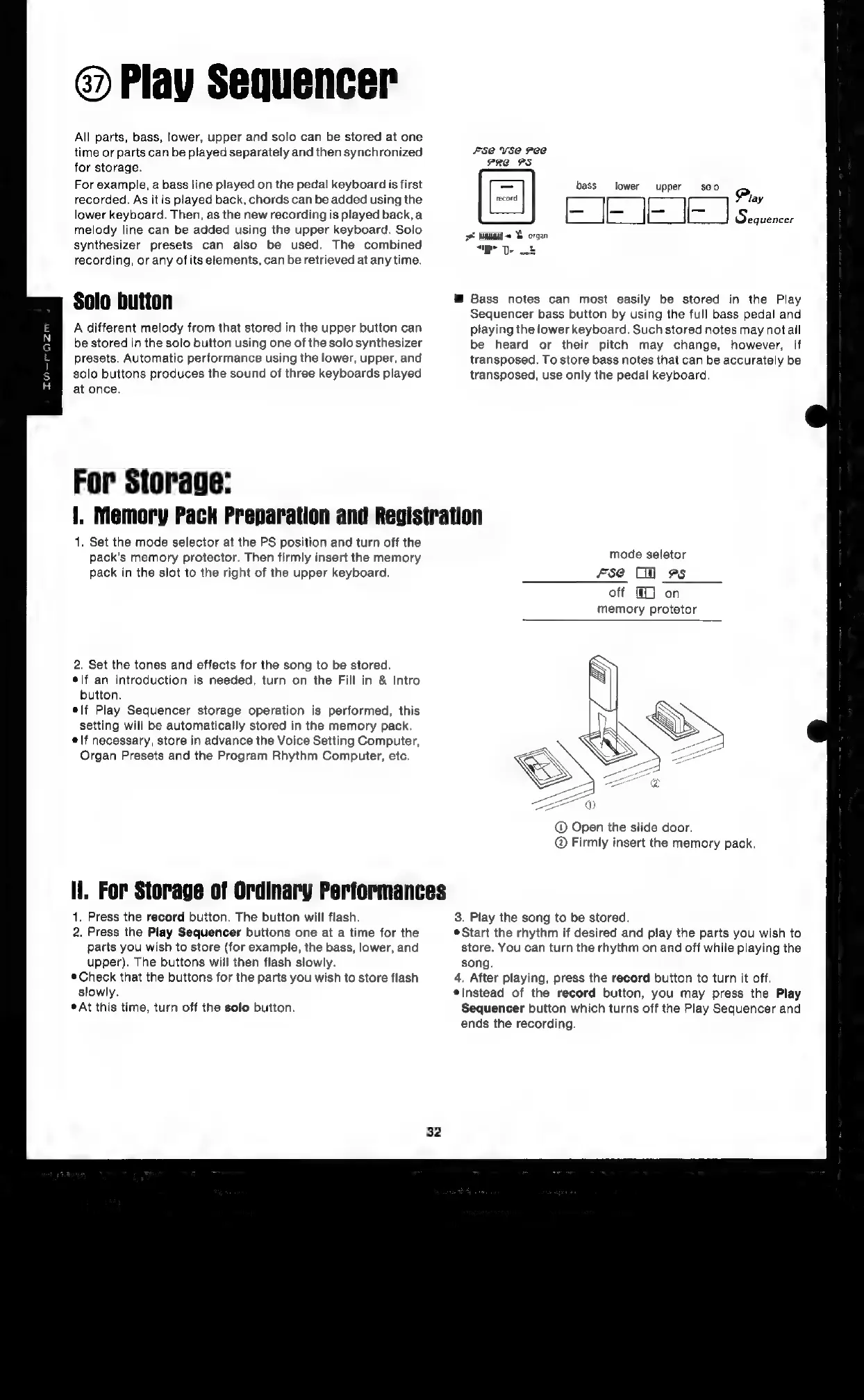
@
Open
the
slide
door.
Firmly
insert
the
memory
pack.
li.
For
Storage
of
Ordinary
Performances
1.
Press
the
record
button.
The
button
will
flash.
3.
Play
the
song
to
be
stored.
2.
Press
the
Play
Sequencer
buttons
one
at
a
time
for
the
©Start
the
rhythm
if
desired
and
play
the
parts
you
wish
to
parts
you
wish
to
store
(for
example,
the
bass,
lower,
and
store.
You
can
turn
the
rhythm
on
and
off
while
playing
the
upper).
The
buttons
will
then
flash
slowly.
song.
Check
that
the
buttons
for
the
parts
you
wish
to
store
flash
4.
After
playing,
press
the
record
button
to
turn
it
off.
slowly.
*Instead
of
the
record
button,
you
may
press
the
Play
*At
this
time,
turn
off
the
solo
button.
Sequencer
button
which
turns
off
the
Play
Sequencer
and
ends
the
recording.
32

Related product manuals