EasyManua.ls Logo

Technics SX-G5 - Page 5

Technics SX-G5
44 pages
Print Icon
To Next Page IconTo Next Page
To Previous Page IconTo Previous Page
Loading...
ll.
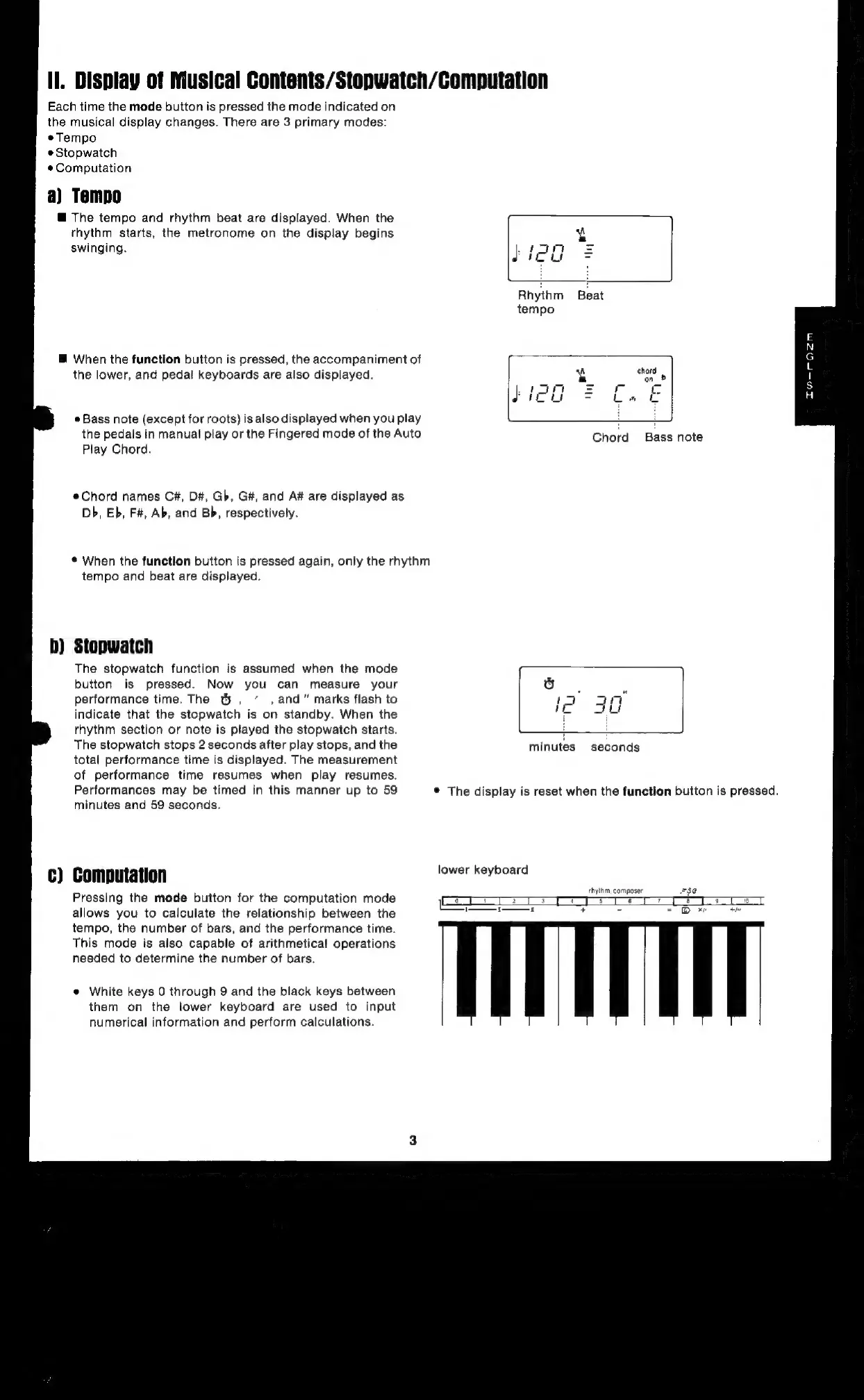
Display
of
Musical
Contents/Stopwatch/Computation
Each
time
the
mode
button
is
pressed
the
mode
indicated
on
the
musical
display
changes.
There
are
3
primary
modes:
eTempo
e
Stopwatch
#Computation
a)
Tampo
@
The
tempo
and
rhythm
beat
are
displayed.
When
the
rhythm
starts,
the
metronome
on
the
display
begins
4
swinging.
}:
feel
=
@
When
the
function
button
is
pressed,
the
accompaniment
of
the
lower,
and
pedal
keyboards
are
also
displayed.
pt
on
e
Bass
note
(except
for
roots)
is
also
displayed
when
you
play
i
i
the
pedals
in
manual
play
or
the
Fingered
mode
of
the
Auto
Chord
Bass
note
Play
Chord.
Chord
names
C#,
D#,
Gb,
G#,
and
A#
are
displayed
as
Db,
Eb,
F#,
Ab,
and
Bb,
respectively.
*
When
the
function
button
is
pressed
again,
only
the
rhythm
tempo
and
beat
are
displayed.
b)
Stopwatch
The
stopwatch
function
is
assumed
when
the
mode
button
is
pressed.
Now
you
can
measure
your
to]
performance
time.
The
t&,
,and”
marks
flash
to
!
a4
indicate
that
the
stopwatch
is
on
standby.
When
the
uM
au
rhythm
section
or
note
is
played
the
stopwatch
starts.
i
i
The
stopwatch
stops
2
seconds
after
play
stops,
and
the
minutes
seconds
total
performance
time
is
displayed.
The
measurement
of
performance
time
resumes
when
play
resumes.
Performances
may
be
timed
in
this
manner
up
to
59
*
The
display
is
reset
when
the
function
button
is
pressed.
minutes
and
59
seconds.
|
keyboard
¢)
Computation
rep
ee
Pressing
the
mode
button
for
the
computation
mode
a
a
BE
oe
er
H
a
es
———
7
+
=
=o
x
+e
allows
you
to
calculate
the
relationship
between
the
tempo,
the
number
of
bars,
and
the
performance
time.
This
mode
is
aiso
capable
of
arithmetical
operations
needed
to
determine
the
number
of
bars.
e
White
keys
0
through
9
and
the
black
keys
between
them
on
the
lower
keyboard
are
used
to
input
numerical
information
and
perform
calculations.

Related product manuals