EasyManua.ls Logo

Technics SX-G5 - Page 8

Technics SX-G5
44 pages
Print Icon
To Next Page IconTo Next Page
To Previous Page IconTo Previous Page
Loading...
@
Upper
Tab
Voices
volume
tab
voices
digital
drawbars
———-___—__—____
flute flute
tute
flute
16
8
54
4
Footage
Marks
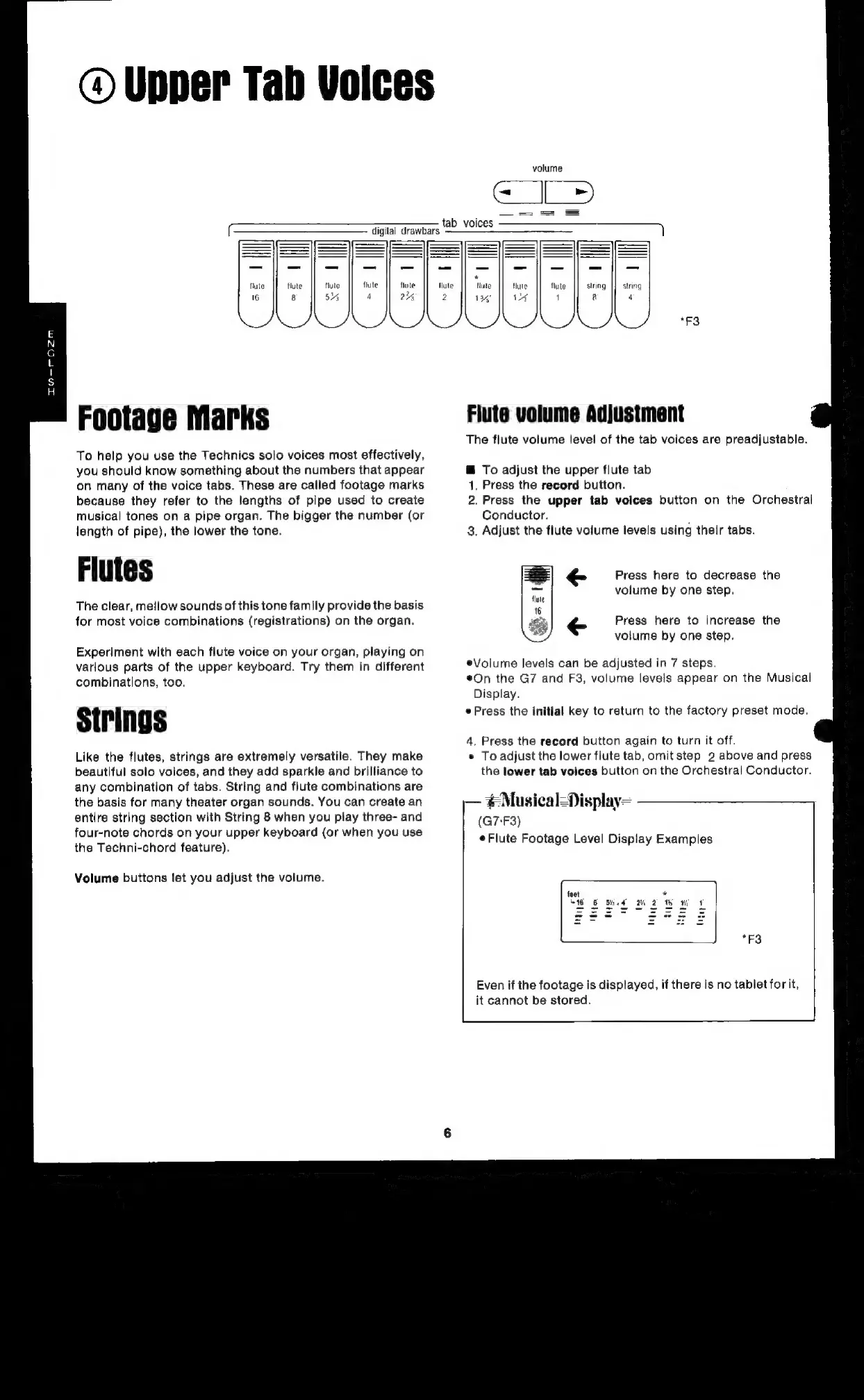
To
help
you
use
the
Technics
solo
voices
most
effectively,
you
should
know
something
about
the
numbers
that
appear
on
many
of
the
voice
tabs.
These
are
called
footage
marks
because
they
refer
to
the
lengths
of
pipe
used
to
create
musical
tones
on
a
pipe
organ.
The
bigger
the
number
(or
length
of
pipe),
the
lower
the
tone.
Flutes
The
clear,
mellow
sounds
of
this
tone
family
provide
the
basis
for
most
voice
combinations
(registrations)
on
the
organ.
Experiment
with
each
flute
voice
on
your
organ,
playing
on
various
parts
of
the
upper
keyboard.
Try
them
in
different
combinations,
too.
Strings
Like
the
flutes,
strings
are
extremely
versatile.
They
make
beautiful
solo
voices,
and
they
add
sparkle
and
brilliance
to
any
combination
of
tabs.
String
and
flute
combinations
are
the
basis
for
many
theater
organ
sounds.
You
can
create
an
entire
string
section
with
String
8
when
you
play
three-
and
four-note
chords
on
your
upper
keyboard
(or
when
you
use
the
Techni-chord
feature).
Volume
buttons
let
you
adjust
the
volume.
flute
flute
|]
string
|]
string
V4
1
&
4
Flute
volume
Adjustment
The
flute
volume
level
of
the
tab
voices
are
preadjustable.
@
To
adjust
the
upper
flute
tab
1,
Press
the
record
button.
2.
Press
the
upper
tab
voices button
on
the
Orchestral
Conductor.
3.
Adjust
the
flute
volume
levels
using
their tabs.
Press
here
to
decrease
the
volume
by
one
step,
Press
here
to
increase
the
volume
by
one
step.
*Volume
levels
can
be
adjusted
in
7
steps.
*On
the
G7
and
F3,
volume
levels
appear
on
the
Musical
Display.
Press
the
initial
key
to
return
to
the
factory
preset
mode.
4.
Press
the
record
button
again
to
turn
it
off.
*
To
adjust
the
lower
flute
tab,
omit
step
2
above
and
press
the
lower
tab
voices button
on
the
Orchestral
Conductor.
Musical=Display=
(G7-F3)
¢Flute
Footage
Level
Display
Examples
feet
a
M16
6
BH.4
DH
2
TR
WH
“F3
Even
if
the
footage
is
displayed,
if
there
is
no
tablet
for
it,
it
cannot
be
stored.

Related product manuals