17
2. Main switch: This switch opens all functions on the unit.
WHEN WORKING ON THE MACHINE DISCONNECT POWER SUPLY!
3. For switching ON/OFF the seed roll and fan: When pressing this button the fan turns on first and after
some seconds the seed roll starts turning. Press the button again for switching off. The seed roll stops and
after some seconds the fan turns off. This avoids blocking in the hoses.
Red LED on left side shines = Seed roll and fan is turned on
Green LED on right side flashes = Seed roll turns
4. Calibration function: Only the seed roll turns on/off. Just for using during calibration. Don´t use in
general operation because the fan isn´t working, the hoses will block.
5. This button activates the ON/OFF sensor.
Yellow LED shines = sensor is active
Mounting of the ON/OFF sensor
The sensor stops the seed roll when no metal is opposite and switches the seed roll on when metal is
opposite. Sensor-DM: 12mm; max. reacting distance: 2mm. Check if the sensor has contact. When the
sensor has contact the led must shine. Be sure that the sensor switch off (Led dosn´t shine)
Activation and Dectivation of ON/OFF sensor:
Switch off the unit with the main switch. Wait about 2 seconds. Switch on again and press immediately the
yellow button for 2-3 seconds. When the yellow LED shines the sensor is active. Isn´t it shining the sensor
is not active.
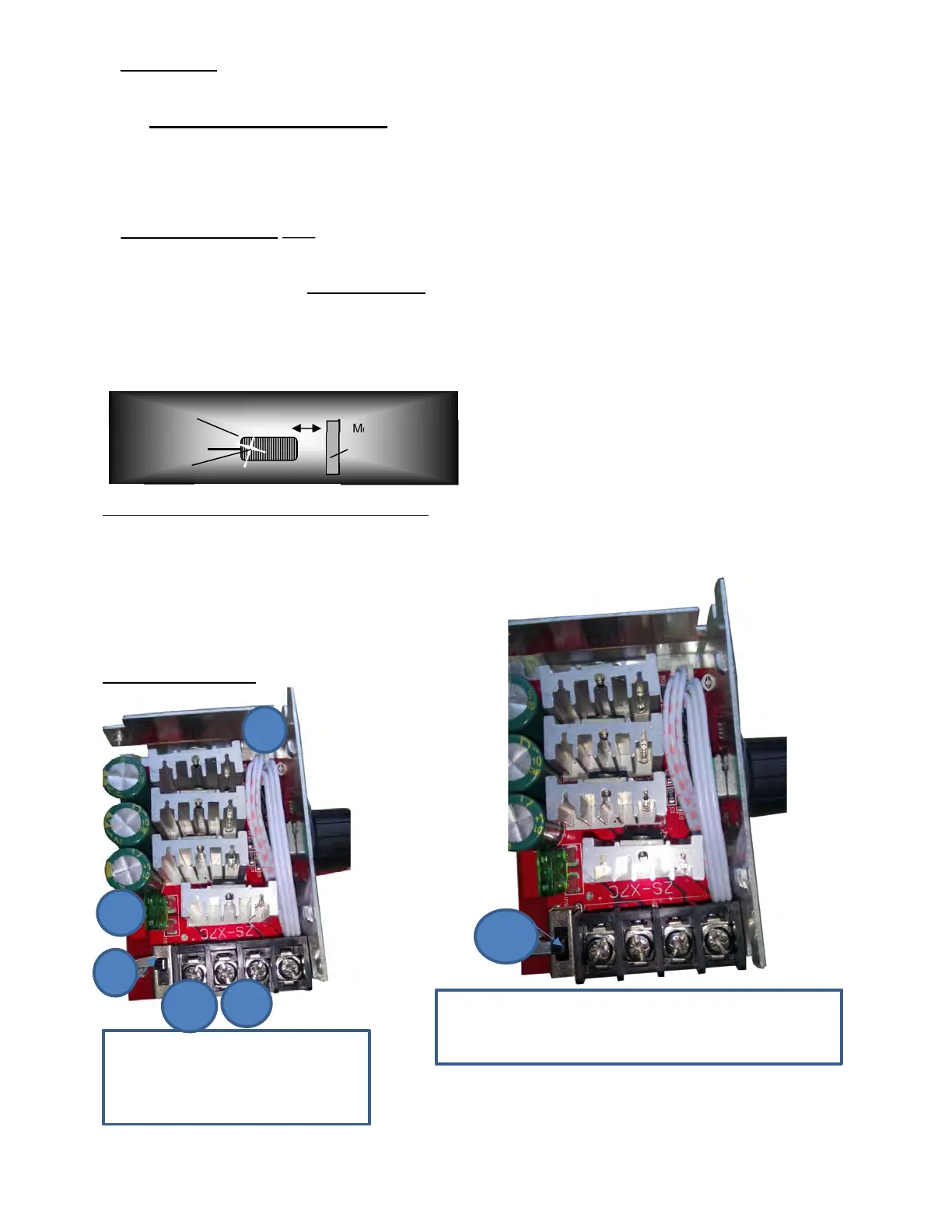
6. Fuses in the unit
For fan: 15A
For seed roll motor: 10A
PROFI-CONTROL inside
ON/OFF-Sensor
Metal, min. size of
M8 screw head.
max. 2 mm
light
1. Switch is up – on
2. Red light is on
3. Please check the fuse.
. 1. Switch is at the bottom = circuit board is
deactivated
1.


 To Next Page