7
Your radio includes a dual alarm function. Two separate alarm
times can be set - Alarm 1 and Alarm 2. Each alarm can be set
with a wake-up time, then you can choose to be woken by a
beep sound, a DAB station preset or an FM station preset. You
can also set your preferred alarm wake-up volume. Before
using the alarms, you must store these preferred wake-up
settings.
SETTING THE ALARM:
Press the • ALARM button.
Using the •
TUN+ or TUN-
buttons, set your preferences for
each alarm setting in the list below.
Press the • SELECT/NAV button to move onto the next
setting.
ALARM FUNCTIONS
WHEN THE ALARM SOUNDS
To switch o the alarm:
Press the • ALARM button to switch o the alarm when
it sounds.
To extend the alarm for a further ‘snooze’:
Press the • SNOOZE button.
The alarm will switch o for the snooze period of 5 minutes and
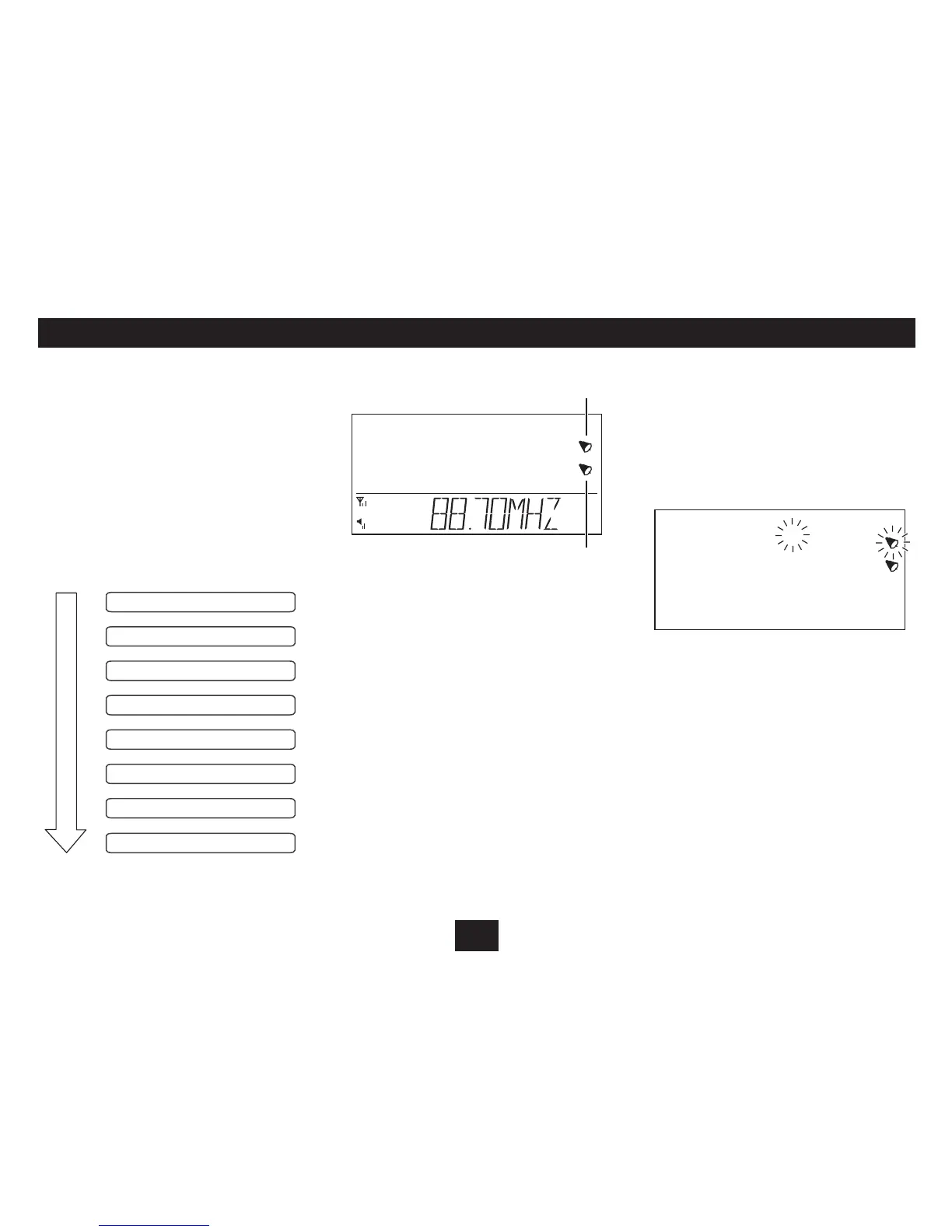
both the Snooze/Sleep and alarm indicators will ash.
After the snooze period, the alarm will sound again. You can
switch o the alarm in the normal way or you can set snooze
again.
The Alarm 1 or Alarm 2 indicators will show on the display
when an alarm is set.
Alarm 2
Alarm 1
ACTIVATING THE ALARM(S):
Once the alarm is set ‘On’ during alarm setting, it will activate
automatically when the radio is set to Standby.



 To Next Page