14
The following notes a b c refer to the connection example on page 14.
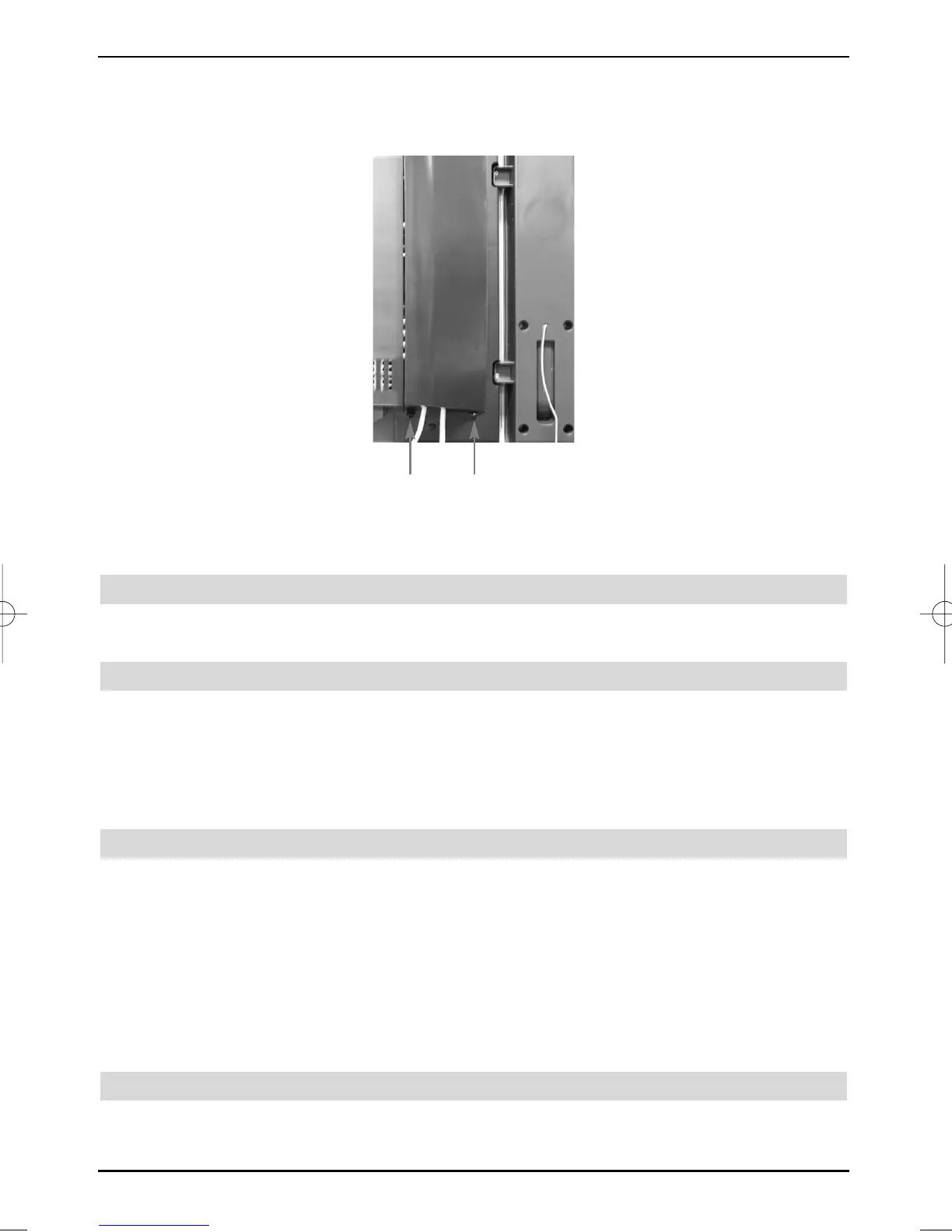
You must first remove the cover, in order to be able to get to the device connections.
> For this purpose, lightly press both snap-fits upwards and remove the cover towards
the back.
> In order to cover the connection cable, lead this along the back of the pedestal behind
the detachable plastic holders.
4.1 Satellite antenna
a Connect the cable coming from the LNB of the satellite antenna to the LNB input of
the LCD TV set.
4.2 Antenna/cable connector (analogue and digital)
b Connect the antenna input of the LCD TV set either to a terrestrial antenna or to
the outlet of the cable or antenna connection.
Please note:
The simultaneous reception of DVB-T and DVB-C signals can result in recepti-
on problems of some cable and DVB-T programmes.
4.3 DVD player
c Connect your DVD player either by means of an HDMI connection cable to an HDMI
connection
or by
- a DVI/HDMI connection cable to an HDMI connection and additionally by an audio
connection cable to the Audio IN (VGA/DVI) input.
or by
- a SCART cable to a SCART socket
or by
- a Cinch cable to the component inputs of the LCD TV set.
4.4 Video cassette recorder
d Connect a Scart connector of the LCD TV set with a Scart cable to the Scart
connector of your video cassette recorder.
Snap-fit


 To Next Page