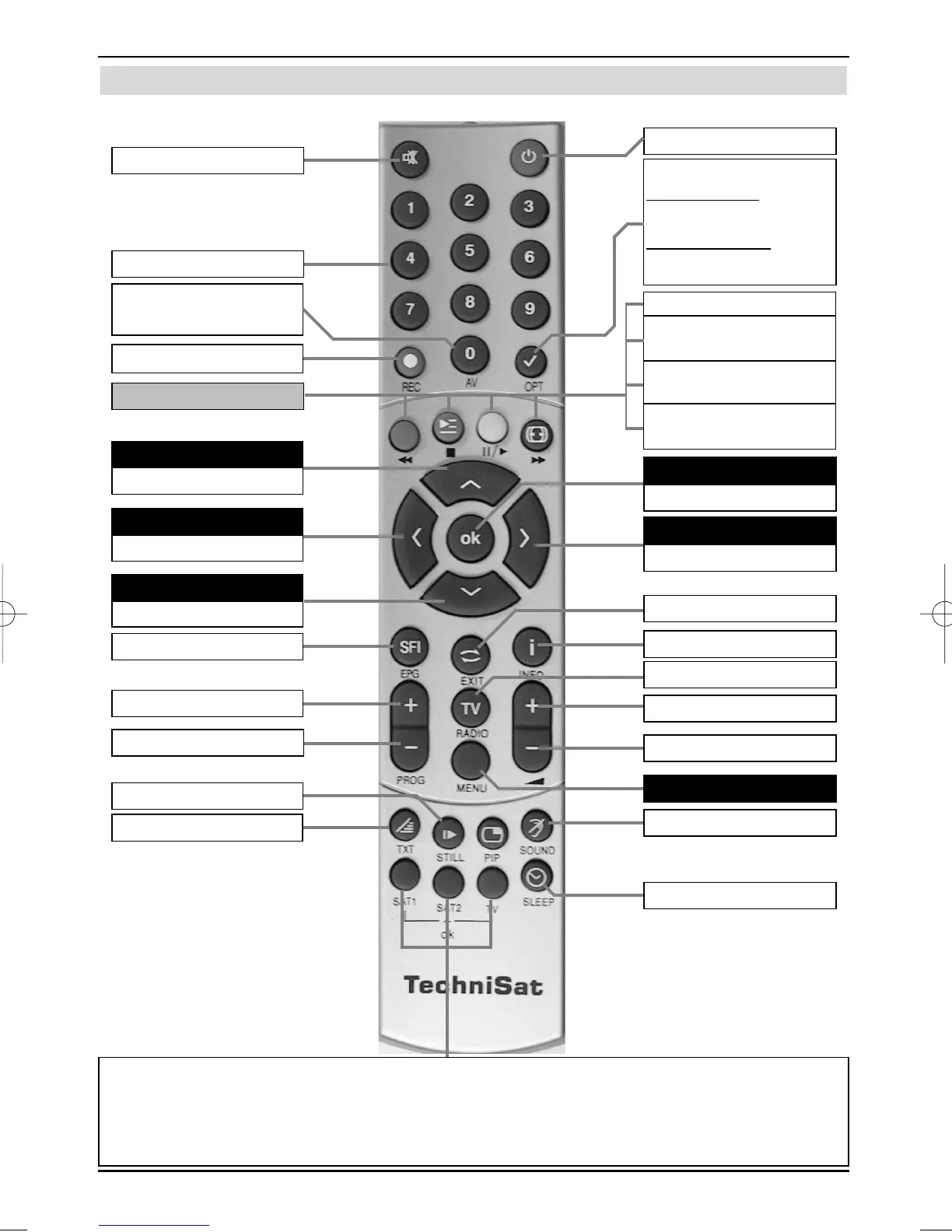
Remote control
2 Illustrations
6
On/Standby
Numeric keyboard
Programme list on/off
Back
Option*
during TV operation:
Sound/sub-title selectionSpecial
functions
during radio operation:
Station selection by switching the
sound sub carriers
Info
Menu on/off
Sound on/off
Multi-function keys
TV/Radio mode
Volume +
Programmes +
Programmes -
Volume -
SFI
Programme -
Volume -
Volume +/-
Programme +
Video-text On/Off*
OK
Arrow key right
Arrow key left
Arrow key up
Arrow key down
Select language*
Sleep Timer
0/AV
(External inputs)
Stop
* This function is only available, if the appro-
priate data are broadcast on the set chan-
nel position.
Remote control option:
Switching to the remote control option will enable you to operate two TechniSat receivers and a
TechniSat TV using the same coding via the remote control.
> To change the remote control option, press the required key
(SAT1, SAT2 or TV) and OK simultaneously!!!
blue Zoom
Fast-forward
red Rewind
yellow Pause,
Replay
Green PVR Navigator,
stop
Recording



 To Next Page