3
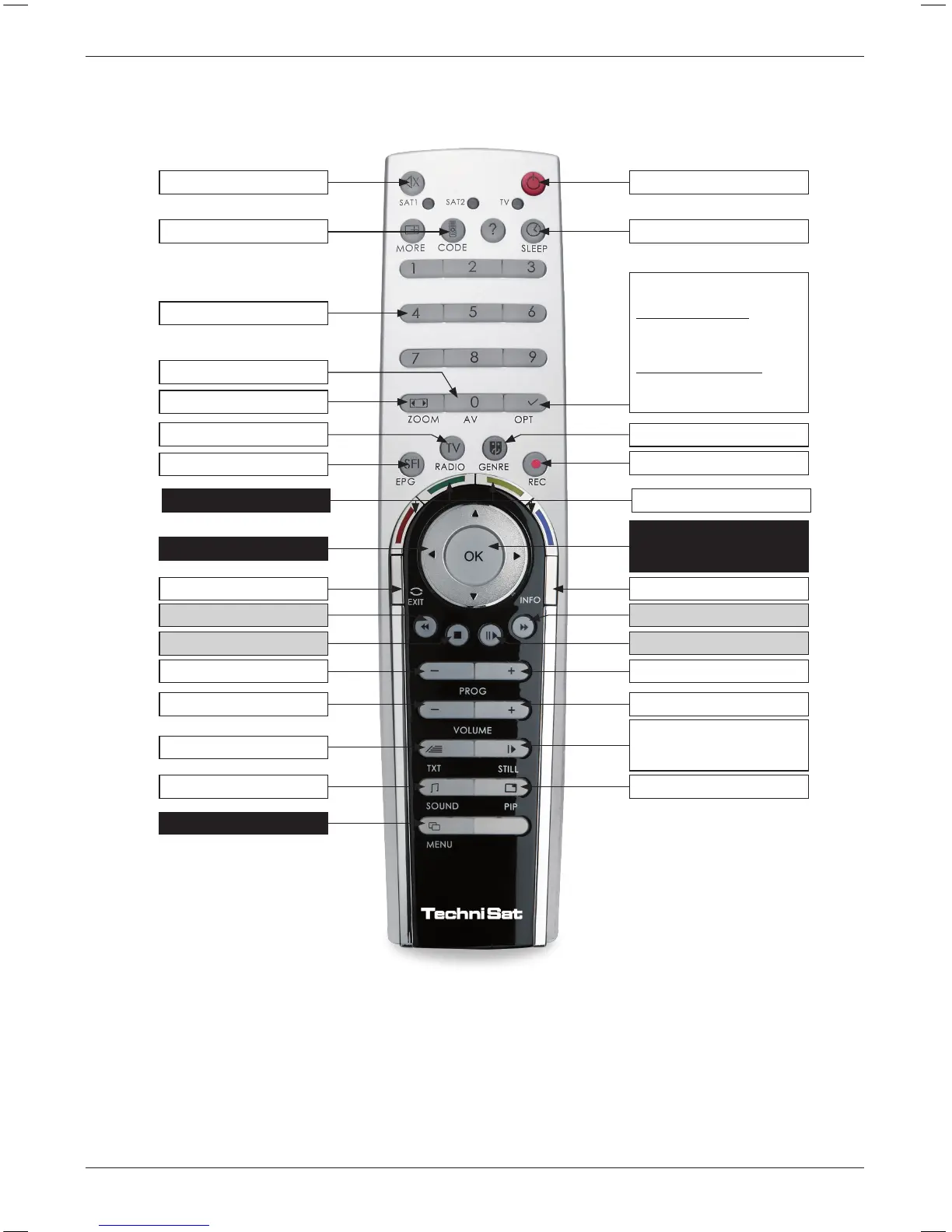
Remote control
1) This function is only available, if the appropriate data are broadcast on the set programme position.
2) Remote control option:
This remote control can control two TechniSat receivers and a TechniSat television set with same encoding by switching
the remote control option. The appropriate LED ashes indicating the currently set remote control code when a key is pressed.
> To change the remote control option press the remote control code key and then press the OK key as many times as necessary
until the LED of the required remote-control option (SAT1, SAT2 and/or TV) ashes briey.
Illustration of the remote control
Sound on/o On/Standby
Sleep Timer
Option
1)
during TV operation:
Sound / Sub-title selection,
special functions
during radio operation:
Station selection by changing
the sound subcarriers
Record
Info
Programme list on/o
OK
Volume +
Programme +
Freeze image
jogshuttle on/o
PiP/PaP
Numeric keyboard
Remote control code
2)
TV/Radio operation
Category list
Zoom/Format
0/AV (External inputs)
SFI+
Back
Fast backward
Fast forward
Stop
Pause / Playback
Programme -
Volume -
Video text on/o
1)
Language selection
1)
Menu on/o
Arrow keys
blue: function selectionMulti-control keys



 To Next Page