EN2
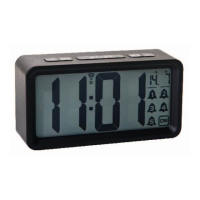
1) AL icon 2) PM icon
3)°C icon 4) °F icon
5) Digits (display of time and temperature)
6) MODE button 7) ALARM button
8) SNZ/LIGHT button 9) UP button
10) DOWN button 11) Battery compartment cover
Features
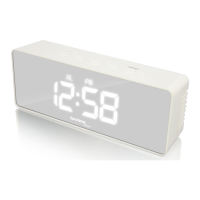
LED time display
12/24 hour format selectable
Alarm & snooze
Temperature display in ℃ or ℉
Temperature range: 0℃ ~ 50℃
Night mode setting (18:00-06:00)
Mirror function
Five function button (MODE, ALARM, SNZ/LIGHT, UP, DOWN)
Power consumption: 3 x AAA batteries (not included)
AC/DC adapter HX06-0501000-AG
(included)
QUICK SETUP
Step 1 Insert the AC/DC adaptor to any 230 AC household outlets.
Then insert the DC jack to the back case of your unit.
Step 2 Slide open the battery compartment cover at the back of
your clock, then insert 3 x AAA Alkaline batteries to the battery
compartment. Make sure +/- polarity of the battery are facing in the
right directions. Then replace the battery compartment cover.
The clock displays all digits and icons and makes a small signal
tone to show that it is powered and ready to operate.
Note:
Do not plug in any other AC/DC adaptor with incorrect




 To Next Page