12
For Support Visit· support.technocnc.com or Call: (631) 648-7481
HDS User Manual
(HTT06291133)
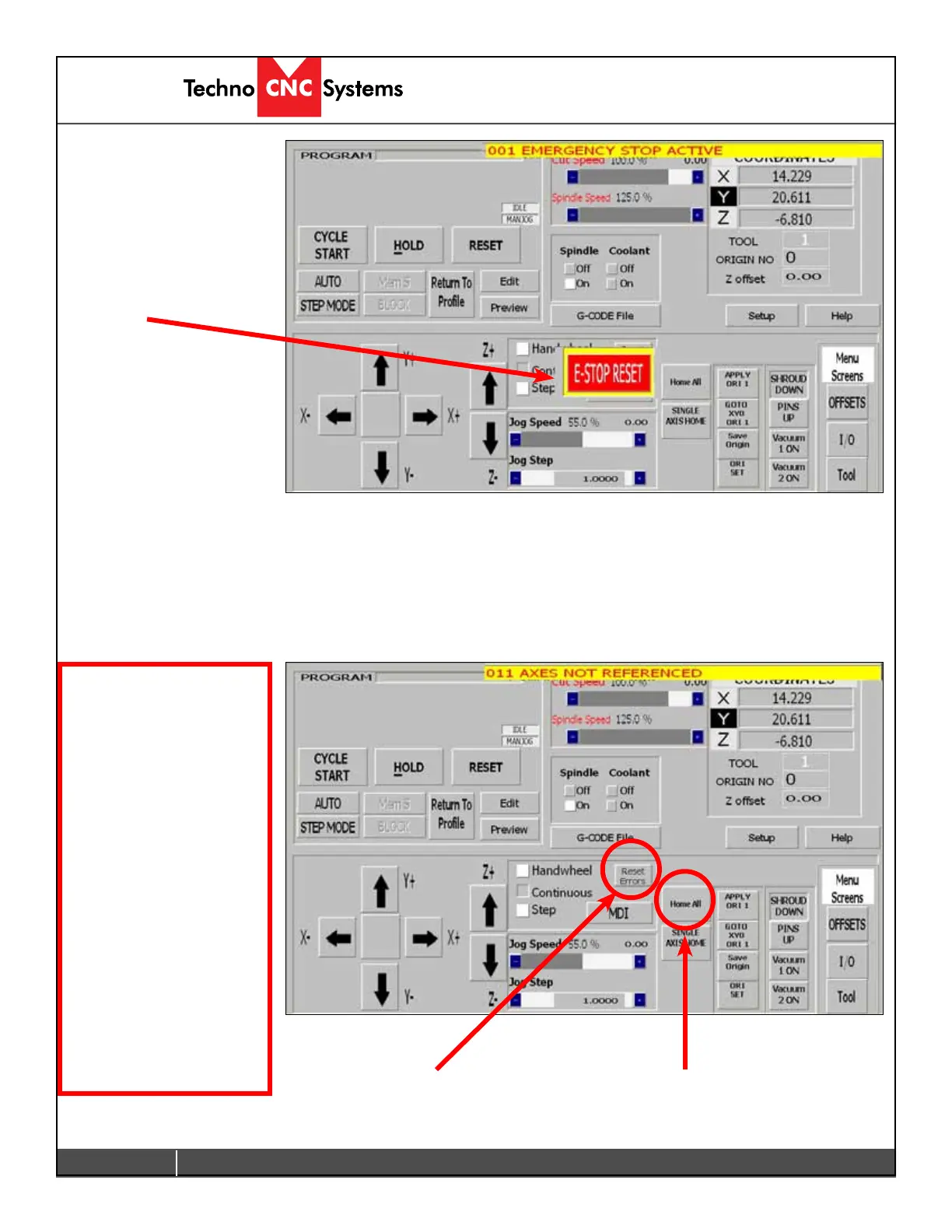
2.1.5 Interface Starts:
The Techno interface screen
will now open. There will be
a warning message saying
Emergency Stop Active.
Click on the E-stop Reset
Button to remove this
warning.
The Axis not referenced error will appear.
Click on “Home All” and all the axes will move to their home position. If any errors remain on the screen (i.e. Low
Air Pressure,) rectify the problem and click on “Reset Errors” or “RESET” to remove the message.
Themachineisnowreadytobejogged.
Home All
Reset Errors
Note: Pressing Home All
will move the machine to
the front left corner of the
table.
This must be done
every time the machine
boots up.
Once the machine is in
the Home position, it
has a reference point
from which it can pick
up tools and locate
offsets.


 To Next Page
 Loading...