For Support Visit· support.technocnc.com or Call: (631) 648-7481
17
HDS User Manual
(HTT06291133)
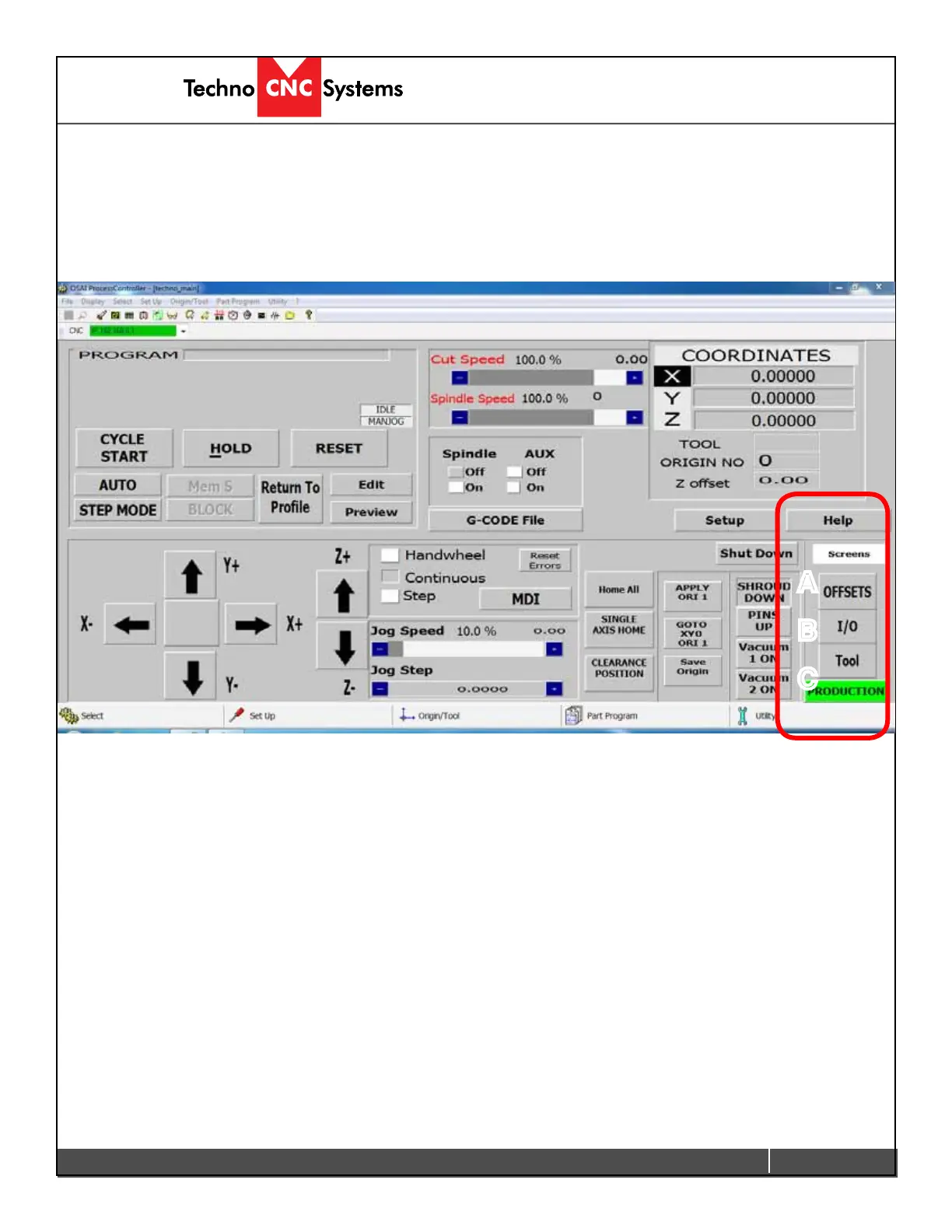
A
B
C
D-Menu Screens
The sections highlighted below are the Menu Screen options of the interface. The user
can switch to these screens by clicking on the corresponding button.
A - Offsets:
Opens the Offset Menu. In this menu the user can save multiple offsets/origins and
apply them to the coordinate system.
B - I/O:
Opens the Input and Output screen diagnostics. These screens will show the
states of the inputs and outputs.
C - Tool:
Opens the Tool Menu. In this menu the user can store tool lengths and change
tool numbers.



 To Next Page