For Support Visit· support.technocnc.com or Call: (631) 648-7481
29
HDS User Manual
(HTT06291133)
3.2 Learning Tool Lengths
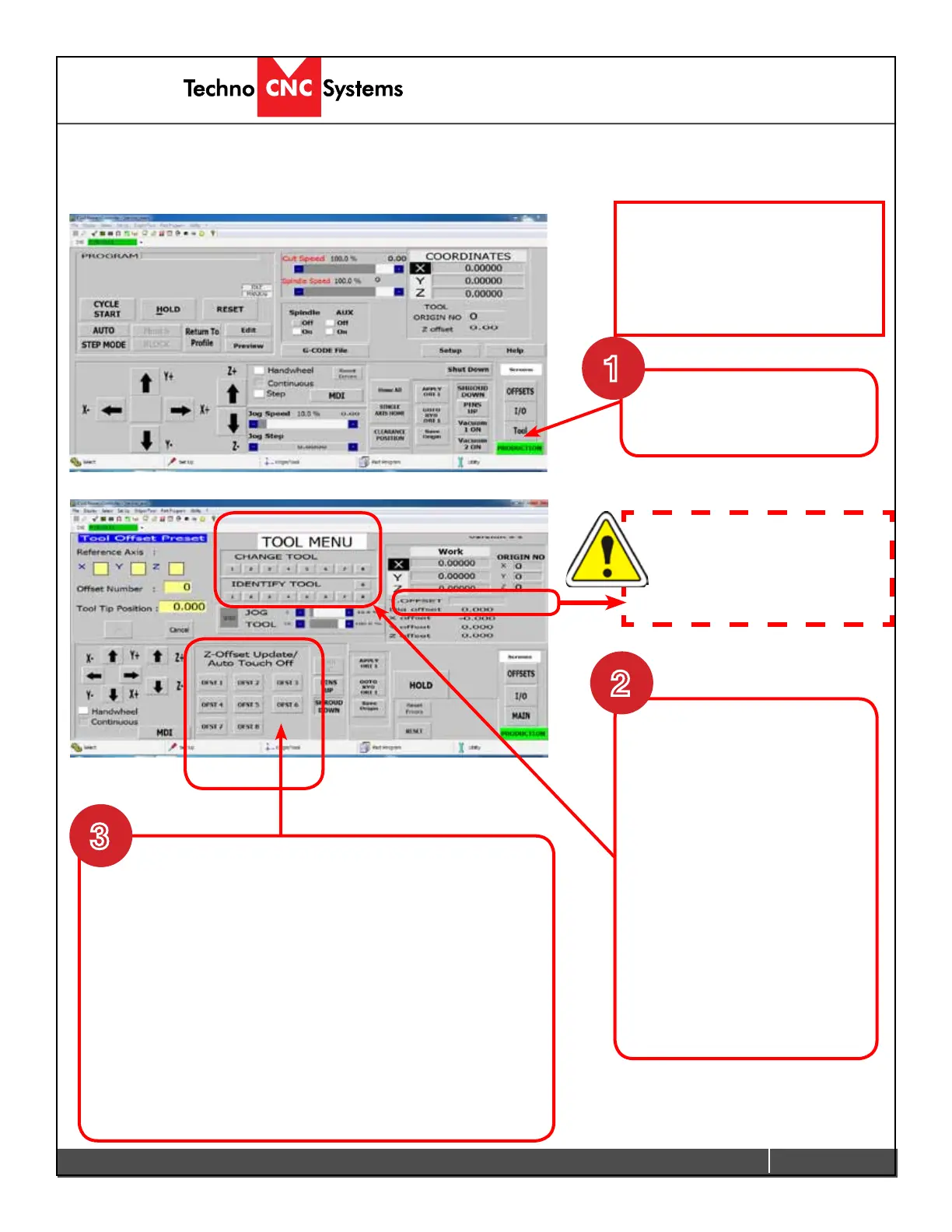
Tool lengths will record how long the tool is in the holder and record the offset value.
This will allow multiple tools to be used in a single le.
Tool Locations should be pre-
learned from the factory. If the
Tool locations are incorrect, see
Learning Tool Locations section of
the appendix.
-Click Reset to remove any offsets.
-Click OFST # . Where # is the number of the Tool you have
in the chuck.
The machine will go to Top of the Z travel, then slowly move
down to the pad. It will touch the brass colored section of the
pad,retract,andthenmovedownagaintoconrmthevalue.
Repeat this procedure for the other tools.
Tool Lengths are now learned. Press “RESET” to remove Blue
Notication
To learn tool lengths.
Click on Tool in the main screen
of the Techno interface.
1
Place the router bits in the tool
holders, ensuring that they are
secure.
Place the tool holder in the
chuck. This can be done
manually by pressing the green
button on the side of the spindle,
then placing the tool holder in the
spindle and releasing the button.
If the tool is in the tool stand,
press the corresponding button
under the Manual Tool Change
bar in the Tool Screen.
Warning take note of the T.OFFSET
number. If it tries to return a tool
to an occupied tool location, it can
cause damage to the tool stands.
3
2
(Continued on next page)


 To Next Page
 Loading...