30
For Support Visit· support.technocnc.com or Call: (631) 648-7481
HDS User Manual
(HTT06291133)
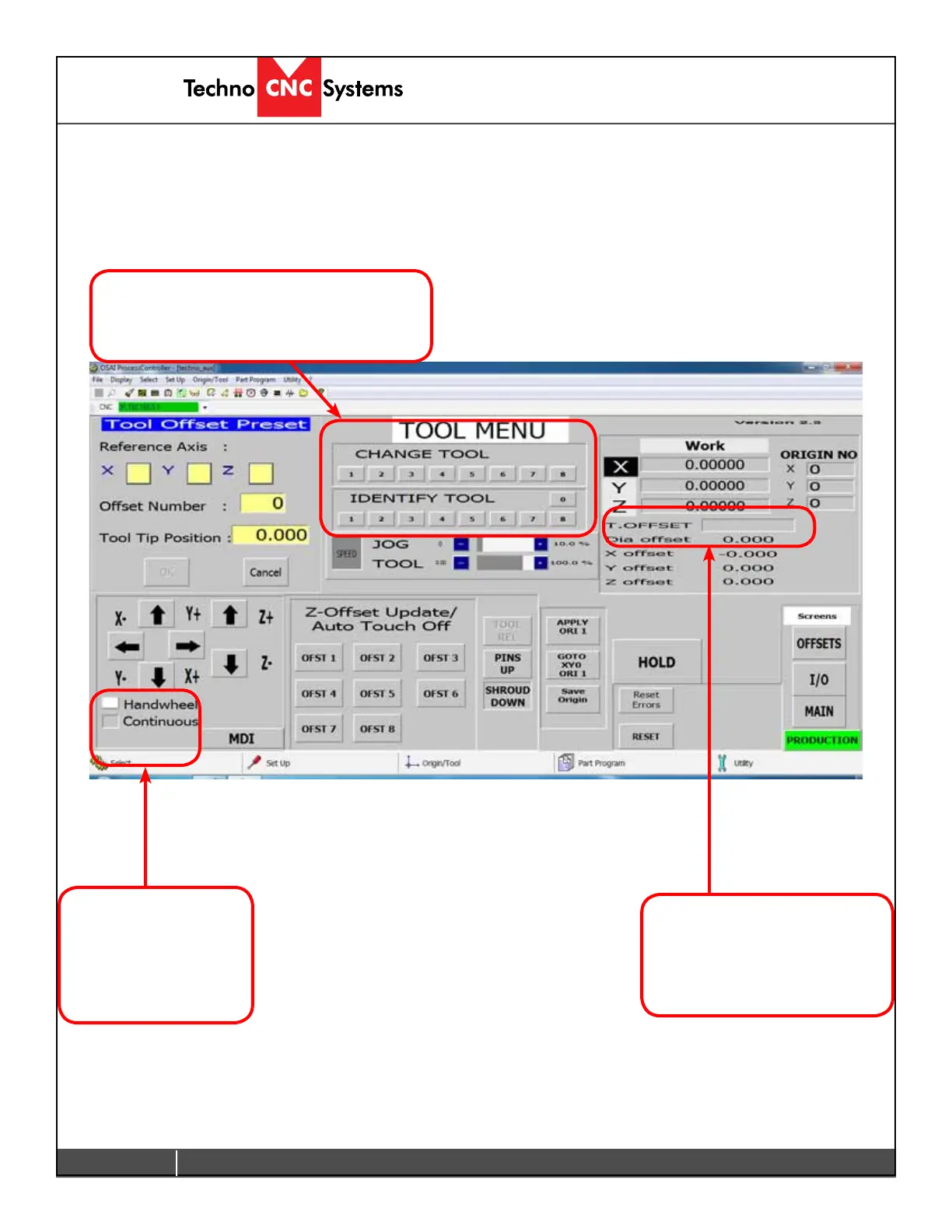
If jogging the
machine make sure
one of these buttons
is clicked, otherwise
it will not move.
This displays the Tool that is
in the chuck.
1 means no offset is applied.
1.1 means offset is applied.
Identify or Change Tools by pressing
these buttons. 0 is an empty chuck.
3.2 Learning Tool Lengths (Continued)
Tool lengths will record how long the tool is in the holder and record the offset value.
This will allow multiple tools to be used in a single le.



 To Next Page