50
For Support Visit· support.technocnc.com or Call: (631) 648-7481
HDS User Manual
(HTT06291133)
Addendum:
HDS Drill Bank Machine
29 Trade Zone Drive, Ronkonkoma NY 11779
Office: (631) 648-7481
www.technocnc.com
How to set up Drill Lengths
on the HDS Drill Bank Machine.
Because of the addition of the Drill Bank, we need to properly tell the software
the length of the drill bits in the bank. To do this, we must manually input the
known lengths of these tools into the “Table Editor”. You MUST use all the same
length drill bits when using this machine. The standard lengths are 57mm,
70mm and 77mm.
1. Once all the same length bits are placed into their tool holders, we can
identify their lengths.
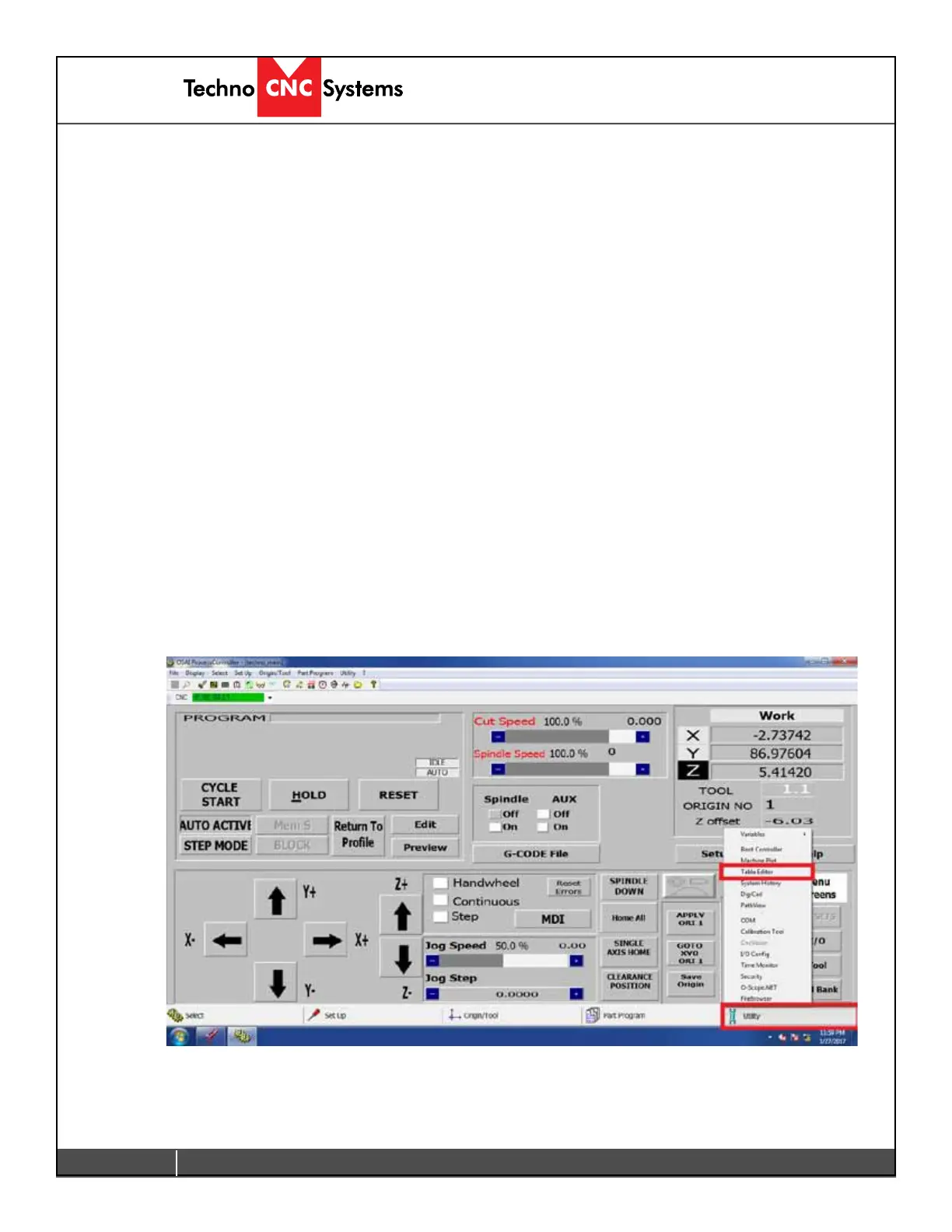
2. First, we must open the “Table Editor”. From the main screen, click on
“Utility” on the bottom right hand corner and then select “Table Editor” from
the list.
6.1 Addendum: HDS Drill Bank Machine


 To Next Page
 Loading...