MYRUN TECHNOGYM
22
Working out with MYRUN TECHNOGYM
MYRUN TECHNOGYM simulates walking and running, aerobic activities that can
be performed at various levels of intensity, useful for joint and cardiovascular
rehabilitation exercises too. The range of users for which it is intended is
therefore broad and diversied: from those practising sport at competitive
level, for targeted cardio training, to those who wish to achieve and maintain
a good level of physical eciency.
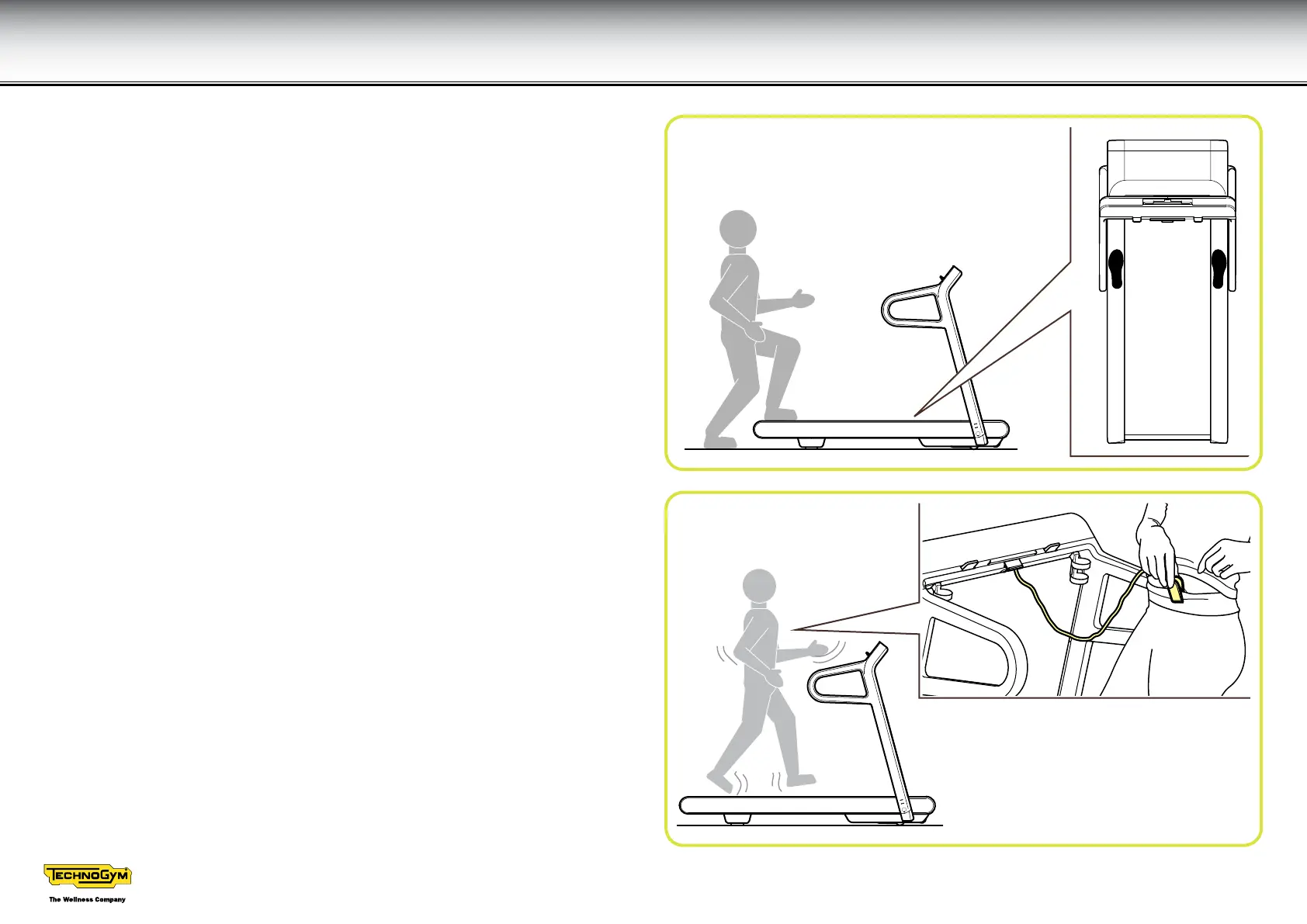
Step onto the running surface from the rear looking forwards and place one
foot on each side footrest. In this rest position hold on to the side handgrip
with one hand, using the other hand to press the key to begin the exercise.
When the treadmill starts, hold on to the side handgrips with both hands and
start walking slowly.
The handgrips guarantee increased safety when you rst use the equipment;
later on, however, it is better to walk or run without any support, to improve
your balance and posture.
At a speed of about 6-7 km/h, fast walking becomes a gentle run, with
gradually lengthening strides. The speed will increase gradually as you feel
more sure and stable.
It is important not to lean too far forward or backwards; the correct posture is:
head high, shoulders in line with your pelvis, arms relaxed with elbows bent
at 90°, eyes forwards as if you are staring at a point that is 5-6 m ahead.
Strides should be regular; legs and feet must stay parallel, at the centre of
the treadmill.





 To Next Page