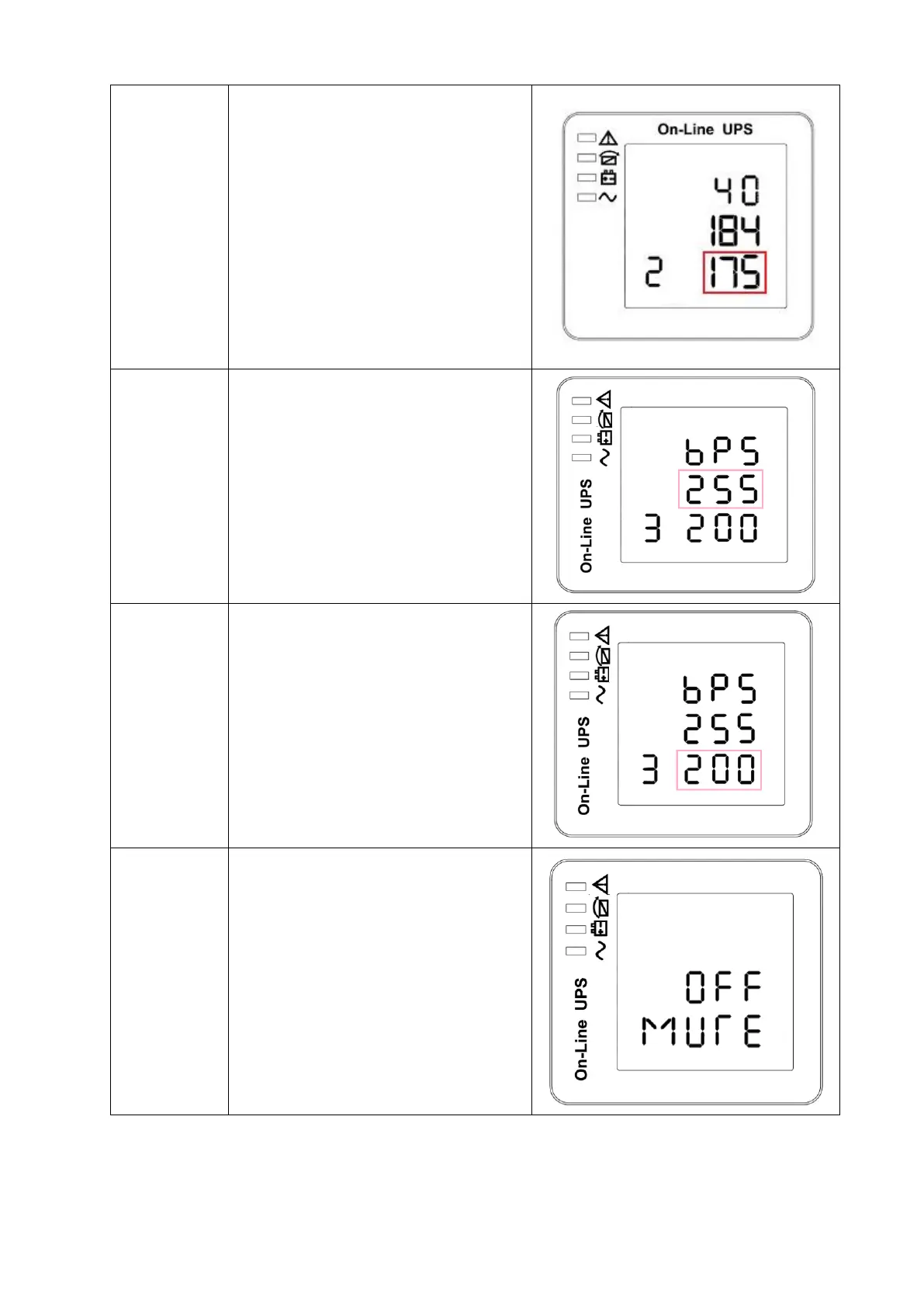
EOD voltage setting
Press Func button to change the
setting(160/167/175/180.)
default setting: 175(1.75V /cell)
Press UP button ▲ to select the
previous setting.
Press DOWN ▼ button to select
the next setting.
Bypass voltage upper limit setting
Press Enter button to change
the setting(The bypass voltage
upper limit range is 230-264Vac ).
Press UP button ▲ to select the
previous setting.
Press DOWN button ▼ to select
the next setting.
Bypass voltage lower limit setting
Press Enter button to change
the setting(The bypass voltage
lower limit range is 176-220Vac).
Press UP button ▲ to select the
previous setting.
Press DOWN button ▼ to select
the next setting.
Mute setting
Press Enter button to change
the setting(ON or OFF).
Press UP button ▲ to select the
previous setting.
Press DOWN button ▼ to save
and exit the setup.



 To Next Page