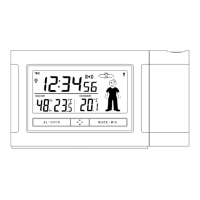
WT549 Manual
EN12
buttons to set the date.
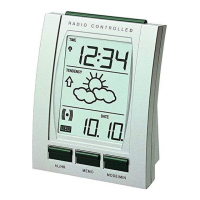
Press “MODE-SET” button to confirm your setting,
the language selection for the Weekday displays
starts to flash. Now use “+” and “-” buttons to select
a language:
German, English, French, Italian, Spanish, Dutch,
Danish
Press “MODE-SET” button to confirm your setting,
the Time zones start to flash, Now use “+” and “-”
buttons set the time zone (-1 to +2). For Germany
the time zone is 0, for UK it is -1.
Press the “MODE-SET” button and the 12/24 hour
mode display starts to flash. Now use “+” and “-”
buttons to set the 12/24 hour mode.
Press “MODE-SET” to confirm your setting, the hour
display starts to flash. Now use “+” and “-” buttons to
set the hour.
Press “MODE-SET” to confirm your setting, the
Minute displays starts to flash. Now use “+” and “-”
buttons to set the minute.
Press the "MODE-SET" button to confirm the setting



 To Next Page