Need help?
Do you have a question about the Technoline WT549 and is the answer not in the manual?
Procedure for setting the calendar date.
Configure language and geographical time zone.
Select between 12-hour and 24-hour time display.
Adjust the current hour and minute.
Configure temperature units and current weather.
Program the desired wake-up alarm times.
Configure the duration for the snooze function.
How to stop the alarm sound.
Activate the snooze feature for temporary silence.
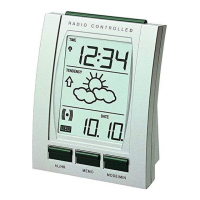
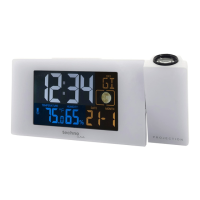
The WT549 is a multi-functional weather station clock with a positive LCD display and projection capabilities. It offers a range of features for timekeeping, weather forecasting, and temperature monitoring, suitable for indoor use.
The WT549 serves as a radio-controlled DCF-77 clock, providing accurate timekeeping. It features a weather forecasting function, utilizing a built-in sensitive pressure sensor to predict weather for the next 12-24 hours. The device displays indoor and outdoor temperatures, along with a temperature trend indicator showing rising, steady, or falling trends. It also includes a perpetual calendar, displaying the date and weekday in 7 selectable languages. For convenience, it has two daily alarms with an automatic snooze function. A unique feature is its projection display, which can project the time onto a surface. The backlight offers a color-changing display with a "Rainbow" button to cycle through white, red, orange, yellow, green, cyan, blue, and purple.
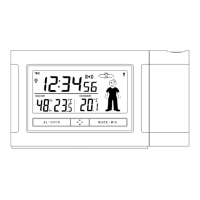
The device's front panel features a positive LCD display (A1-A6) for weather forecasting, time, week, indoor temperature, outdoor temperature, and calendar. The projection display (A7) shows the time. The back panel includes buttons for various settings and controls (B1-B9), a power supply socket (B10), and a battery compartment (B11).
To start, connect the included DC power supply or insert 2 x AAA batteries, observing polarity. Upon power-up, all LCD icons will light up for 3 seconds, a beep tone will sound, and the clock will detect indoor temperature before entering radio-controlled time signal reception mode.
Continuous projection is available when using the power adapter. The "-" button allows selection of high brightness, low brightness, or no backlight brightness for the projection. The projection always works in adapter mode. In battery mode, touching the "Snooze/Light" button activates backlight and projection for 8 seconds, provided the projection switch is in the "ON" position.
The clock automatically searches for the DCF signal upon restart or battery change, indicated by a flashing radio mast icon. Synchronization attempts occur at 1:00, 2:00, and 3:00 AM, and are repeated up to 5 times if unsuccessful. Manual DCF signal reception can be initiated by pressing and holding the "+" and "-" buttons for two seconds. A continuously displayed radio mast icon signifies successful reception. It is recommended to place the clock at least 2.5 meters away from interference sources like televisions or computers, and closer to a window in rooms with concrete walls. During signal reception, only the "Snooze" button is functional.
Press and hold the "Mode/Set" button for 2 seconds to enter time setting mode. The year display will flash, allowing adjustment with the "+" and "-" buttons. Subsequent presses of "Mode/Set" cycle through settings for month/date display format, month, date, weekday language (German, English, French, Italian, Spanish, Dutch, Danish), time zone (-1 to +2), 12/24 hour mode, hour, minute, and temperature unit (°C/°F). The weather forecast can also be set manually. If no button is pressed for 30 seconds, the clock automatically exits setting mode.
The device supports two daily alarms. Toggle the alarm switch to "ON" to activate an alarm, indicated by an alarm icon on the LCD. Press "Mode/Set" once to view the first alarm time, and twice for the second. To set an alarm, press and hold the "Alarm" button for 2 seconds until the hour flashes, then use "+" and "-" to adjust. Repeat for minutes. The snooze time can also be set. To stop an alarm, press any button except "Snooze." The alarm will sound for 2 minutes and repeat automatically after 24 hours if not deactivated. The alarm sound is a rising crescendo.
Touching the "Snooze" button when an alarm sounds activates snooze mode, and the alarm will sound again after the set snooze time.
With the loop function off, pressing the "Rainbow" button cycles the backlight color through white, red, orange, yellow, green, cyan, blue, and purple.
Press the "Alarm/Mem" button once to view maximum temperature records, twice for minimum records, and again to exit.
The default channel is Channel 1. In normal time mode, press "+/CH" to view channels 1 to 3. Press and hold "+/CH" for 2 seconds to start a sensor search.
A " " icon in the outdoor temperature window indicates that the transmitter's battery power is low and needs replacement.
 General
| Brand | Technoline |
|---|---|
| Model | WT549 |
| Category | Alarm Clock |
| Language | English |


 To Next Page