OPERATING GUIDE
EN
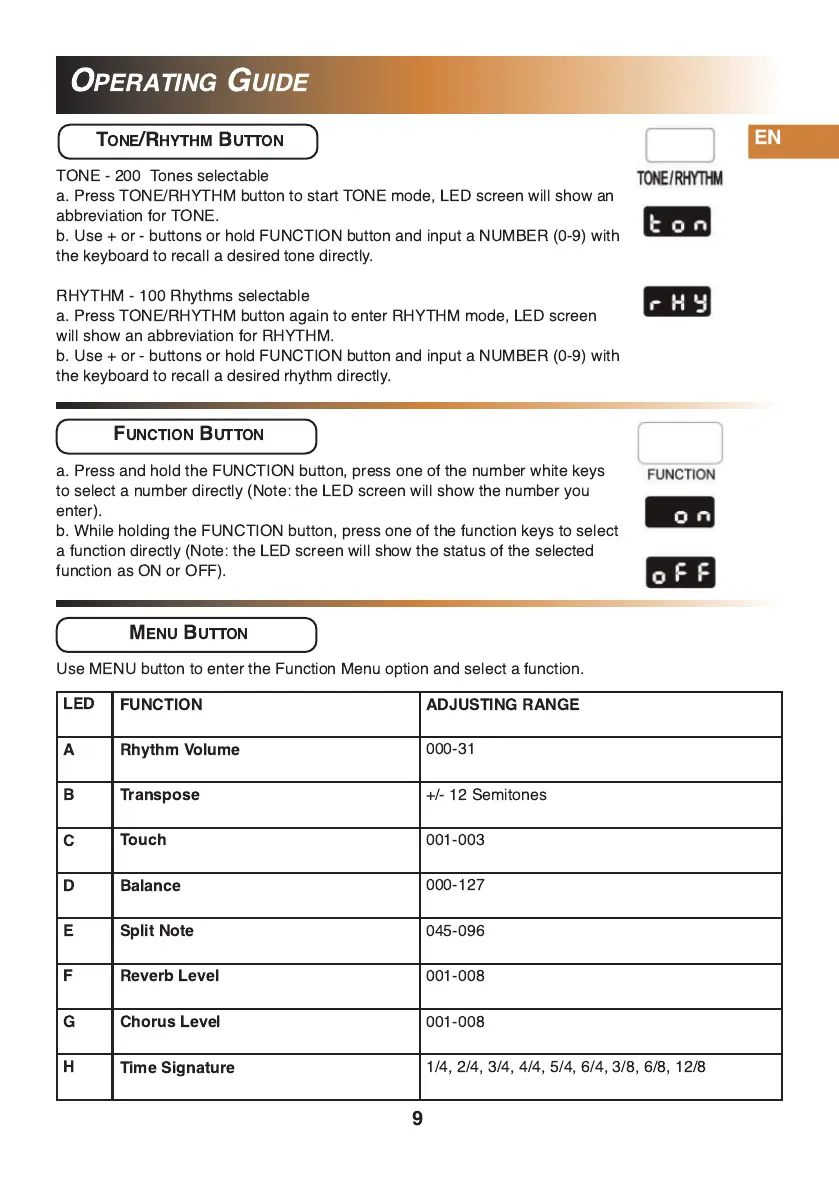
TONE/RHYTHM BUTTON
TONE - 200 Tones selectable
a. Press TONE/RHYTHM button to start TONE mode, LED screen will show an
abbreviation for TONE.
b. Use + or - buttons or hold FUNCTION button and input a NUMBER (0-9) with
the keyboard to recall a desired tone directly.
RHYTHM - 1 00 Rhythms selectable
a. Press TONE/RHYTHM button again to enter RHYTHM mode, LED screen
will show an abbreviation for RHYTHM.
b. Use + or - buttons or hold FUNCTION button and input a NUMBER (0-9) with
the keyboard to recall a desired rhythm directly.
FUNCTION BUTTON
a. Press and hold the FUNCTION button, press one of the number white keys
to select a number directly (Note: the LED screen will show the number you
enter).
b. While holding the FUNCTION button, press one of the function keys to select
a function directly (Note: the LED screen will show the status of the selected
function as ON or OFF).
FUNCTION
ADJUSTING RANGE
Rhythm Volume
000-31
Transpose
+/- 1 2 Semitones
Touch
001 -003
Balance
000-1 27
Split Note
045-096
Reverb Level
001 -008
Chorus Level
001 -008
Time Signature
1 /4, 2/4, 3/4, 4/4, 5/4, 6/4, 3/8, 6/8, 1 2/8
9
LED
A
B
C
D
E
F
G
H
MENU BUTTON
Use MENU button to enter the Function Menu option and select a function.


 To Next Page