OPERATING GUIDE
EN
FUNCTION KEYS
11
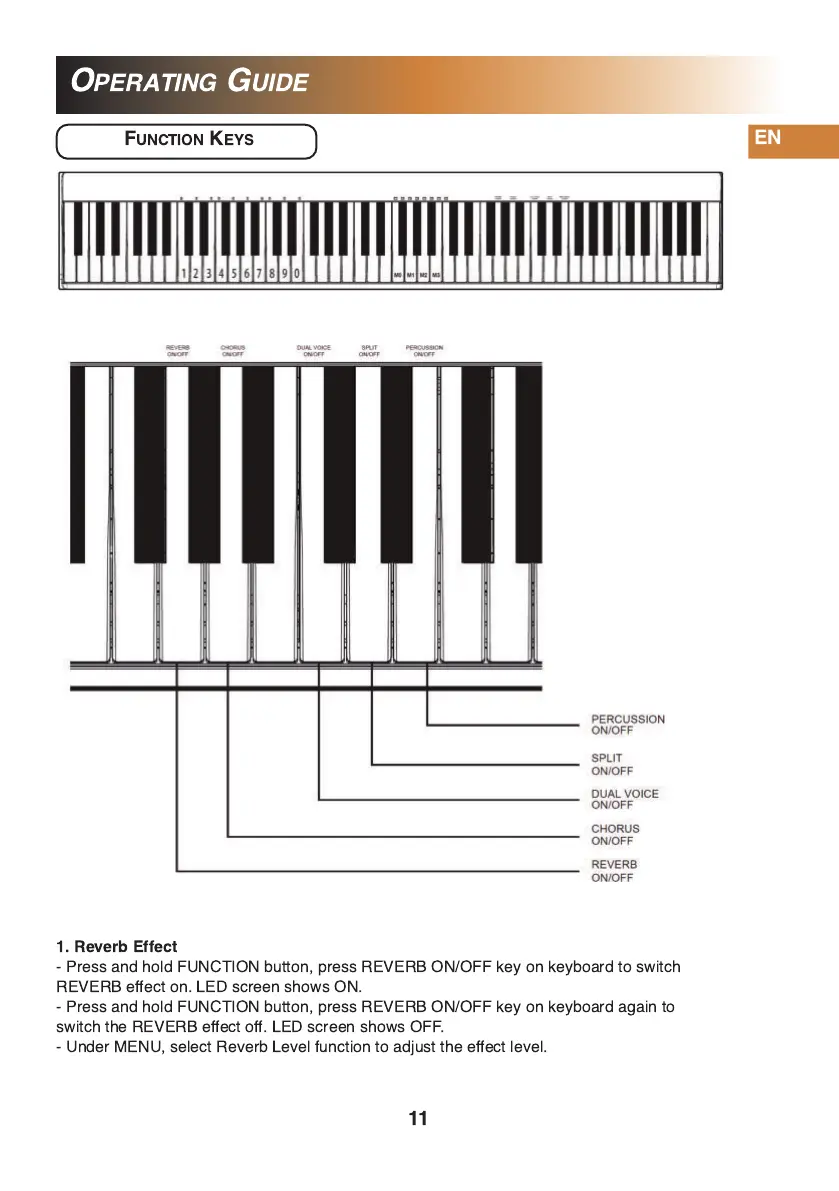
1 . Reverb Effect
- Press and hold FUNCTION button, press REVERB ON/OFF key on keyboard to switch
REVERB effect on. LED screen shows ON.
- Press and hold FUNCTION button, press REVERB ON/OFF key on keyboard again to
switch the REVERB effect off. LED screen shows OFF.
- Under MENU, select Reverb Level function to adjust the effect level.


 To Next Page