OPERATING GUIDE
EN
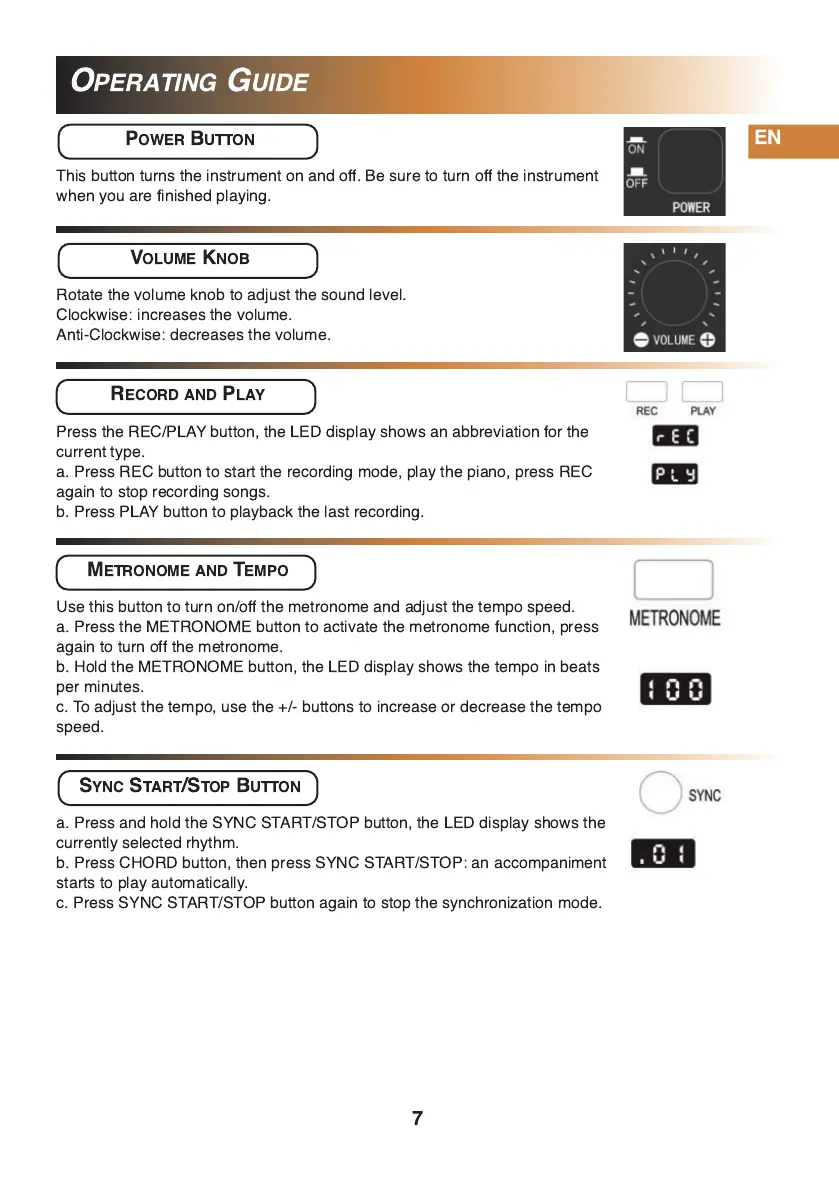
POWER BUTTON
This button turns the instrument on and off. Be sure to turn off the instrument
when you are finished playing.
VOLUME KNOB
Rotate the volume knob to adjust the sound level.
Clockwise: increases the volume.
Anti-Clockwise: decreases the volume.
RECORD AND PLAY
METRONOME AND TEMPO
SYNC START/STOP BUTTON
Press the REC/PLAY button, the LED display shows an abbreviation for the
current type.
a. Press REC button to start the recording mode, play the piano, press REC
again to stop recording songs.
b. Press PLAY button to playback the last recording.
Use this button to turn on/off the metronome and adjust the tempo speed.
a. Press the METRONOME button to activate the metronome function, press
again to turn off the metronome.
b. Hold the METRONOME button, the LED display shows the tempo in beats
per minutes.
c. To adjust the tempo, use the +/- buttons to increase or decrease the tempo
speed.
a. Press and hold the SYNC START/STOP button, the LED display shows the
currently selected rhythm.
b. Press CHORD button, then press SYNC START/STOP: an accompaniment
starts to play automatically.
c. Press SYNC START/STOP button again to stop the synchronization mode.
7


 To Next Page