38
39
EN
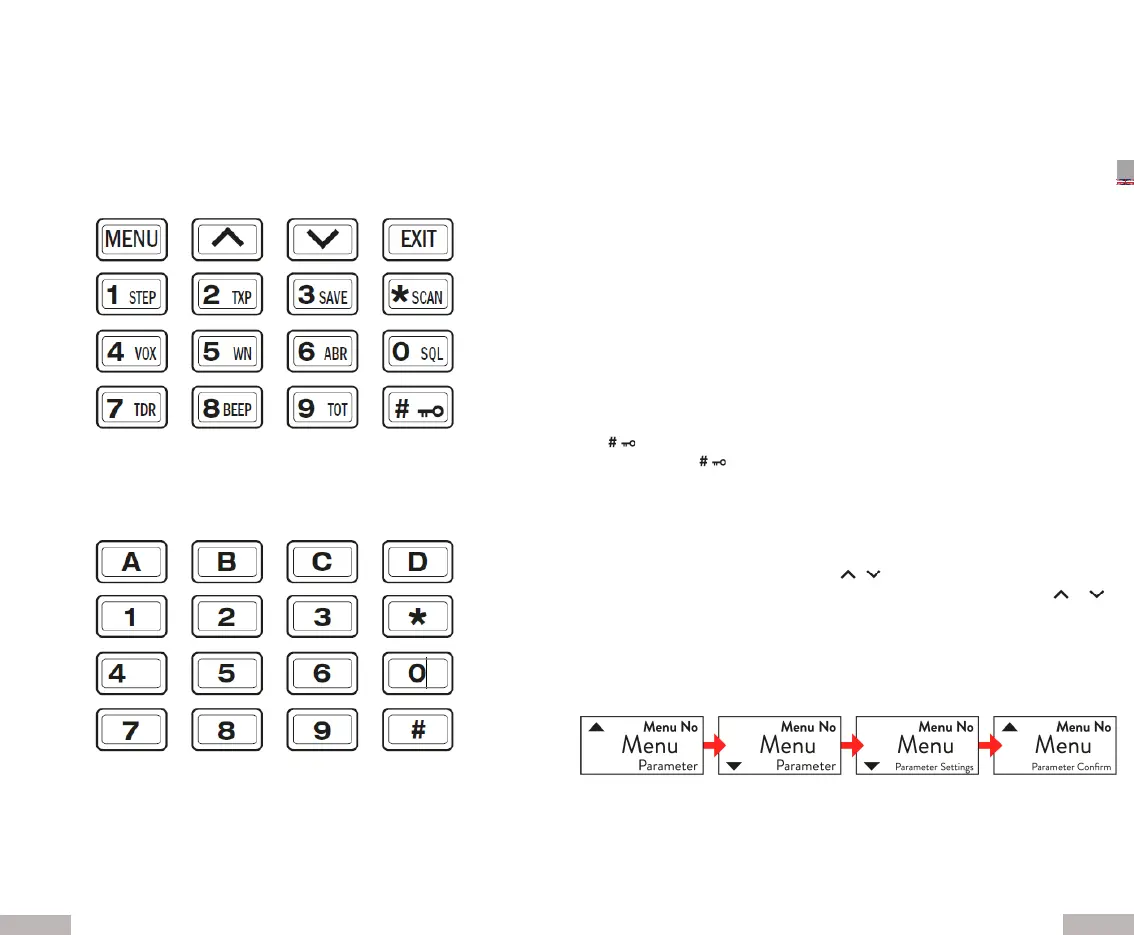
Alphanumeric keys
Using these keys you can type in the informaon or your selecons.
In TX mode, press the desired key to send the DTMF code
corresponding
Basic Operaons:
Power / volume buon
Turn the Power/volume buon clockwise to turn on the device and
an-clockwise to turn it o. Also turn the knob to adjust the volume to the desired
level.
Transmission and recepon
Press the PTT buon to transmit, speak in the direcon of the microphone. The dis-
play and the LED will light up red. Release the PTT and the radio returns to receive
mode. The display and the LED light up green.
CALL buon
Press briey to switch the FM radio on or o.
Press and hold this buon to acvate or deacvate the alarm funcon.
Monitor buon
Briey press the MON side buon to turn on the ashlight.
Pressing it again will cause the ashlight to ash stroboscopically.
Press MON for the third me to turn it o.
The Monitor funcon is acvated by keeping the buon pressed.
Scan funcon
Briey press the SCAN key to acvate the Reverse funcon RX/TX. Press SCAN for
more than 2 seconds: scanning will be acvated channel or frequency.
In FM radio mode, press this buon to automacally search for the
FM staons. In CTCSS/DCS mode, this buon allows you to scan CTCSS/DCS tones.
Key
By briey pressing , select the high or low transmission power.
Pressing this buon for more than 2 acvates or deacvates the keyboard lock.
Operang modes:
Menu sengs
The various funcons and sengs are acvated as follows:
1. Press the MENU buon
2. Select the desired menu using the / buons
3. Press MENU to enter the funcon and to change the seng use the or
keys.
4. Conrm your selecon by pressing MENU again or exit the seng using the
EXIT buon.
Note1: in channel mode, seng of the following funcons is not possible: CTCSS/
DCS tones, bandwidth, PTT-ID, busy channel lock, channel name entry.
Note2: The high / low power can be changed by pressing the rapid key #


 To Next Page
 Loading...