Software version 2.2.1_2015-02-21
-
26
-
Recognoil device calibration dialog
If the validation procedure has indicated that the calibration is recommended, you may
use the same sample to calibrate the device.
The calibration utility automatically makes a couple of detections with different
settings and at the end, it chooses the best options.
The method is easy to accomplish and starts with the sample preparation.
1) Remove the foil from one part of the metal surface and right at the moment, place
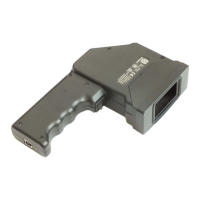
the Recognoil device on to this surface.
2) Click the Execute the calibration sequence button. After that, follow the
instructions.
3) The calibration process takes up to 60 second to complete. During this time, you
are obliged to hold the device in a steady position, without any movement.
4) After the calibration process has finished, the calibration results are displayed. After
that, you can press the Save and write to EEPROM button, which records the
settings permanently in to the device memory.
5) After a successful save, please restart the application for the changes to take effect.
Please note:
a. the part of the sheet metal, from which the foil has been removed, cannot be used
anymore. The reason is mainly the dust and the surface changes after being
exposed to the air and the light. In some cases, the sample can be re-used, if it has
been instantly tightly covered with plastic foil after use and kept at r.h. up to 50%.
b. the calibration has to be executed immediately, after the foil has been removed


 To Next Page