TD20 Series VFD Function Parameters
-48-
Detailed instruction of parameters
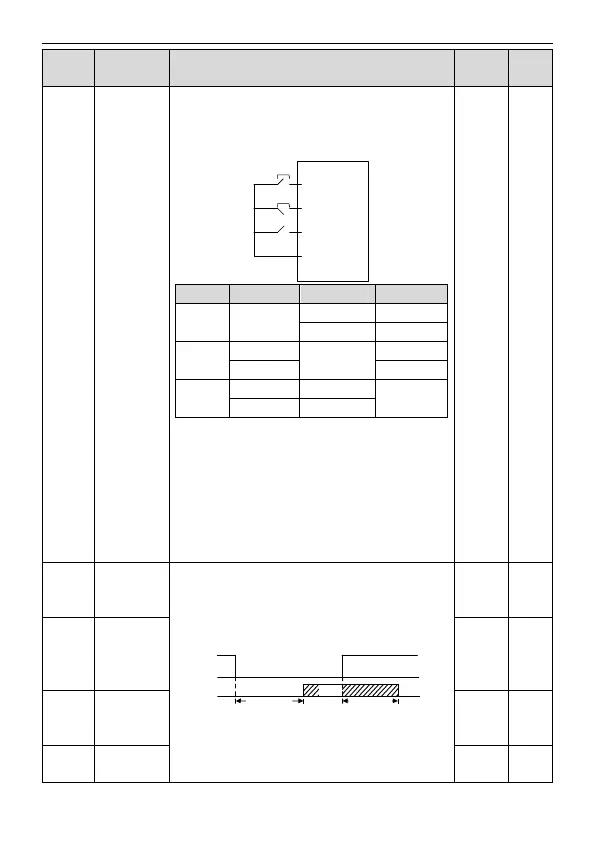
3: 3-wire control 2; Sin is the enabling terminal on this
mode, and the running command is caused by SB1 or
SB3 and both of them control the running direction.NC
SB2 generates the stop command.
Note: For the 2-wire running mode, when FWD/REV
terminal is valid, the VFD stop because of the stopping
command from other sources, even the control terminal
FWD/REV keeps valid; the VFD won't work when the
stopping command is canceled. Only when FWD/REV is
relaunched, the VFD can start again. For example, the
valid STOP/RST stop when PLC signal cycles stop,
fixed-length stop and terminal control (see P07.04).
S1 terminal
switching on
delay time
The function code defines the corresponding delay time
of electrical level of the programmable terminals from
switching on to switching off.
Si electrical level
Si valid
Invalid Invalid
Switcn-on
delay
Switcn-off
delay
Valid
Setting range: 0.000–50.000s
S1
terminal
switching off
delay time
S2 terminal
switching on
delay time



 To Next Page