25
english
26
english
SETTING DAILY ALARMS
The Enduro instruments are equipped with three individual daily alarms which can be
set to the hour and minute. Alarms are active for current Time Zone selected.
SELECTING ALARM 1, 2 OR 3
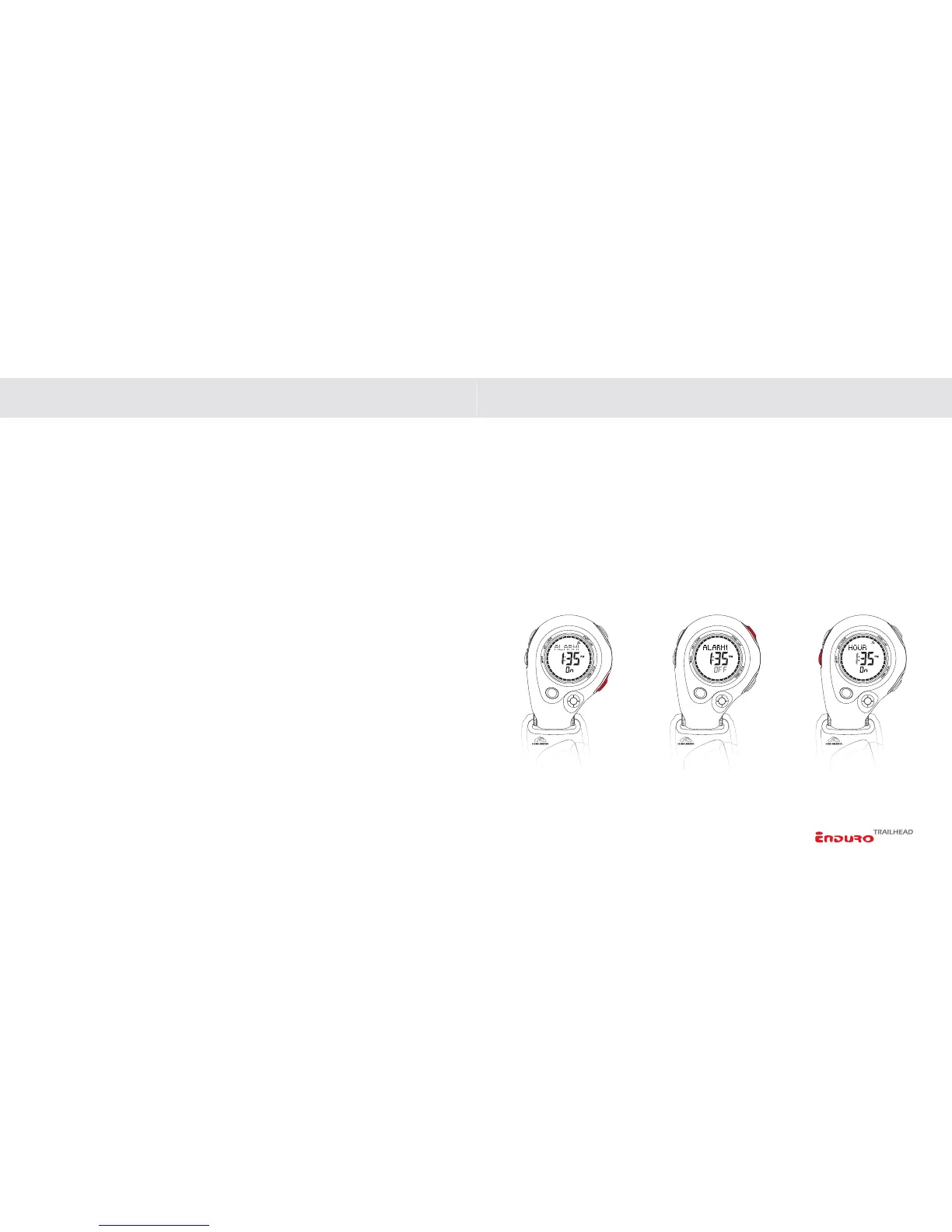
Scroll through ALARM 1, 2 or 3 (indicated in the upper line of the display) by
PRESSING the STOP/NEXT key.
TURNING AN ALARM ON/OFF
In Alarm mode:
1. Select ALARM 1, 2 or 3 by PRESSING the STOP/NEXT key.
2. Toggle between ON and OFF by
PRESSING the START/LAP key.
SETTING THE INSTRUMENT FUNCTIONS SETTING THE INSTRUMENT FUNCTIONS
TO SET AN ALARM
In Alarm mode:
1. Select ALARM 1, 2 or 3 by PRESSING the STOP/NEXT key.
2.
PRESS & HOLD the SET/CLEAR key to enter the setting sequence.
3. Adjust HOURS by
PRESSING the START/LAP or STOP/NEXT keys.
4. Advance to set MINUTES by
PRESSING the MODE key. Adjust by PRESSING
the
START/LAP or STOP/NEXT keys.
5.
PRESS SET/CLEAR to exit the setting sequence.



 To Next Page