13
english
14
english
MODES OF OPERATION
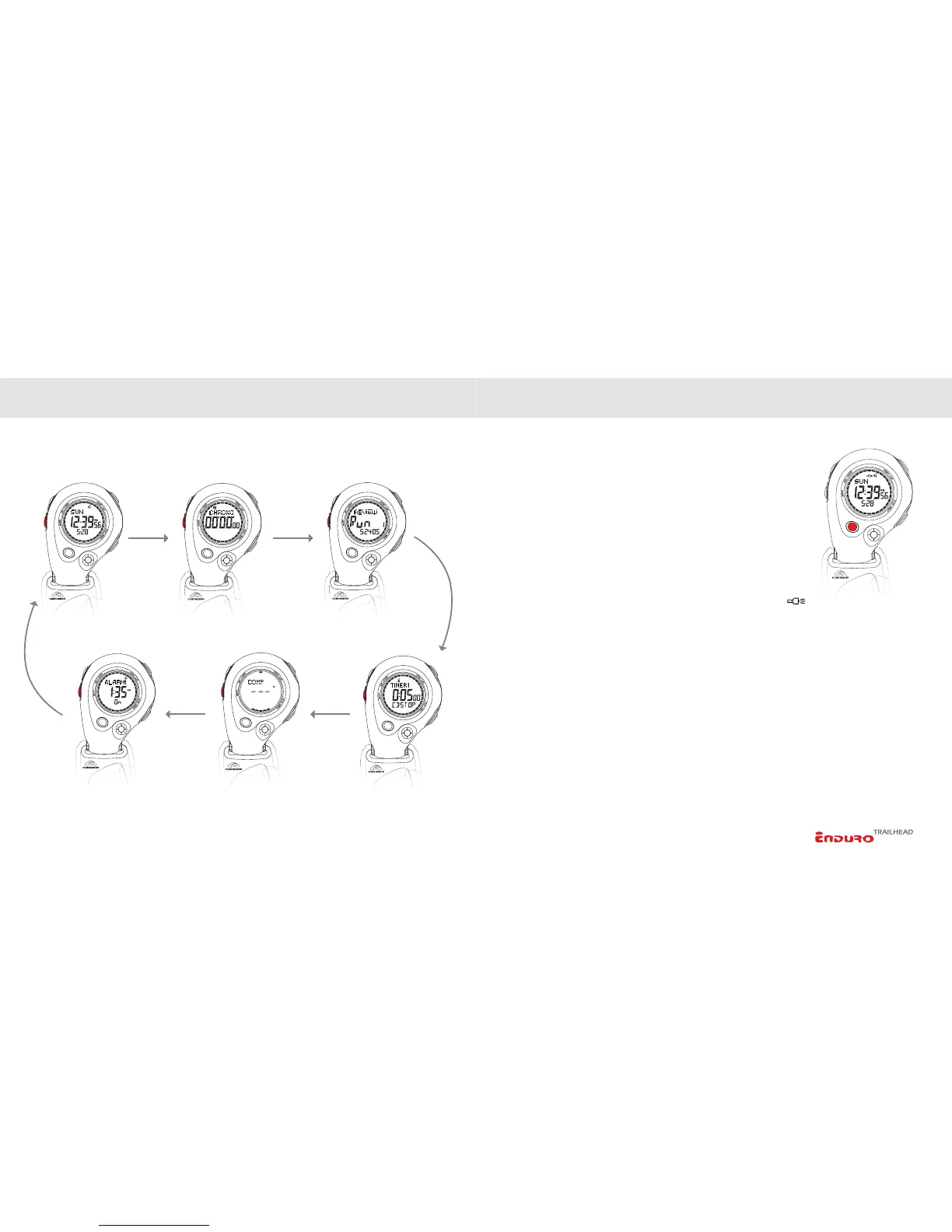
ENDURO MAIN DISPLAY MODES
Advance through the modes below using QUICK PRESSES of the MODE key.
SETTING THE INSTRUMENT FUNCTIONS
EL/BACKLIGHT SYSTEM
Activate the BACKLIGHT system at any time by PRESSING of
the
EL/LIGHT key. The backlight will remain active for a period
of 2 seconds.
AUTO EL/BACKLIGHT
Auto-EL mode automatically illuminates the backlight for 2
seconds whenever any key is pressed. This is convenient when
operating the instrument at night or in other low light situations.
To activate/deactivate the AUTO-EL MODE,
PRESS & HOLD
EL/LIGHT key for 2 seconds. Auto-El status is indicated by
icon in upper center of display.
NOTE: Excessive use of the backlight system will result in shorter battery life.
TIME CHRONOGRAPH REVIEW DATA
COMPASS
ALARM
TIMER



 To Next Page