Techwell,Inc. TW8816 Evaluation Board User’s Manual
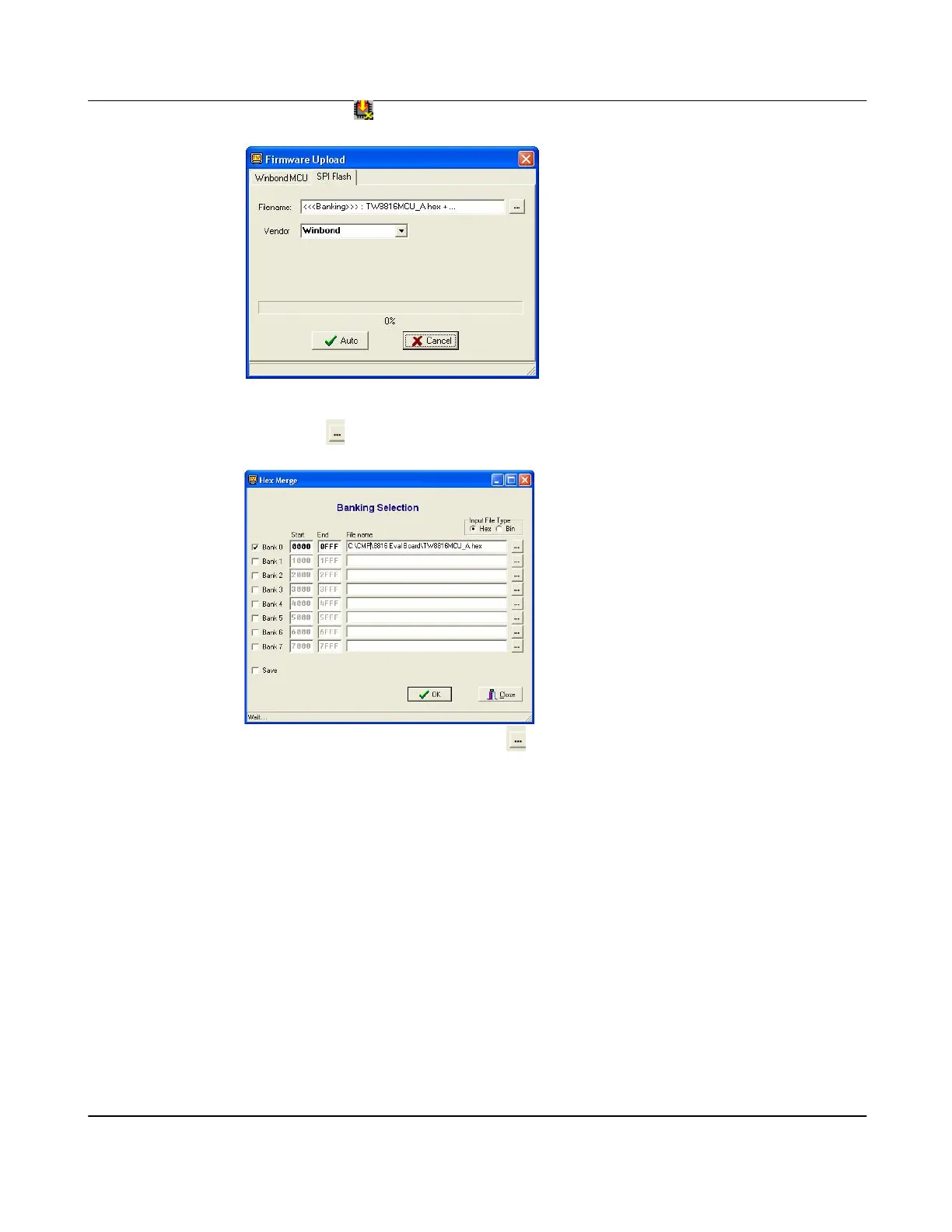
ii. Click on the Button and a “Firmware Upload” window will appear.
iii. Choose “SPI Flash” to update the firmware for the built-in microcontroller
iv. Click on
after Filename to choose the selected firmware hex file.
v. In “Hex Merge” window, click on
to choose the firmware file desired.
vi. Click on “Open” in the browser window, and then “OK” in the “Hex Merge”
window.
vii. Click on “Auto” and wait for completion.
viii. After completion, the microcontroller will reboot and some boot up messages
similar to the following should appear in the respective TW_Terminal window.
Also, some LEDs should on the daughter board should be turned on by the
firmware.
Version 1.00 9/25/2007



 To Next Page