6
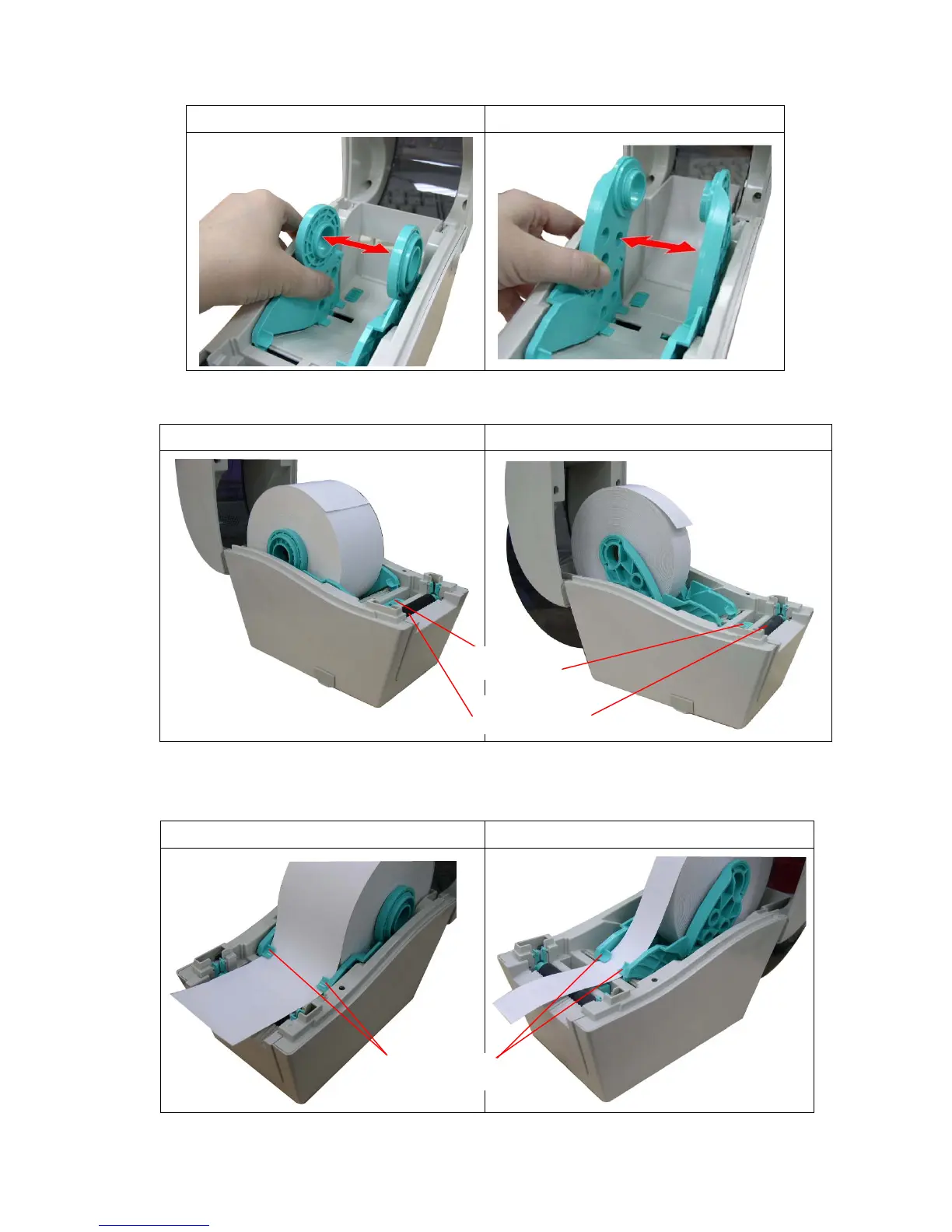
3. Separate the media holders to the label roll width.
DT2205 model DT039-50 model
4. Place the roll between the holders and close them onto the core.
DT2205 model DT039-50 model
5. Place the paper, printing side face up, through the media guides, media sensor and place
the label leading edge onto the platen roller.
DT2205 model DT039-50 model
Platen roller
Senso


 To Next Page