17
4.3 Advanced operations
Selcall
*At programmed selcall, paging between individuals or groups can be available with 5 tones.
*Maximum 200 IDs’ can be memorized in the list.
*To escape sellcal model, press and hold the selector over 2 seconds.
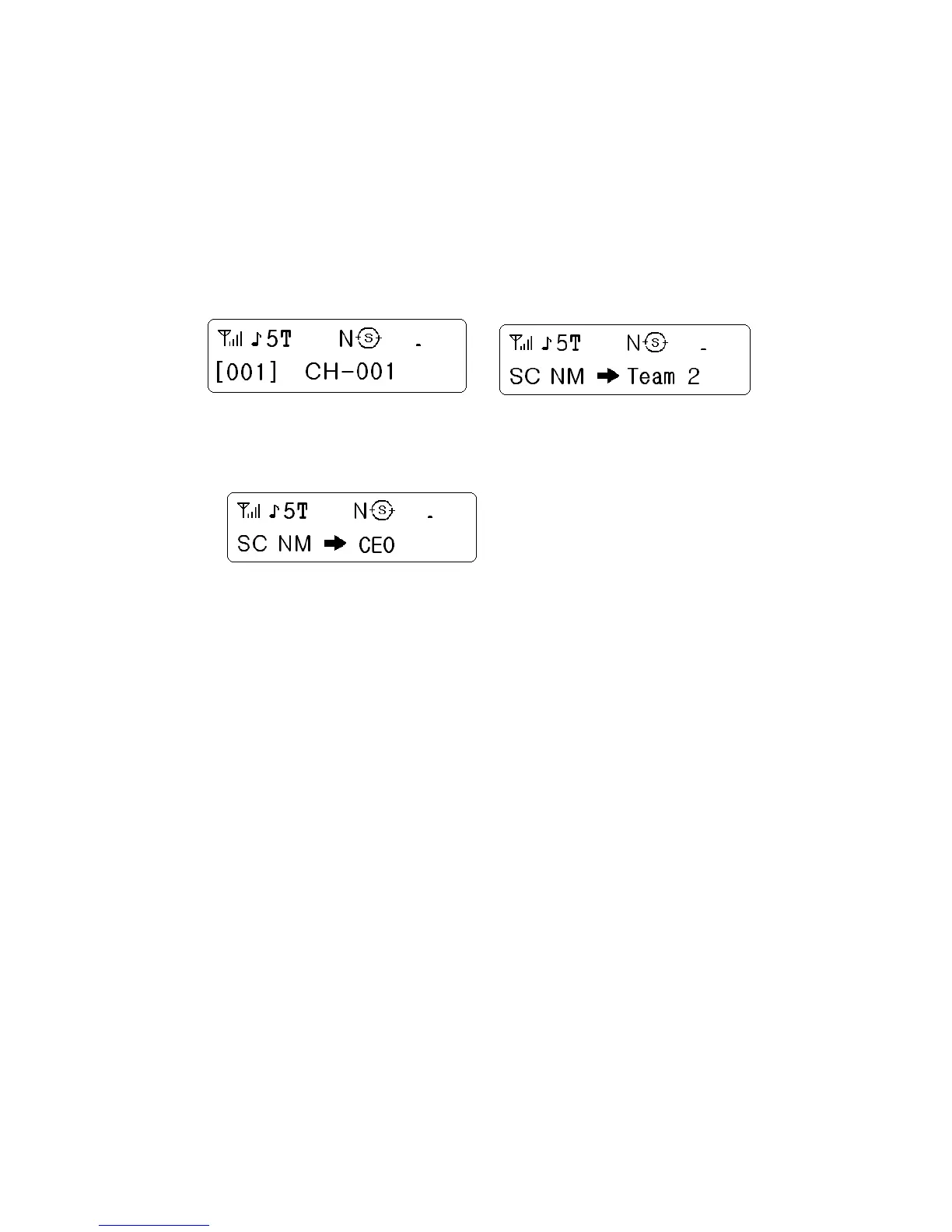
No selcall operation Selcall operation
1) Call on selcall
ID selection
At call waiting, press the “S” key over 2 seconds at default setting or the key programmed as
selcall. Rotate the selector to select the selcall channel you want to call.
If you want to call “ID: A” in the list, select “A” by the selector.
And then push the selector to send the selcall signal to the radio you want to call.
If the program is set as sending caller’s ID altogether, the receiving radio is shown the caller’s
ID on the display.
Communication on the selcall
At selcall working, to select the channel of the party you want to talk.
Push the PTT button, and then caller’s ID is transmitted preferentially.
Emergency
When one of buttons is programmed as emergency, the emergency function can be activated.
When a button programmed as emergency is pressed over 2 seconds, the alert signal is
repeatedly transmitted in normal mode. When a radio is in 5 tone setting mode, the alert is
transmitted with 5 tones.
Fast Channel


 To Next Page