8
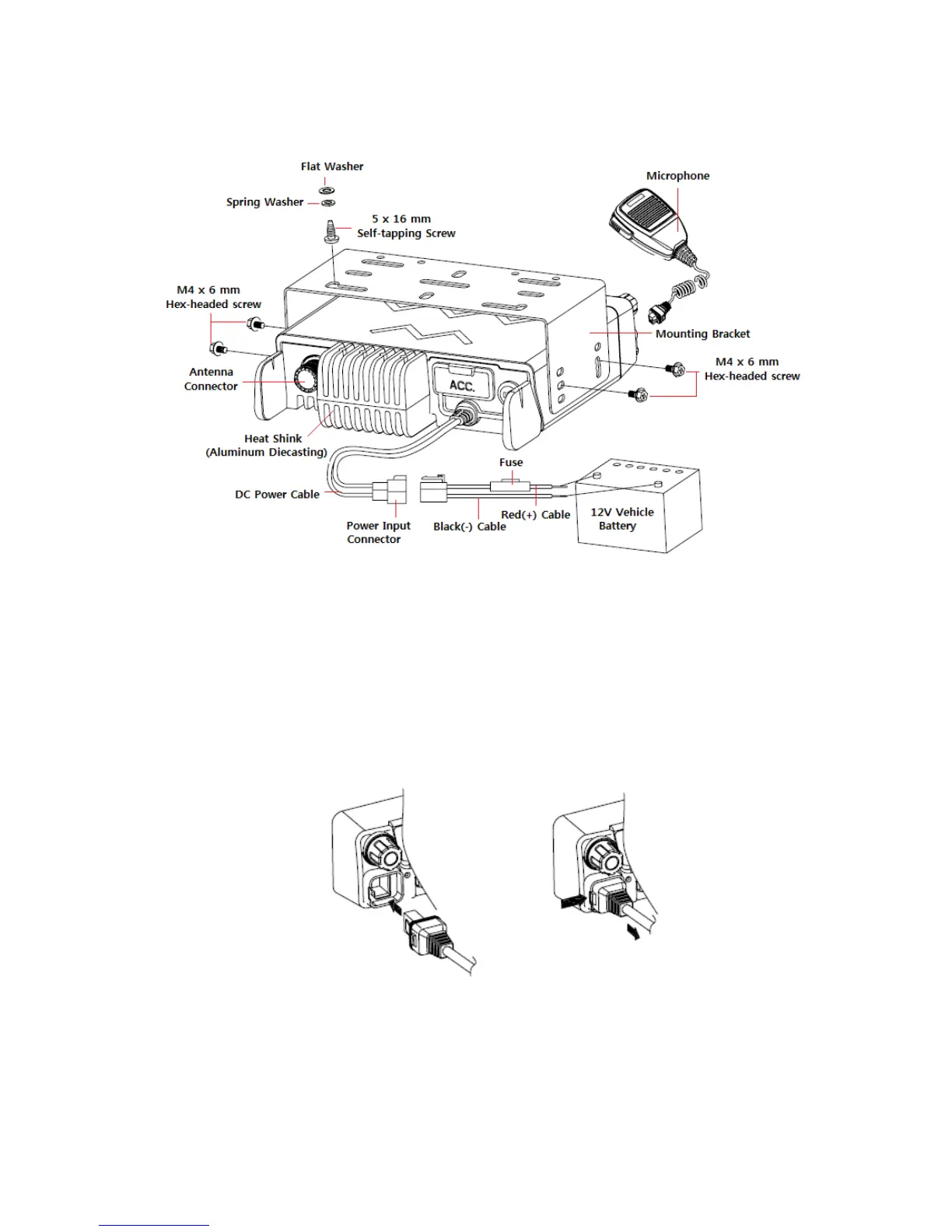
Connecting Microphone
1. Insert the microphone plug into jack on the front panel of the transceiver.
• Be sure the tab on the microphone plug is facing the left hand side.
2. Mount the microphone on the microphone hanger where it will be within easy reach of
the user
3. To remove the microphone plug, press the tab on the connector while pulling the plug
out of the transceiver jack
Figure 1-2) Installation and Removing the Microphone
Supplied Accessories
Carefully unpack the transceiver. We recommend the you identify the items listed below before


 To Next Page