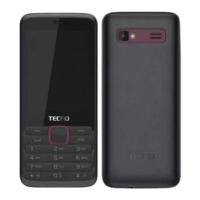
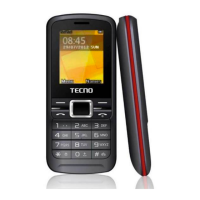
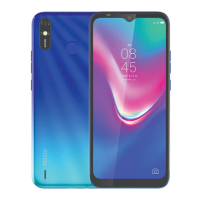
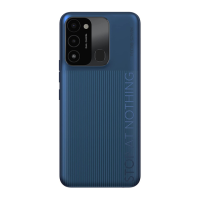
This document provides an overview of a mobile phone, including an exploded view, parts list, quick start guide, call functions, menu functions, input methods, and FCC caution.
Function Description
This mobile phone is a GSM device designed for communication and various other features. It supports two SIM cards, allowing users to manage two different network subscriptions simultaneously. The phone is capable of making and receiving calls, sending and receiving SMS messages, and storing contacts. It includes a camera for taking photos, an FM radio for entertainment, and a sound recorder. The device also features Bluetooth connectivity for wireless communication with other electronic devices and a browser for internet access. Additional utilities like an alarm clock, calculator, and calendar are integrated.
Important Technical Specifications
The device operates on GSM networks and adheres to both the People's Republic of China communication industry standards and European standards.
- SIM Card Support: Two GSM SIM cards.
- Memory Card Support: T-flash card (SD card).
- Battery: Removable, rechargeable.
- Connectivity: GSM, Bluetooth.
- SAR Limit (USA FCC): 1.6 W/kg averaged over one gram of tissue.
- Highest SAR Value (Ear): 1.33 W/kg.
- Highest SAR Value (Body-worn): 1.37 W/kg, with a minimum separation distance of 15mm from the body.
- FCC ID: 2ADYY-T473.
Usage Features
Quick Start:
- SIM Card Installation: Locate the SIM card groove at the back of the phone and slide the SIM cards in completely, ensuring correct orientation.
- T-flash Card Installation: Switch off the phone, remove the battery, and place the memory card into the SD card slot with metal contacts facing down.
- Battery Installation: Align the battery chip with the metallic salient point in the battery compartment and insert it until it locks. Reinstall the back cover.
- Battery Charging: Connect the charger to a wall outlet and the phone's USB port. The battery icon will animate during charging. Disconnect when charging is complete.
- Switching On/Off: Long press the power on/off key.
Call Functions:
- Direct Dial: In standby mode, enter the number using numeric keys. Short press the right soft key to delete a character, long press to delete all. If two SIM cards are inserted, select SIM1 or SIM2 to dial.
- International Call: Long press '0' until '+' appears, then dial the international number.
- Dialing from Contacts: Access contacts via the menu, use navigator keys to scroll, or press the first letter of a contact's name for quick access. Press the dial/receive key to call.
- Dialing from Call History: Access call center (via dial/receive key or menu), use navigator keys to scroll, and press the dial/receive key to call.
- Emergency Service: Directly dial emergency numbers without a SIM card.
- Contacts: Save contact names and numbers. Contacts can be stored on the phone or SIM card. Add new contacts, view lists, and select contacts for calls or other operations.
- SMS: Send, receive, and edit messages.
- Write Message: Compose, save, or send new messages.
- Inbox: Stores received messages (phone or SIM card memory). Alerts (tones/vibration) and an on-screen message mark indicate new messages. If memory is full, "Memory full" flashes. Delete old messages to receive new ones.
- Outbox: Stores messages that failed to send.
- Sent Messages: Stores successfully sent messages if "Save sent message" is enabled.
- SMS Settings: Configure SIM settings (message center number, delivery report, reply path, voicemail server), view memory status, enable saving sent messages, and set preferred storage (SIM card or phone).
- Calls: Records received, dialed, and missed calls, along with call times. Accessible from standby (dial/receive key) or menu. Navigate left/right to switch between call lists (all/dialed/received/missed). Press dial/receive to call, OK to view details, left soft key for options.
- Settings:
- Phone Settings:
- Time and Date: Set current time/date, home city, and format.
- Language: Select phone language.
- Dedicated Keys: Customize navigation key shortcuts.
- Display: Set wallpaper, screen auto lock, power on/off display.
- Flight Mode: Switch between normal and flight mode (non-communication functions only).
- Power Saving Management: Enable for extended battery standby, automatically switches to lowest power state.
- Call Settings:
- SIM Call Settings: Configure call waiting, call divert.
- Advanced Settings: Auto redial, answer mode (refer to actual phone function).
- Security Settings:
- SIM Security: Enable/disable PIN code to prevent unauthorized SIM use (requires correct PIN). Prompted for PIN on every power-on if enabled. PIN can be changed.
- Phone Security: Enable/disable phone password (requires correct password). Prompted for password on every power-on if enabled. Password can be changed.
- Network Settings: Automatically or manually select network. Manual selection requires choosing the SIM card registered with the network operator.
- Connectivity:
- Data Accounts: Choose or add Internet accounts.
- Restore Settings: Enter password '1234' to restore factory settings.
- Image: View photos in albums, send via Bluetooth, set as wallpaper, delete.
- Camera: Take photos, store in phone or memory card. Press OK to take a photo. Right soft key to return, left soft key for settings (scene mode, image size, white balance). After taking a picture, press back to return to preview, left soft key for options (send, delete).
- Recorder: Sound recorder. Choose new record, view list, set storage and audio quality.
- Torch: Turn torch light on/off. Long press OK key in idle screen for quick toggle.
- Media: Play audio and video files from phone or memory card.
- Audio Player: OK key to start/pause. Left/right navigation keys to switch songs. Long press left/right for fast forward/backward. */# keys to adjust volume. Power on/off or right soft key to exit (plays in background, music name shown on idle screen).
- Video Player: OK key to start/pause. Left/right navigation keys to switch videos. Long press left/right for fast forward/backward. '1' key or up navigation key for full screen. */# keys to adjust volume. Down navigation key to stop playing.
- FM Radio: OK key to open/close. Up navigation key to toggle auto search. Left/right navigation keys to auto search (when enabled) or manual search (0.1MHz steps). */# keys to adjust volume. Right soft key or power on/off key to exit (plays in background). Options menu for channel list, manual input, auto search.
- Profiles: Predefined profiles for different events and environments (ring tones). Personalize and activate profiles.
- Browser: Wireless internet access and application platform for information and e-commerce.
- Files: Document management. Open files/folders in phone or memory card. Create new folders, rename, delete files.
- Bluetooth: Turn on/off. Connects wirelessly to electronic devices within 10 meters. Maintain maximum distance of 10 meters. Be aware of local regulations restricting Bluetooth device use.
- Calendar: Displays system date, marks current date. Use navigation keys to select dates; information updates accordingly.
- Alarm: Set alarm times, phone rings or vibrates to remind events.
- Calculator: Access calculator. Use 0-9 numeric keys for input. Navigation keys to select add, subtract, multiply, divide symbols.
- Switching Input Methods: Use '#' key.
- Editing Key Controls:
- Right Soft Key: Short press to clear one character, long press to clear all.
- Power On/Off Key: Return to idle screen.
- *** Key:** In any input status, press to open punctuation and symbol input frame.
- ABC (abc) Input Method: Each key inputs multiple characters. Press repeatedly until the desired character appears. Use */1 key for English punctuation and special signs. Press '0' for a blank space.
- Numeric Input Method: Press respective numeric keys for numerical values.
Maintenance Features
- FCC Caution:
- Device complies with part 15 of FCC Rules.
- Any unauthorized changes or modifications could void user's authority to operate.
- Equipment tested and found to comply with Class B digital device limits.
- If interference occurs (radio/TV reception), try: reorienting/relocating antenna, increasing separation between equipment and receiver, connecting equipment to a different circuit.
- Consult dealer or experienced radio/TV technician for help.
- Body-worn Operation:
- Maintain a minimum separation distance of 15mm between the user's body and the handset (including antenna) to comply with RF exposure requirements.
- Third-party belt-clips, holsters, and similar accessories should not contain metallic components.
- Body-worn accessories that do not meet these requirements should be avoided.
- Use only supplied or approved antennas.
Exploded View Parts List:
- LCD Lens
- Front Housing
- LCD
- Front Camera
- PCBA (Printed Circuit Board Assembly)
- SPK (Speaker)
- CAM Frame (Camera Frame)
- Rear Housing
- CAM Lens (Camera Lens)
- Screw
- Battery Cover
- Battery Label
- Back CAM (Back Camera)
- Mot coin (Motor coin/Vibration Motor)
- Fragile Label
- IMEI Label
- Water-proof Label
- Dome (likely referring to a button dome or cover)
- Main key
- Label

 Need help?
 General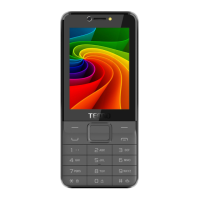

 To Next Page