3. Close the phone cover.
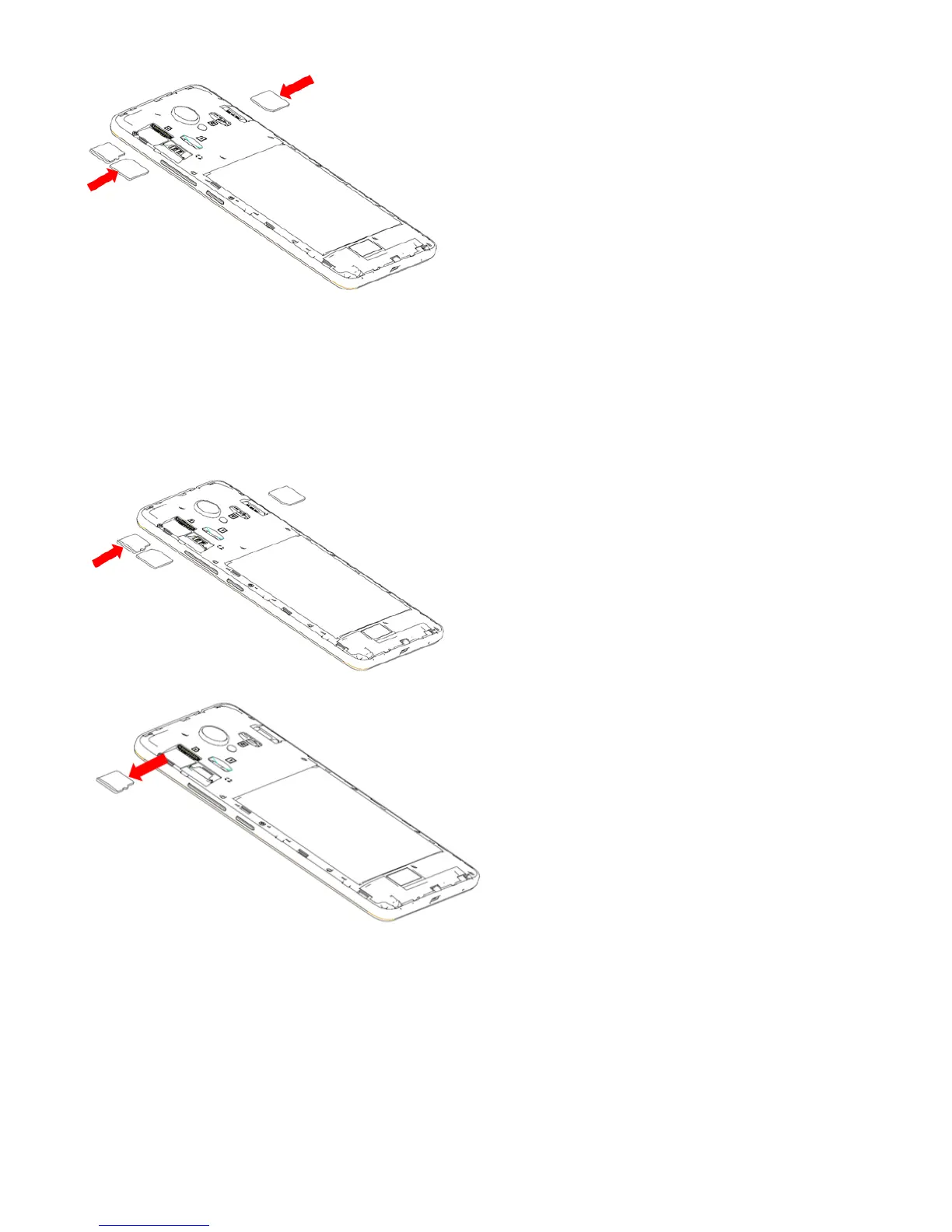
Installing and removing the microSD card.
1. Insert the external microSD card into the slot with the gold contact
facing down. To remove the external microSD card, gently press and slide it
out.
2. In addition, regularly removing or inserting the SD card may cause the
phone to restart.
6



 To Next Page