4 SIM / SD card installation
1. Power off mobile.
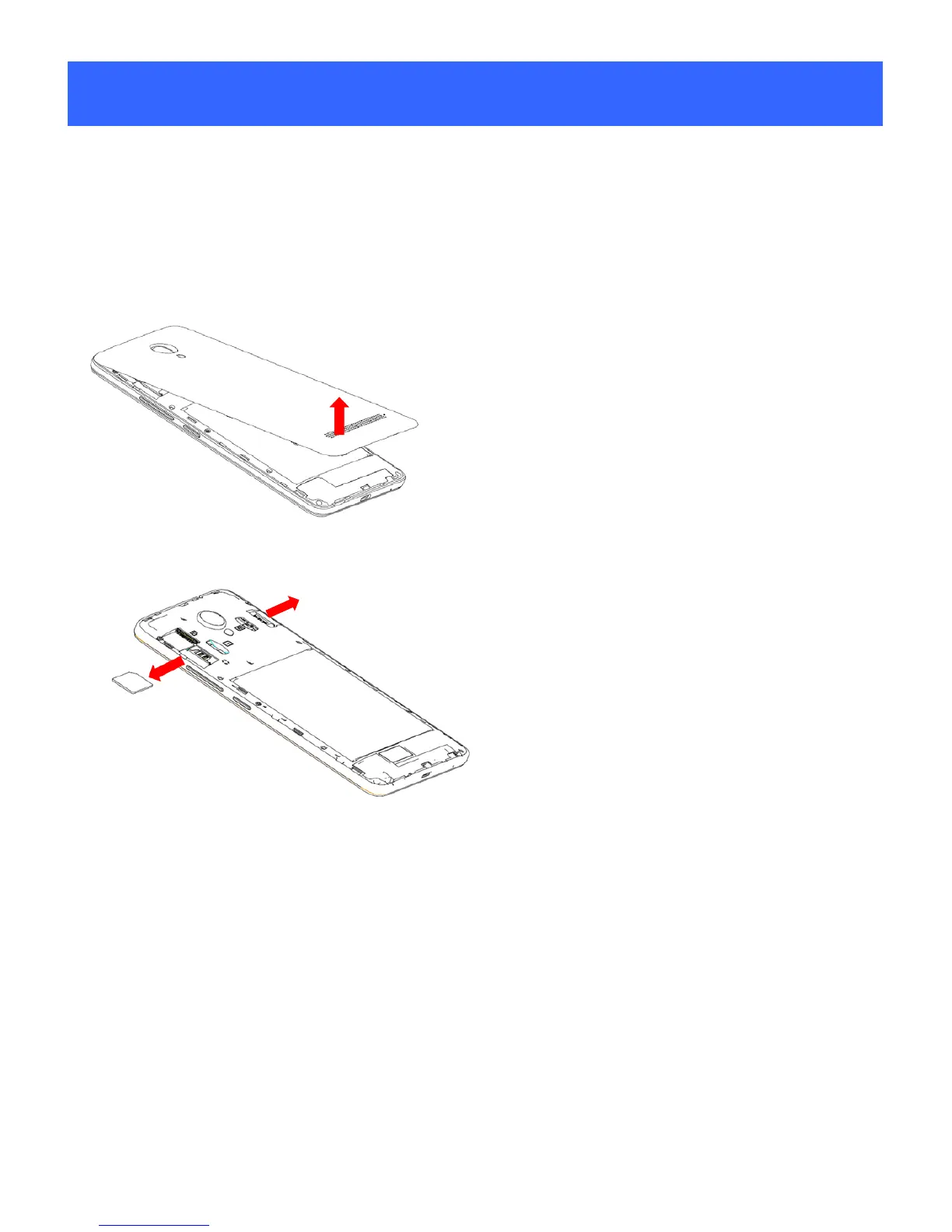
2. Refer to the following picture for SIM / SD card installation.
Removing the cover and SIM cards.
1. Unclip the cove r.
2. To remove the SIM cards, press and slide it out.
Installing the SIM cards and cover.
1. You must insert your SIM cards to make phone calls.
2. To install SIM cards, place the SIM cards with chip facing downwards,
and then slide it into its slot. Make sure that it is correctly inserted.
5



 To Next Page