Need help?
Do you have a question about the tecnoelettra AT206B and is the answer not in the manual?
Welcome and thank you message from the manufacturer.
Important guidelines for safe and correct operation and maintenance.
Explanation of symbols used to highlight important information and warnings.
Key advice for safe operation and maintenance.
Critical warnings about hazardous situations and correct usage.
Information regarding the sound pressure level of the appliance.
Explains the different danger level symbols used in the manual.
Precautions for storing the electric panel before installation.
Guidelines for safe transportation and handling of the electric panel.
Information on panel dimensions and where to find them.
Instructions on how to properly dispose of the appliance.
Information on where to seek technical service and maintenance.
Guidance on obtaining repairs and genuine spare parts.
Reference to document for warranty terms.
Information required when ordering spare parts.
Details on the contents of the product packaging.
Information about the technical data plate and its importance.
Explanation of the individual data fields on the identification plate.
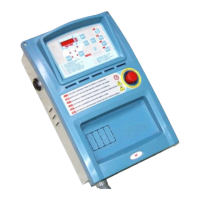
Visual guide to the panel's external and internal components.
Step-by-step guide for securely mounting the panel on a wall.
Essential steps for the initial power-up and setup of the AT206 panel.
Detailed instructions on setting the internal clock and date on the panel.
Explains the meaning of various LED indicators on the panel.
Describes the function of each button on the control panel.
Detailed explanation of the panel's operational modes and functions.
Guide to configuring and enabling the automatic generator test function.
General information on electrical power connections for the panel.
Specific wiring instructions for a 400Vac 3-phase power supply.
Wiring instructions for a 230Vac 3-phase power supply.
Wiring instructions for a 230Vac single-phase power supply.
Detailed schematic diagram of the AT206 panel's internal wiring.
Detailed schematic diagram for the AT206B model.
Wiring guide for connecting auxiliary components for diesel engines.
Wiring guide for connecting auxiliary components for gasoline engines.
How to access the user menu for panel programming.
Steps for modifying parameters using the panel buttons.
List and description of user-accessible parameters for configuration.
Detailed list and explanation of advanced configuration parameters.
Parameters related to mains voltage and stability.
Parameters related to generator voltage and stability.
Settings for engine overtemperature detection and related actions.
Settings for oil low pressure detection and related actions.
Settings for mechanical fault detection and related actions.
Settings for 500 rpm failure detection and related actions.
Settings for overspeed detection and related actions.
Settings for minimum frequency detection and related actions.
Settings for generator minimum voltage detection and related actions.
Settings for generator maximum voltage detection and related actions.
Settings for fuel level detection and related actions.
Settings for maximum current detection and related actions.
Settings for battery minimum voltage detection and related actions.
Settings for battery maximum voltage detection and related actions.
Settings for starting failure detection and related actions.
Configuration for remote stop commands and related actions.
Configuration for emergency stop commands and related actions.
Information on product pricing and cost factors.
Seller's rights regarding product modifications and improvements.
Terms and conditions related to product supply and availability.
Information on delivery terms, responsibilities, and estimates.
Details on the product warranty, coverage, and exclusions.
Terms and conditions regarding payment for products.
Procedures and conditions for returning purchased materials.
Specifies the governing law and competent court for disputes.
 General
| Resolution | 1600 x 1200 |
|---|---|
| Aspect Ratio | 4:3 |
| Brightness | 250 cd/m² |
| Response Time | 5 ms |
| Input Voltage | 100-240 VAC |
| Weight | 6.5 kg |
| Panel Type | TFT LCD |
| Video Input | VGA, DVI |
| Operating Temperature | 0°C to 50°C |
| Storage Temperature | -20°C to 60°C |
| Mounting | VESA |
| Protection | IP65 |


 To Next Page