8
The SWING Button
The SWING (5) button will engage the louvre to either move or disengage and remain stationary
in the position it is in when the buitton is pressed. If engaged, the SWING light will be on and the
louvre will oscillate to distribute the air.
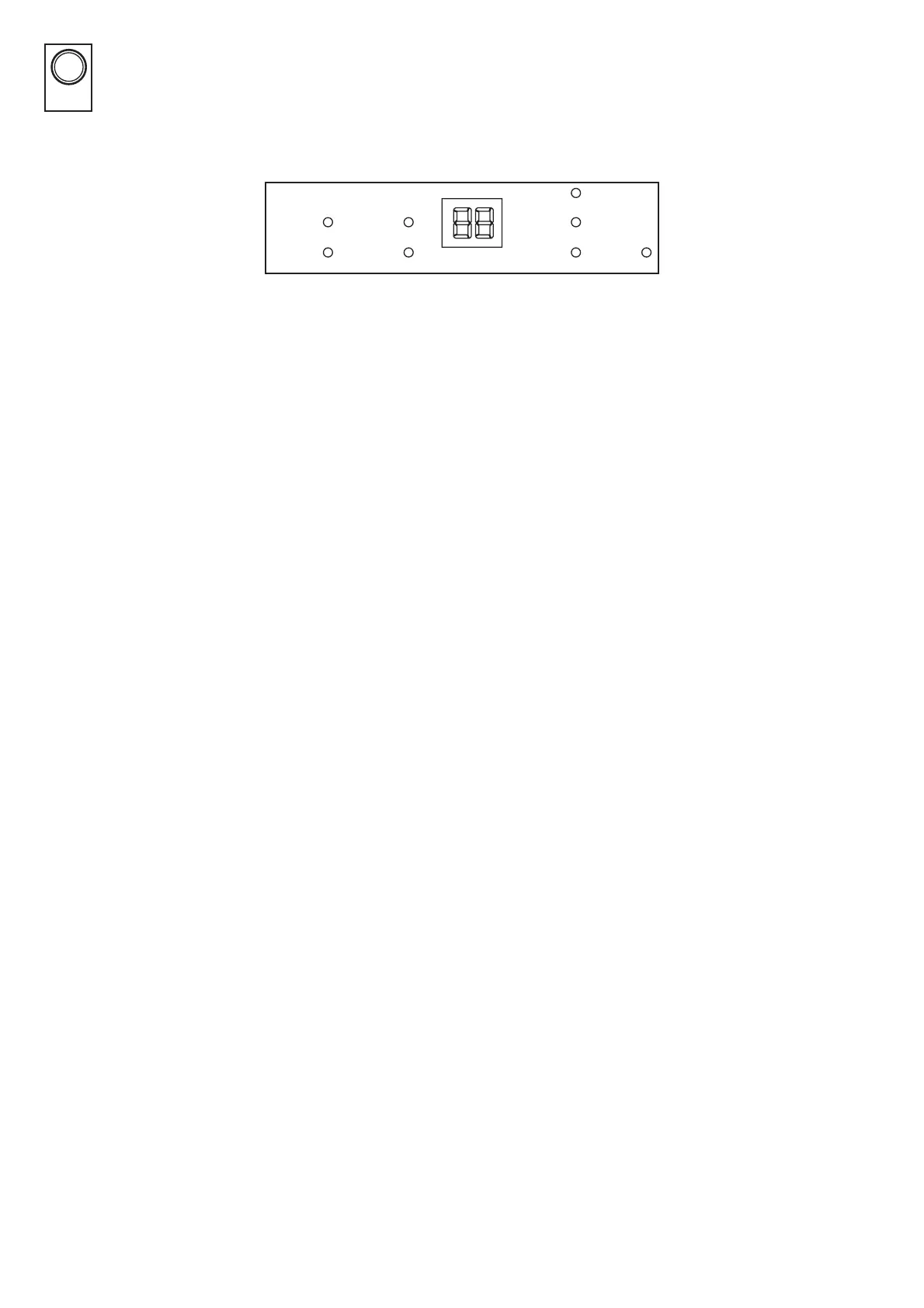
Multi-Function LCD Display
The two digit LCD display is used to show the current ambient room humidity, the selected humidity level
or the power o TIMER setting. When displaying the Power O TIMER setting, the duration the
dehumidi er will operate for will be shown brie y, then return to display the current ambient room
humidity. When the HUMIDITY button is pressed, the currently set humidity level will be displayed brie y,
then return to the default display of the current ambient room humidity.
Display Lights
FULL
When the water tank is full, the buzzer will sound and the FULL light will remain on. Remove
the water tank and dispose of the water. Replace the water tank and the dehumidi er will resume
operating automatically once the tank is corretly inserted.
DEFROST
To prevent damage to the dehumidi er, it will automatically detect if defrosting is required. The
compressor will stop and the DEFROST light will be displayed. The defrost cycle will begin and
continue until the dehumidi er is completely defrosted. The dehumidi er will resume normal
operation after it completes defrosting.
TIMER
Once the TIMER button is pressed, the TIMER light will ash and the display will indicate the current
timer duration (no display represents the timer is OFF). Once a timer duration is selected, the
dehumidi er will return to displaying the current room humidity and the TIMER light will remain on.
HUMIDITY
The HUMIDITY light indicates when the current room humidity is displayed on the panel. This light
only goes o when the appliance is displayimg TIMER settings or switched o .
NOTE: This does not indicate the status of the dehumidi er.
FAN ONLY - HI - LO
The FAN ONLY light will be on when the dehumidi er is only circulating air. When this light is on, the
appliance does not dehumidify. You can choose either HI or LO fan speeds.
The HI and LO lights are used in both dehumidifying and fan only modes to indicate the fan speed.
SWING
When the SWING light is on, the louvre swings to assist in the distribution of air from the air outlet.
When the light is o , the louvre will remain stationary.
8
SWINGSWING
FULL
DEFROST
TIMER
HUMIDITY
HI
LO
FAN ONLY
SWING
FULL
DEFROST
TIMER
HUMIDITY
HI
LO
FAN ONLY
SWING


 To Next Page
 Loading...