SETTING THE FUNCTIONS/FEATURES OF THE RADIO
There are two ways to access the functions of the buttons on the keypad:
1. When the radio is turned off (POWER OFF), includes clock and system settings.
2. When the radio is turned on (POWER ON), includes scanning, programming frequencies and stations into
memory, and removing from memory various frequencies and stations. This is accomplished three ways: 1)
manually tuning the dial to a frequency or station, 2) scanning for a frequency or station, and 3) direct keypad
entry.
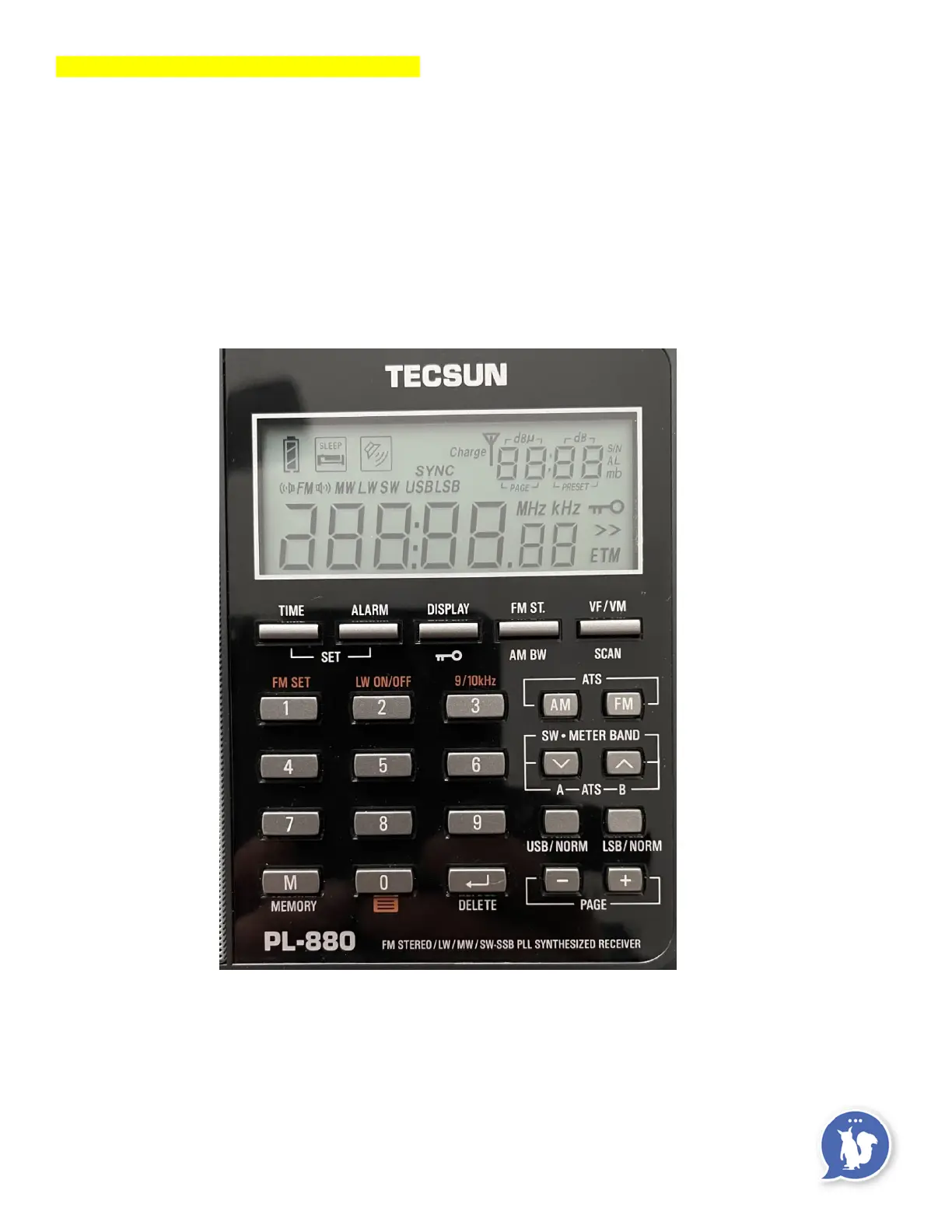
The radio’s LCD display panel symbols and keypad are pictured below.
Be sure to look at page 5 in the Operations Manual for the symbol descriptions.
ETM in the lower right corner of the display is not used on this radio.
The display/skeleton key button works in the POWER OFF or POWER ON position.
Pressing the button once lights up the display panel.
(Pressing any button on the keypad will cause the display panel light to turn on.)
Pressing and holding the display/skeleton key button for 1 second locks or unlocks the keypad.



 To Next Page