4
Matrix® 430
www.teejet.com 98-01493 R6 English
GETTING STARTED
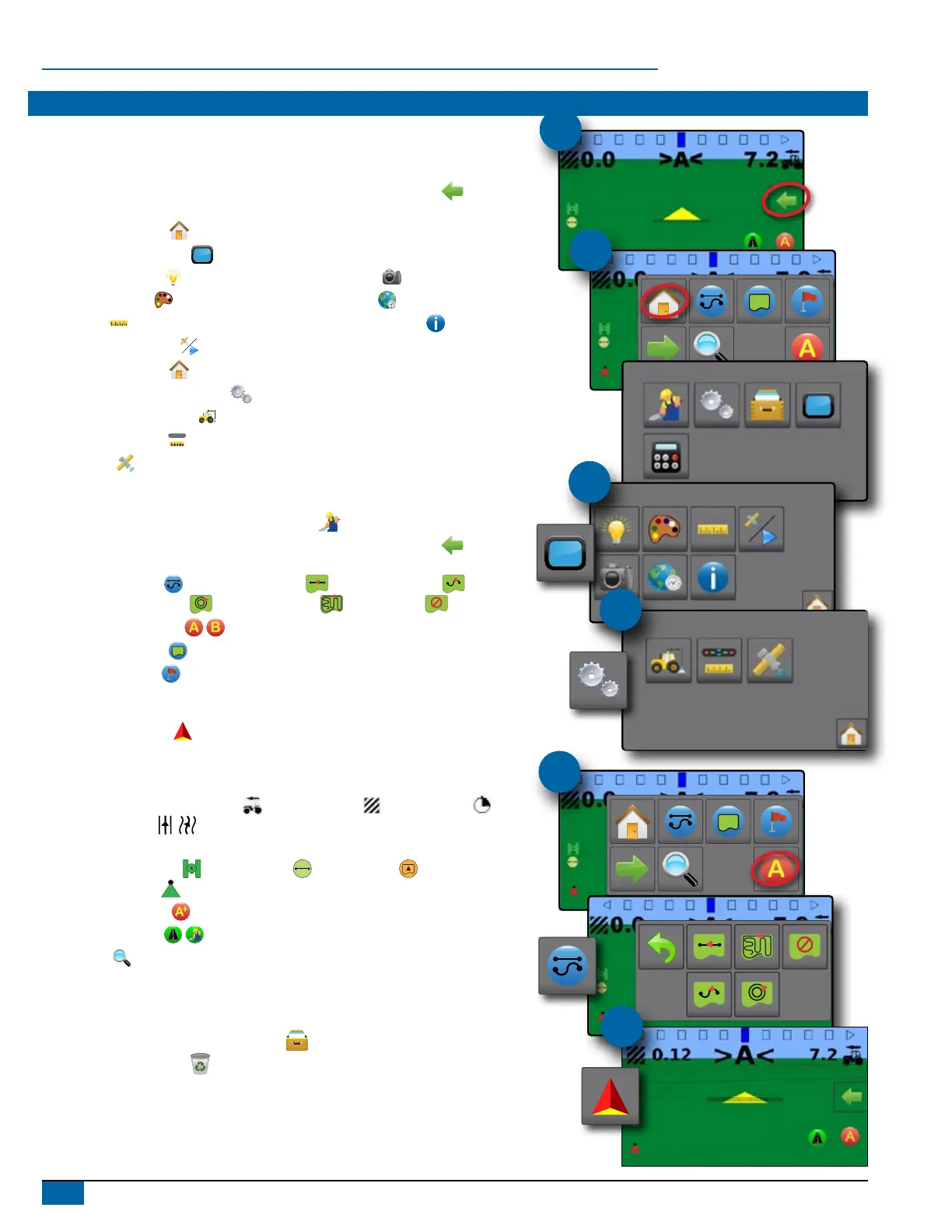
1. Power on the console.
Setup machine
2. On guidance screen, press NAVIGATION AND GUIDANCE OPTIONS tab
to display options.
3. Press HOME button
.
4. Press CONSOLE button
.
► LCD Brightness
► Color scheme
► Units
► GNSS demo mode
►Screenshot
►Time zone
►Console information
5. Press HOME button
.
6. Press CONFIGURATION button
.
► Machine Conguration
► Lightbar spacing
► GNSS
Setup guidance
7. From the Home screen, press GUIDANCE button .
8. On guidance screen, press NAVIGATION AND GUIDANCE OPTIONS tab
to display options.
► Guidance mode
– Straight AB guidance , Curved AB guidance ,
Circle pivot guidance
, Last pass guidance or no guidance
► Create AB guideline
► Create boundary
► Set return point
Start mapping
9. Press VEHICLE icon in the center of the guidance screen
to turn on or off application mapping.
Guidance screen includes
► Selectable information – Speed , total applied area , application time or
swath number
► Lighbar and Navigation Activity – GNSS status, cross track error or current activity
► Status Bar – GNSS
, guidance mode , boundary area and Application
mapping status
► A+ nudge feature
► Transport mode
► Zoom
Start new job
To start a new job, delete old job data.
1. From the Home screen, press DATA button
.
2. Press RECYCLE button
.
#2
#3
#4
#6
#8
#9



 To Next Page