EN
Owner’s manual18
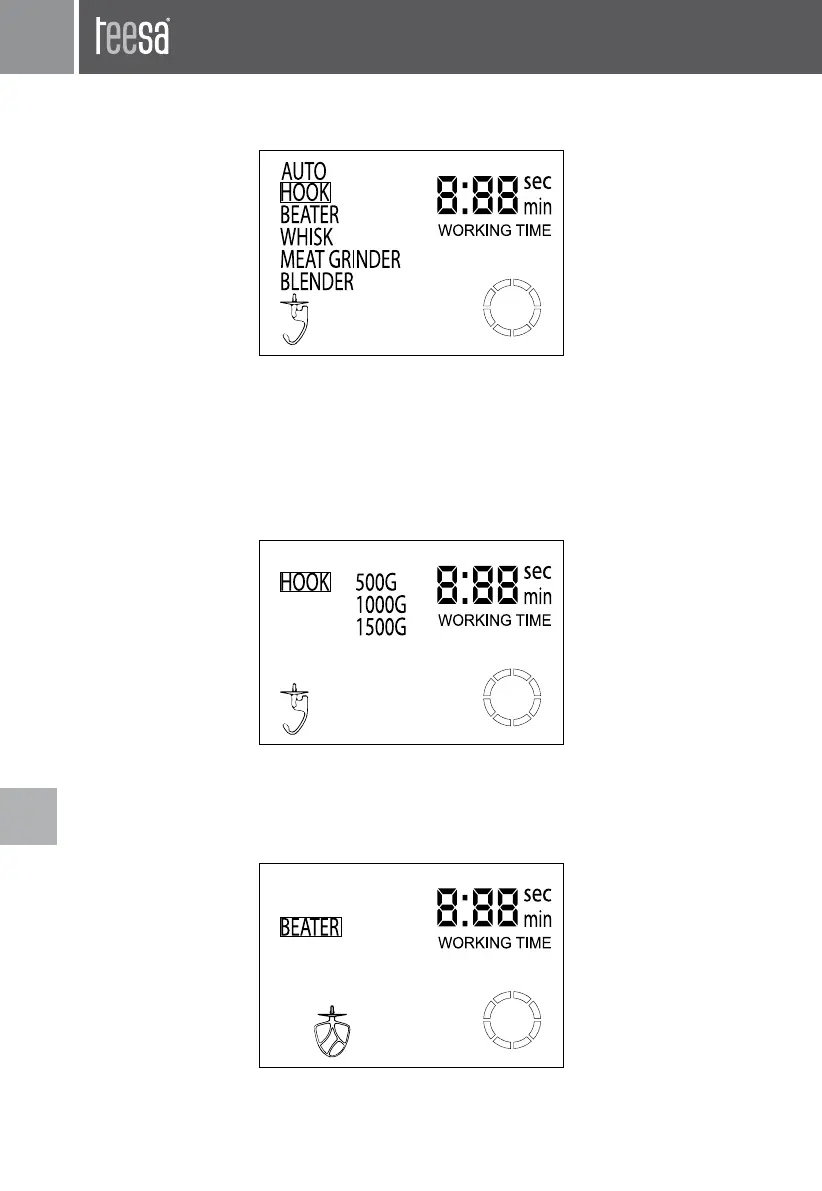
Once in Auto mode, press ENTER button to go to submenu of the Auto mode. The LCD
display will be as below.
Press SELECT button to change mode; press ENTER button to select chosen mode.
• HOOK (mode for kneading dough)
Possible quantity of dough: 500 g, 1000 g or 1500 g. Press SELECT to choose desired quantity,
then press ENTER to approve. The device will automatically stop operation after reaching the
preset time (500 g – 3 min; 1000 g – 4 min; 1500 g – 5 min).
In this mode, you can see working time on the display screen. When the operation is
suspended the countdown will also be suspended.
• BEATER (mode for mixing)
Press ENTER button to start this mode. The device will start operating. After 30 seconds it will
speed up and continue mixing until user stops it.
In this mode, you can see working time on the display screen. When the operation is suspended
the countdown will also be suspended.
• WHISK (for whisking) - Once in whisking mode, the screen will display quantity of eggs
white to choose:


 To Next Page