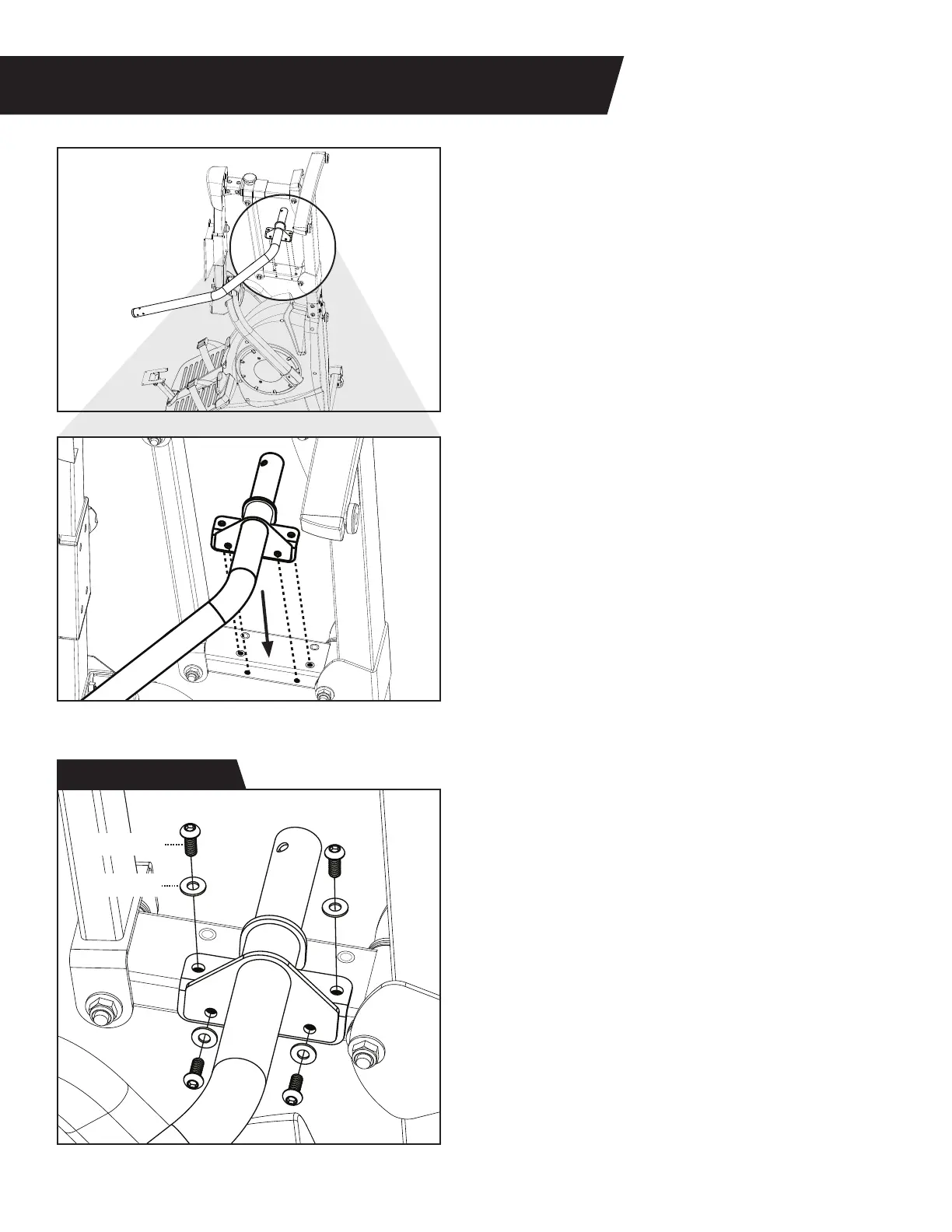
FIGURE 4
LOWER HANDLE ASSEMBLY
Figure 15a & 15b: While the Power10 remains
tipped upward, align the Lower Left Handle with
the Handle Support Bar on the Rear Linkage.
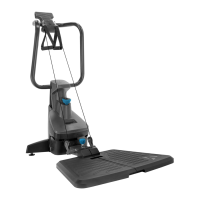
Figure 16: Use the Step 7 Hardware Kit to attach
the Lower Left Handle to the Handle Support Bar.
Hand tighten 4 × Bolts with 4 × Washers through the
Lower Left Handle and into the Handle Support bar.
DO NOT fully tighten the bolts with the wrench
at this time. This will be done later in the
assembly process.
10
Washer (M8)
Figure 15b
Figure 15a
Figure 16
Step 7 Hardware Kit
Bolt (M8 x 20)


 To Next Page