28
User Manual
“AUTO” (ASSISTED) MODE
The assisted mode allows you to cook with pre-
defined times, after entering certain parameters
for the food type and size. The instructions dis-
played on the screen will help you to obtain the
required cooking results.
IMPORTANT
The Assisted mode is an aid offered by
the oven to obtain the required cooking
results. It is not a kitchen robot which
handles everything automatically.
Once in the SteakMaster menu, select the
“AUTO” (Assisted) mode by turning the right-
hand control and press OK to confirm.
The Assisted mode offers up to seven different
food types for cooking.
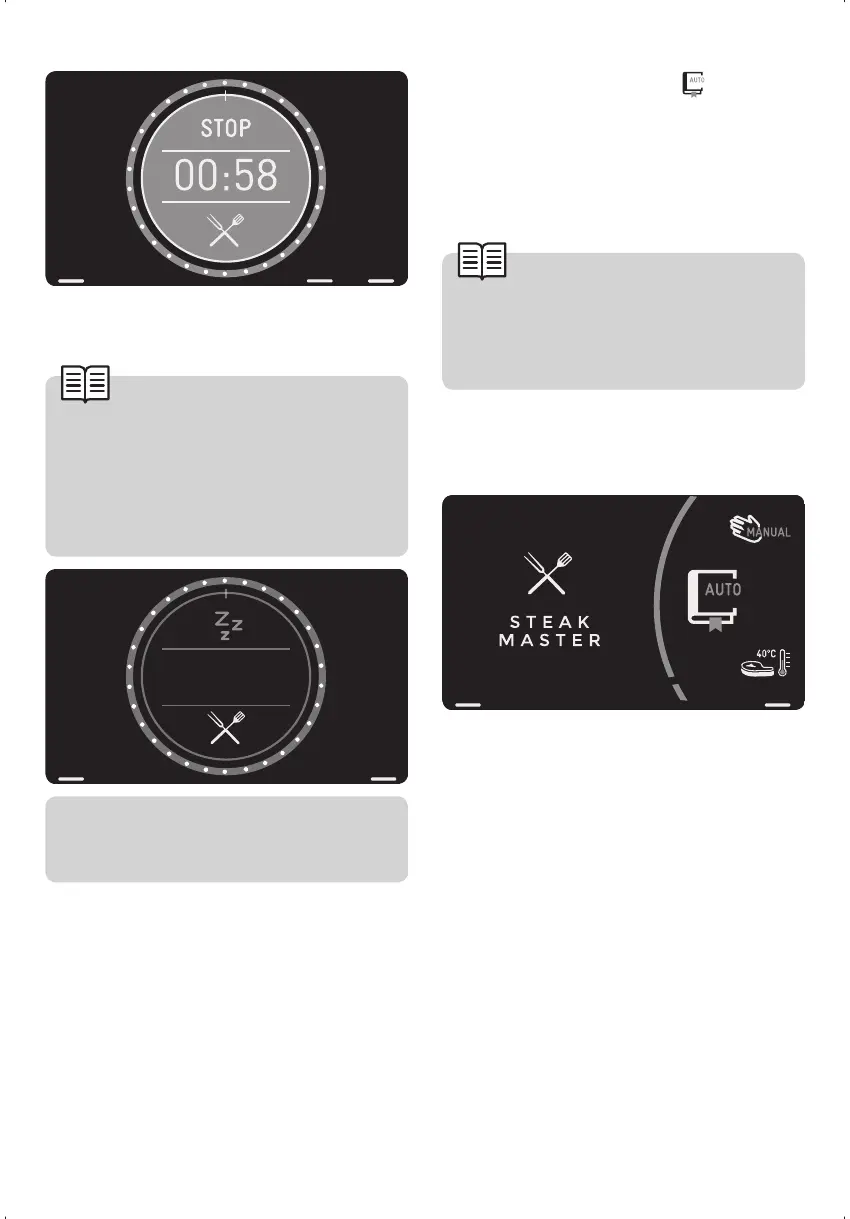
If the maximum operating time of 33 minutes is
exceeded, the oven will switch off.
IMPORTANT
If the oven switches off automatical-
ly because the maximum operating
time has been exceeded, the oven
will display an obligatory rest screen
for 15 minutes, during which time you
cannot use the oven.
After this period, the oven will display
the main menu and you can continue
cooking as required.
If, while using the SteakMaster function, you
finish cooking within the time limit and wish to
continue cooking with another standard func-
tion, this may or may not be possible (the cool-
ing screen is displayed) depending on the inte-
rior temperature of the oven.


 To Next Page