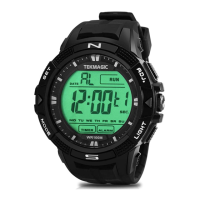
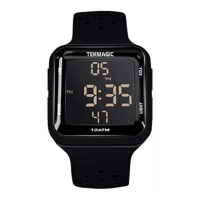
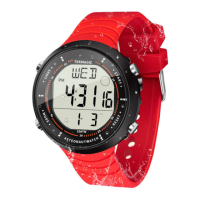
This document describes the TEKMAGIC W17-Y watch, a multi-functional digital and analog timepiece with various features for timekeeping, alarms, stopwatch, and countdown.
Function Description
The TEKMAGIC W17-Y is a versatile watch that combines both digital and analog displays. Its primary functions include:
- Local Time Display: Shows the current time, including seconds, minutes, hours, date, day, and PM indicator. It supports both 12-hour and 24-hour formats.
- Stopwatch Mode: Allows for timing events with a range from 0'00"00 to 23:59'59". It can start, stop, and clear the timing.
- Alarm Function: Users can set up to two alarms (L1 for local time zone, L2 for another time zone). The alarm sounds for 20 seconds and is set for everyday by default. Any button press can stop the alarm sound.
- Hourly Chime Function: An optional feature that can be turned on or off to signal the top of each hour.
- Timer Countdown: A countdown timer that can be set for hours, minutes, and seconds. When the countdown ends, the watch sounds for 10 seconds and resets to the initial setting.
- Backlight: An electro-luminescent backlight illuminates the display for approximately 3 seconds when activated.
- Other Time Zone Display: Allows users to view and set the time for a second time zone.
- Analog Movement Adjustment: The analog hands can be manually adjusted using a dedicated knob.
- Month and Date Check: A quick way to check the current month and date from the local time display.
Usage Features
The watch's operations are managed through a combination of buttons: SET, MODE, and ADJ, along with an Analog Movement Adjustment Knob and a LIGHT button.
II. Local Time Setup
- Setting Seconds: In local time display mode, press and hold the SET button until the second digit blinks. Press the ADJ button to clear the seconds or proceed to the next step.
- Setting Hours: Press the MODE button once. The hour digit will blink. Use the ADJ button to set the hour.
- Setting Minutes: Press the MODE button again. The minute digit will blink. Use the ADJ button to set the minute.
- Setting Month: Press the MODE button again. The month digit will blink. Use the ADJ button to set the month.
- Setting Date: Press the MODE button again. The date digit will blink. Use the ADJ button to set the date.
- Setting Day: Press the MODE button again. The day indicator will blink. Use the ADJ button to set the day.
- Setting Hour Format: Press the MODE button again. The hour format indicator (12 or 24 hours) will blink. Use the ADJ button to select the desired format.
- Saving Settings: Press the SET button once to save all changes and return to the local time display.
III. Stopwatch Mode
- Entering Stopwatch Mode: From the local time display, press the MODE button once.
- Starting Timing: Press the ADJ button to start the stopwatch.
- Stopping Timing: Press the ADJ button again to stop the stopwatch.
- Clearing Timing: Press the SET button to clear the stopwatch to 0'00"00.
- Exiting Stopwatch Mode: Press the MODE button once to return to the local time display.
- Note: The stopwatch has a timing range of 0'00"00 to 23:59'59". If not stopped, it will continue timing and restart from 0'0''00 even if it exceeds 24 hours and the mode is exited.
IV. Alarm
- Setting an Alarm:
- Entering Alarm Setting Mode: From the local time display, press the MODE button twice.
- Setting Alarm Hour: Press and hold the SET button until the hour digit blinks. Use the ADJ button to set the hour.
- Setting Alarm Minute: Press the MODE button once. The minute digit will blink. Use the ADJ button to set the minute.
- Selecting Time Zone for Alarm: Press the MODE button again. The time zone digit indicator will blink. Use the ADJ button to select L1 (local time zone alarm) or L2 (other time zone alarm).
- Saving Alarm Settings: Press the SET button once to save.
- Exiting Alarm Setting Mode: Press the MODE button once.
- Turning On/Off Alarm: In alarm setting mode, press the ADJ button to toggle the alarm on or off.
- Note: The alarm sounds for 20 seconds and can be stopped by pressing any button. It is set for everyday by default.
V. Turn On/Off Hourly Chime Function
- Toggling Hourly Chime: In alarm setting mode, press the ADJ button to turn the hourly chime function on or off.
VI. Timer Countdown
- Entering Timer Countdown Mode: From the local time display, press the MODE button three times.
- Setting Countdown Hour: Press and hold the SET button until the hour digit blinks. Use the ADJ button to set the hour.
- Setting Countdown Minute: Press the MODE button once. The minute digit will blink. Use the ADJ button to set the minute.
- Setting Countdown Second: Press the MODE button again. The second digit will blink. Use the ADJ button to set the second.
- Saving Countdown Settings: Press the SET button once to save.
- Starting Countdown: Press the ADJ button to start the countdown.
- Stopping Countdown: Press the ADJ button again to stop the countdown.
- Exiting Timer Countdown Mode: Press the MODE button once.
- Note: When the countdown ends, the watch will sound for 10 seconds and then return to the initial setting.
VII. Backlight
- Activating Backlight: Press the LIGHT button to turn on the electro-luminescent backlight. It will automatically turn off after approximately 3 seconds.
VIII. Time Setup for the Other Time Zone
- Entering Other Time Zone Display Mode: From the local time display, press the MODE button four times.
- Setting Other Time Zone Hour: Press and hold the SET button until the hour digit blinks. Use the ADJ button to set the hour.
- Setting Other Time Zone Minute: Press the MODE button once. The minute digit will blink. Use the ADJ button to set the minute.
- Saving Other Time Zone Settings: Press the SET button once to save.
- Exiting Other Time Zone Display Mode: Press the MODE button once.
IX. Analog Movement Adjustment
- Adjusting Analog Hands: Pull out the analog movement adjustment knob. Rotate the knob to set the analog hands.
- Saving Analog Setting: Push the knob back into its original position to save the setting.
X. Month and Date Check
- Checking Month and Date: In local time display mode, press and hold the ADJ button to view the current month and date.
XI. Check the Current Time in the Other Time Zone
- Checking Other Time Zone: In local time display mode, press the MODE button four times to view the current time in the other time zone.
Important Technical Specifications (Inferred from usage)
- Time Display: Digital (seconds, minutes, hours, date, day, PM indicator) and Analog (hour, minute, second hands).
- Time Formats: 12-hour and 24-hour.
- Stopwatch Range: 0'00"00 to 23:59'59".
- Alarm Duration: 20 seconds.
- Alarms: Two independent alarms (L1, L2).
- Countdown Timer: Configurable for hours, minutes, and seconds.
- Backlight Type: Electro-luminescent.
- Backlight Duration: Approximately 3 seconds.
Maintenance Features
The manual does not explicitly detail maintenance features such as battery replacement or water resistance. However, the presence of an "Analog Movement Adjustment Knob" implies that the analog movement can be manually synchronized or corrected if it deviates from the digital time. Regular cleaning of the watch exterior with a soft cloth is generally recommended for watches.

 Need help?

 To Next Page
 General