Need help?
Do you have a question about the TEKMAGIC W19-B and is the answer not in the manual?
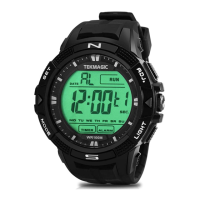
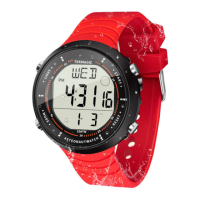
Identifies the various buttons, indicators, and parts of the watch for user reference.
Step-by-step guide to setting the seconds display for the local time.
Instructions for adjusting the hour display in the local time mode.
Procedure for setting the minute display for the local time.
Guide to setting the current month on the watch display.
Instructions for setting the current date on the watch display.
Procedure for setting the current day of the week display.
Adjusting the watch to display time in 12-hour or 24-hour format.
Finalizing and saving all local time settings on the watch.
How to navigate to the stopwatch function from the local time display.
Initiating the stopwatch measurement using the ADJ button.
Halting the stopwatch measurement with the ADJ button.
Resetting the stopwatch to zero using the SET button.
Returning to the previous mode from the stopwatch display.
Step-by-step guide for configuring a new alarm time and zone.
Adjusting the hour component of the alarm time.
Adjusting the minute component of the alarm time.
Selecting the time zone (L1 or L2) for the alarm.
Confirming and saving the configured alarm settings.
Leaving the alarm configuration interface.
Activating or deactivating the set alarm using the ADJ button.
Controlling the hourly chime notification feature.
Navigating to the timer countdown function.
Configuring the hour value for the countdown timer.
Configuring the minute value for the countdown timer.
Configuring the second value for the countdown timer.
Confirming and saving the countdown timer parameters.
Initiating the countdown process.
Pausing the active countdown timer.
Leaving the timer countdown interface.
Turning on the electro-luminescent backlight for visibility.
Navigating to the mode for setting an alternative time zone.
Configuring the hour for the secondary time zone display.
Configuring the minute for the secondary time zone display.
Confirming and saving the secondary time zone parameters.
Leaving the secondary time zone configuration interface.
Procedure to align the analog watch hands with the digital time.
How to view the current month and date on the watch.
How to display the current time for a different time zone.
 General
| Model | W19-B |
|---|---|
| Category | Watch |
| Resolution | 240 x 240 pixels |
| Battery Life | Up to 7 days |
| Water Resistance | IP67 |
| Connectivity | Bluetooth 5.0 |
| Strap Material | Silicone |
| Compatibility | Android, iOS |
| Sensors | Heart rate |

 To Next Page