EasyManua.ls Logo

Tekmar 519 - User Manual

Tekmar 519
4 pages
Print Icon
To Next Page IconTo Next Page
Loading...
© 2013 519_U - 03/13
1 of 4
A Watts Water Technologies Company
User Manual
Radiant Thermostat 519
Zoning
519
_
U
03/13
Replaces: New

Other manuals for Tekmar 519

Question and Answer IconNeed help?

Do you have a question about the Tekmar 519 and is the answer not in the manual?

Summary

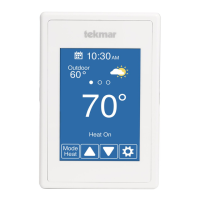
Display Symbols

Heat On Status

Indicates that the heating system is currently turned on.

Mode Off Status

Indicates that the heating system is turned off.

Warning Symbol

Indicates that an error condition is present.

Minimum Floor Temperature

The floor is at or below the floor minimum temperature.

Maximum Floor Temperature

The floor has reached the floor maximum temperature.

Setting The Temperature

Air Temperature Control

Thermostat operates to control desired air temperature using air sensor only.

Floor Temperature Control

Thermostat maintains floor temperature, ignoring air temperature.

Combined Floor and Air Control

Maintains desired air temperature and a minimum floor temperature.

Device Settings

Mode Setting

Select heat or off for the thermostat operation.

Units Setting

Select temperature units in Fahrenheit or Celsius.

Backlight Operation

Select when the display back light should operate.

Set Floor Minimum Temperature

Set the floor minimum temperature when a floor sensor is connected.

Device Type Identification

Displays the device type number.

Escape to Home Screen

Release buttons to return to the home screen.

More Information

Summary

Display Symbols

Heat On Status

Indicates that the heating system is currently turned on.

Mode Off Status

Indicates that the heating system is turned off.

Warning Symbol

Indicates that an error condition is present.

Minimum Floor Temperature

The floor is at or below the floor minimum temperature.

Maximum Floor Temperature

The floor has reached the floor maximum temperature.

Setting The Temperature

Air Temperature Control

Thermostat operates to control desired air temperature using air sensor only.

Floor Temperature Control

Thermostat maintains floor temperature, ignoring air temperature.

Combined Floor and Air Control

Maintains desired air temperature and a minimum floor temperature.

Device Settings

Mode Setting

Select heat or off for the thermostat operation.

Units Setting

Select temperature units in Fahrenheit or Celsius.

Backlight Operation

Select when the display back light should operate.

Set Floor Minimum Temperature

Set the floor minimum temperature when a floor sensor is connected.

Device Type Identification

Displays the device type number.

Escape to Home Screen

Release buttons to return to the home screen.

More Information

Tekmar 519 Specifications

General IconGeneral
Power Supply24 VAC
DisplayLCD
Temperature Range40°F to 90°F (5°C to 32°C)
Dimensions4.5 x 1 x 1 inches
ApprovalsCSA, UL

Related product manuals