EasyManua.ls Logo

Tekmar tekmarNet Thermostat 532 - User Manual

Tekmar tekmarNet Thermostat 532
20 pages
Print Icon
To Next Page IconTo Next Page
Loading...
tekmarNet
®
Thermostat 532
Installation & Operation Manual
532
_
D
02/15
Zoning
Replaces: New
© 2015
532_D - 02/15
1 of 20
A Watts Water Technologies Company
The tekmarNet
®
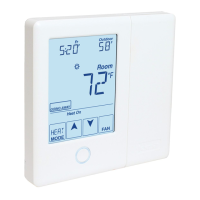
Thermostat 532 is a communicating thermostat designed for one
stage hydronic heating systems. Simple up and down buttons and a display with
large type make this thermostat easy to read and use. It has two auxiliary sensor
inputs that can be assigned to measure room, floor, or outdoor temperature. An
optional floor sensor protects the floor from overheating and enhances comfort.
The 532 can be wired using 2 or 4 wires to connect to tekmarNet zoning controls,
or can be installed as a stand-alone thermostat using 3 wires.
Introduction
Features
tekmarNet communication
compatible
Radiant floor heating
Floor & air temperature control
Zone synchronization
Network schedule member
Optimum start
Away scene
Air group member
2 auxiliary sensor inputs
Backlight
Room temperature limiting

Questions and Answers

Summary

Introduction

Getting Started

Important Safety Information

Installation

Preparation

Details tools and materials required for thermostat installation.

Removing The Thermostat Base

Instructions on how to detach the thermostat front from its base.

Mounting The Thermostat

Steps for physically attaching the thermostat to a wall or gang box.

Thermostat Wiring

tekmarNet 2 Wiring

Wiring diagram for tekmarNet 2 systems with Wiring Centers 313 or 314.

tekmarNet 4 Wiring

Wiring diagram for tekmarNet 4 systems with Wiring Centers 315 or 316.

Zone Valve Wiring

Wiring diagram for connecting the thermostat to a zone valve system.

Thermostat Wiring Configurations

Switching Relay Wiring

Wiring diagram for systems utilizing a switching relay.

Relay 003 Wiring

Wiring diagram for systems that use Relay 003.

Testing the Thermostat Wiring

Testing tN2 Wiring

Procedure to test wiring connections for tN2 systems.

Testing tN4 and Stand Alone Wiring

Procedure to test wiring for tN4 and standalone thermostat configurations.

Switch Settings

SETBACK Switch

Controls the thermostat's adherence to a programmable setback schedule.

SCENE Switch

Controls response to system-wide scene changes (manual overrides).

LOCK ACCESS LEVEL Switch

Manages access to setup menu settings, locking or unlocking features.

User Interface

Home Screen Overview

Overview of the thermostat's main display layout and elements.

Symbols Description

Explains the various symbols displayed on the thermostat screen.

Sequence of Operation

Heating Operation

Details how the thermostat controls the heating system based on settings.

Air Temperature Only Mode

How the thermostat operates using only the air temperature sensor.

Floor Temperature Only Mode

How the thermostat operates using only the floor temperature sensor.

Floor and Air Temperature Mode

How the thermostat operates using both air and floor temperature sensors.

Operational Features

Freeze Protection

Ensures heating operates to prevent freezing when mode is off.

Warm Weather Shut Down

Shuts off heating when outdoor temperature exceeds a set limit.

Room Minimum and Maximum Settings

Sets upper and lower limits for room temperature settings.

Hydronic System Supply Pump Control

Controls operation of the system's primary or mix pump.

Advanced Operation Modes

Air Group Operation

How thermostats form an air group for coordinated heating/cooling.

Programmable Schedules

How the thermostat uses programmable schedules for temperature settings.

System Overrides and Configuration

Scenes (System Override)

Explains how scenes override schedules for energy saving or convenience.

tekmarNet Address Configuration

How thermostats get and use addresses within a tekmarNet system.

Lock;Unlock and Access Levels

How to lock/unlock thermostat settings for security or simplicity.

Programmable Settings

SET ROOM Occupied

Sets the desired room temperature for occupied periods.

SET ROOM Unoccupied

Sets the desired room temperature for unoccupied periods.

SET FLOOR Occupied

Sets the desired floor temperature for occupied periods.

SET FLOOR Unoccupied

Sets the desired floor temperature for unoccupied periods.

Advanced Operation Settings

Settings for heat relay override, optimum start, and air group master.

Additional Programmable Settings

Schedule Settings

Allows thermostat to follow a shared network schedule.

Room Temperature Limits

Sets maximum and minimum room temperature limits.

Floor Temperature Limits

Sets the maximum floor temperature to protect floor covering.

Sensor Configuration

Configures auxiliary and built-in room temperature sensors.

Troubleshooting

SETUP MENU SAVE ERROR

Thermostat failed to read settings and reloaded factory defaults.

tN2 PORT ERROR

Thermostat connected to an already used tN2 port.

tekmarNet ERROR

Open or short circuit on the tekmarNet communication bus.

ADDRESS ERROR

Two thermostats manually set to the same address.

DEVICE LIMIT ERROR

More than 24 devices connected to the tekmarNet communication bus.

Troubleshooting Sensor and Network Errors

Room Sensor Errors

Errors related to the built-in room temperature sensor (open/short).

Auxiliary Sensor 1 Errors

Errors related to auxiliary sensor 1 (open/short circuits).

Auxiliary Sensor 2 Errors

Errors related to auxiliary sensor 2 (open/short circuits).

Air Group Member Error

Thermostat cannot detect its air group or cooling group master.

Technical Data

Limited Warranty and Product Return Procedure

Tekmar tekmarNet Thermostat 532 Specifications

General IconGeneral
BrandTekmar
ModeltekmarNet Thermostat 532
CategoryThermostat
LanguageEnglish

Related product manuals