Need help?
Do you have a question about the Tekmar 561 and is the answer not in the manual?
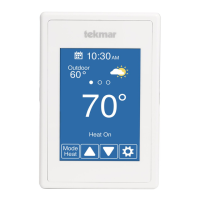
Navigate to schedule, view weather, outdoor/floor temp, and heat to setting.
Change the operating mode and adjust the target temperature.
Access various settings like Away, Schedule, Display, Time, WiFi, and Setup.
Overrides programmed schedule until a specified time.
Conserves energy when the building is unoccupied.
Setting and managing programmed temperature schedules for different days and times.
Anticipates heating needs to reach the target temperature early.
Setting schedule start times and heating temperatures for programmed events.
Configures units, brightness, theme, and language for the thermostat display.
Manages screen cleaning countdown, inactive time, and outdoor display settings.
Views daily and monthly heating run time data.
Interface for manually setting the thermostat's time and date.
Settings for time format, time zone, and daylight savings time.
Requirement to accept terms before enabling Wi-Fi features.
Activates the thermostat's Wi-Fi functionality.
Selecting a network and entering the Wi-Fi password for connection.
Setting ZIP/postal code for weather and choosing automatic or manual time sync.
Steps for creating a user account for the Watts Home mobile application.
Connecting the thermostat to the mobile app using a registration code.
Linking the registered thermostat to a specific location within the app.
Accessing and configuring app-wide settings, including devices and user accounts.
Editing or removing registered locations for the thermostat.
Viewing and managing connected thermostat devices within the app.
Real-time view and control of thermostat temperature, mode, and schedule.
Configuring notification preferences and unit settings for the user account.
Updating user name and email associated with the Watts Home account.
Granting access to other users for managing devices at a shared location.
The Tekmar WiFi Thermostat 561 is a smart thermostat designed to provide precise control over heating systems, offering both local touchscreen operation and remote management via a mobile application. It integrates seamlessly into modern smart homes, allowing users to monitor and adjust their heating from anywhere with an internet connection.
The primary function of the Tekmar WiFi Thermostat 561 is to regulate the temperature of a heating system. It allows users to set desired temperatures, create schedules, and monitor energy usage. The thermostat can operate in various modes, including "Heat" and "Off," and supports an "Away" setting to save energy when the building is unoccupied. Its WiFi connectivity enables remote control through the Watts Home mobile app, available on Apple iTunes Store and Google Play Store, extending its functionality beyond the physical device. The thermostat also provides weather information and outdoor temperature readings, enhancing its utility.
 General
| Brand | Tekmar |
|---|---|
| Model | 561 |
| Category | Thermostat |
| Language | English |


 To Next Page