EasyManua.ls Logo

Tekmar 654 - User Manual

Tekmar 654
44 pages
Print Icon
To Next Page IconTo Next Page
Loading...
Snow Melting Control 654
654_D
06/13
Snow Melting
Replaces: New
Installation & Operation Manual
1 of 44 © 2013 654_D - 06/13
Features
Automatic Snow / Ice Detection
Supports Both Inslab & Retrofit Aerial Sensors
Manual Start With Timer
Programmable Schedule
tekmarNet
®
Communication Compatible
Warm Weather Shut Down
Cold Weather Cut Out
Idling
Snow Melt Zoning With Priority
Tandem Snow / Ice Detection
Slab Protection
Storm
EconoMelt
Manual Override
Snow Melt Zone Tracking
Scenes
Away Key
Exercising
Alert Output
Introduction
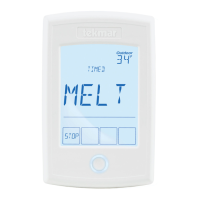
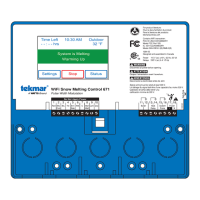
The Snow Melting Control 654 is designed to operate electric or hydronic equipment to melt snow or ice from any surface
including driveways, walkways, patios, business entrances, parking ramps, loading docks, hospital entrances, helipads
or car wash bays. The surface temperature for snow melting is controlled automatically to reduce operating energy costs.
The 654 has an automatic start and stop function when used with the Snow/Ice Sensor 090 or 094. Automatic start with a
timed stop is available when used with the Snow Sensor 095. The 654 can operate a dedicated hydronic boiler or a mixing
device. Isolation relays are required to operate line voltage pumps. Electric systems require a separate GFCI and electrical
relay contactor.

Table of Contents

Other manuals for Tekmar 654

Question and Answer IconNeed help?

Do you have a question about the Tekmar 654 and is the answer not in the manual?

Tekmar 654 Specifications

General IconGeneral
CategoryControl Unit
Power24 VAC
Input Voltage24 VAC
Output Voltage24 VAC
SensorsOutdoor Sensor
Operating Temperature32°F to 122°F (0°C to 50°C)

Summary

Introduction to Snow Melting Control

Features of the Snow Melting Control

Lists the key features and capabilities of the Snow Melting Control 654.

Important Safety Information

Radio Frequency Interference Guidelines

Discusses FCC compliance and potential interference issues with the control.

Installation Guide

Installation Preparation

Lists required tools and materials for installation.

Installation Location Guidelines

Guidelines for selecting an appropriate control installation site.

Rough-In Wiring Procedures

Details low-voltage wiring procedures and requirements.

Control Wiring Diagrams

Snow; Ice Sensor Wiring

Explains wiring connections for Snow/Ice sensors (090/094).

Snow and Slab Sensor Wiring

Explains wiring connections for Snow and Slab sensors.

Outdoor, Supply, and Boiler Return Sensor Wiring

Explains wiring for outdoor, supply, and boiler return sensors.

Modulating Output and tN4 Communication Wiring

Wiring for modulating output signals and tN4 network communication.

Transformer and Relays Wiring

tN4 Wiring Center or Zone Manager Wiring

Wiring diagrams for tN4 network wiring centers or zone managers.

Alert Relay Output Wiring

Wiring diagram for the alert relay output.

Sensor Wiring and Mounting

Mounting the Outdoor Sensor

Guidance on mounting the outdoor sensor for accurate readings.

Wiring the Outdoor Sensor

Instructions for connecting wires to the outdoor sensor.

Mounting the Universal Sensor

Guidance on mounting the universal sensor on pipes or wells.

Sensor and Control Wiring Testing

Testing the Sensor Wiring

Procedure to test sensor wiring resistance and continuity.

Testing the Control Wiring

Procedure to test the control wiring connections.

Testing the Power Supply

Procedure to verify the control's power supply voltage.

Switch Settings and Manual Overrides

Switch Settings Overview

Details the function of the control's physical switches.

Manual Override Operations

Instructions for using Maximum Heat, Test, Purge, and Off overrides.

User Interface Overview

Display Layout Explanation

Details the control's screen layout, including display elements.

Operation and Status Fields

Explains the meaning of operation and status indicators on the display.

Control Symbols

Explains common symbols used on the control display.

Programmable Settings Navigation

Programming Menus Navigation

Guide to accessing and navigating the control's programming menus.

Access Levels and Lock Management

Managing access levels for settings and locking the control.

View Menu - Part 1

SNOW ZONE Status Display

Displays the snow melt zone number on the tekmarNet® system.

OUTDOOR Temperature Display

Displays the current outdoor air temperature.

SLAB Target and Temperature Display

Displays calculated slab target and current slab temperature.

View Menu - Part 2

Relay Status Displays

Displays status of Heat, System Pump, and Alert relays.

PWM Rate and Melt Time Displays

Displays PWM duty cycle rate and remaining melt time.

Set Temp Menu Configuration

Melting, Idling, and Storm Temperatures

Sets desired surface temperatures for melt, idle, and storm modes.

Melt Run Time Settings

Sets manual melt run time and additional melt time.

Time Menu Settings

Time and Date Configuration

Configuration of time, date, and daylight saving settings.

Schedule Menu Configuration

Event Time Periods Setup

Sets programmable schedule time periods for Events 1 through 4.

Display Menu Settings

Units and Backlight Configuration

Configures temperature units and display backlight operation.

Scene Menu Settings

Scenes and Away Key Configuration

Enables and configures scene modes and the away touch key.

Monitor Menu - System Performance

Heat and Pump Usage Records

Records system running hours and heat relay cycles.

Slab and Outdoor Temperature Records

Records highest and lowest slab and outdoor temperatures.

Toolbox Menu - System Information

Access Level and Software Version

Manages access levels and displays software version.

Factory Defaults and Error History

Option to load factory defaults and view error history.

Override Menu - Manual Control

Manual Override Functions

Manually test relays and operate the system in various modes.

Boiler and Mix Control Overrides

Adjust boiler firing rate and mixing valve position manually.

System Menu - Application Configuration

Application Modes and Sensor Selection

Configures operating modes and selects installed sensors.

Slab Protection and Economelt

Enables slab protection and the EconoMelt feature.

Boiler Menu - Configuration

Boiler Type and Modulation Settings

Configures boiler type and modulation parameters.

Boiler Delay and Motor Speed Settings

Configures modulation delay and motor speed for boilers.

Mix Menu - Configuration

Mix Type and Motor Speed

Configures mixing signal type and actuating motor speed.

Mix Maximum Temperature

Sets the maximum operating temperature for mixing.

tekmarNet Menu - Network Configuration

Network Address and Device Count

Configures network address and displays device count.

Snow Zone and Tracking Settings

Selects snow zone and configures zone tracking options.

Sequence of Operation

Snow Melting System Overview

General description of snow melting systems and their benefits.

Slab Temperature Control

Critical aspect for minimizing snow melting costs using sensors.

Melt Operation Details

Explains how the system heats the slab to melt snow or ice.

Melt - Manual Start and Timed Stop

Melt - Automatic Start and Stop

Melt - EconoMelt Operation

Melt - Automatic Start and Timed Stop (095 Sensor)

Melt - Tracked Start and Stop

Melt - Scheduled Start and Stop

Additional Melting Time

Idle Operation

Storm Operation

Warm Weather Shut Down

Cold Weather Cut Out

Away Scene and Away Key

Away Scene Activation

Procedure to activate the Away scene for energy savings.

Away Key Usage

Quickly disable the snow melting system using the Away key.

Programmable Schedules

Schedule Types and Events

Defines schedule repetition (24hr/7day) and event setup.

Time Clock Functionality

Snow Melt Zones and Priority

Hydronic Priority Levels

Hydronic Priority Settings

Sets priority levels (None, Conditional, Full) for hydronic systems.

Electric Priority Levels

Electric Priority Settings

Sets priority levels (None, Conditional, Full) for electric systems.

Application Modes

Electric Operation Details

Operation details for electric snow melting using PWM.

Pulse Width Modulation Operation Details

PWM operation for non-dedicated systems.

Boiler Operation Details

Operation details when using a dedicated boiler.

Boiler Operation Types

Single Stage On;Off Boiler (1 STG)

Control logic for single stage on/off boilers.

Modulating Boiler (MOD)

Control logic for single hot-water modulating boilers.

EMS1, EMS2, Control (CTRL), Enable (ENBL) Methods

Other boiler control methods and configurations.

Mixing Operation Details

Mixing Valve and Actuator Motor Control

Control of mixing valve via analog signal.

Recommended Mixing Injection Pumps

Selection and settings for mixing injection pumps.

Tandem Snow; Ice Detection

Exercising and Pump Post Purge

Exercising Function

Periodically runs pumps to prevent seizure.

Pump Post Purge Function

Post purge heat from boiler to zone after heating.

Alert Relay Configuration

Melt and Storm Groups

User Switch Setup and Programming

Troubleshooting Guide

Error Messages - Part 1

Lists and describes specific error messages from the system.

Error Messages - Part 2

Error Messages - Part 3

Error Messages - Part 4

Frequently Asked Questions

Job Record - Settings Log

Menu Settings Summaries

Set Temp Menu Settings Summary

Summary of key settings available in the Set Temp menu.

System Menu Settings Summary

Summary of key settings available in the System menu.

Boiler Menu Settings Summary

Summary of key settings available in the Boiler menu.

Technical Data

Limited Warranty and Product Return Procedure

Related product manuals