19 of 44 © 2013 654_D - 06/13
The Toolbox Menu is a location for system information and Test functions. If any errors are present on the system, they will be
located at the beginning of this menu.
Toolbox Menu
Item Field Range Access Description
Installer (INST)
User (USER)
Default = INST
User
Installer
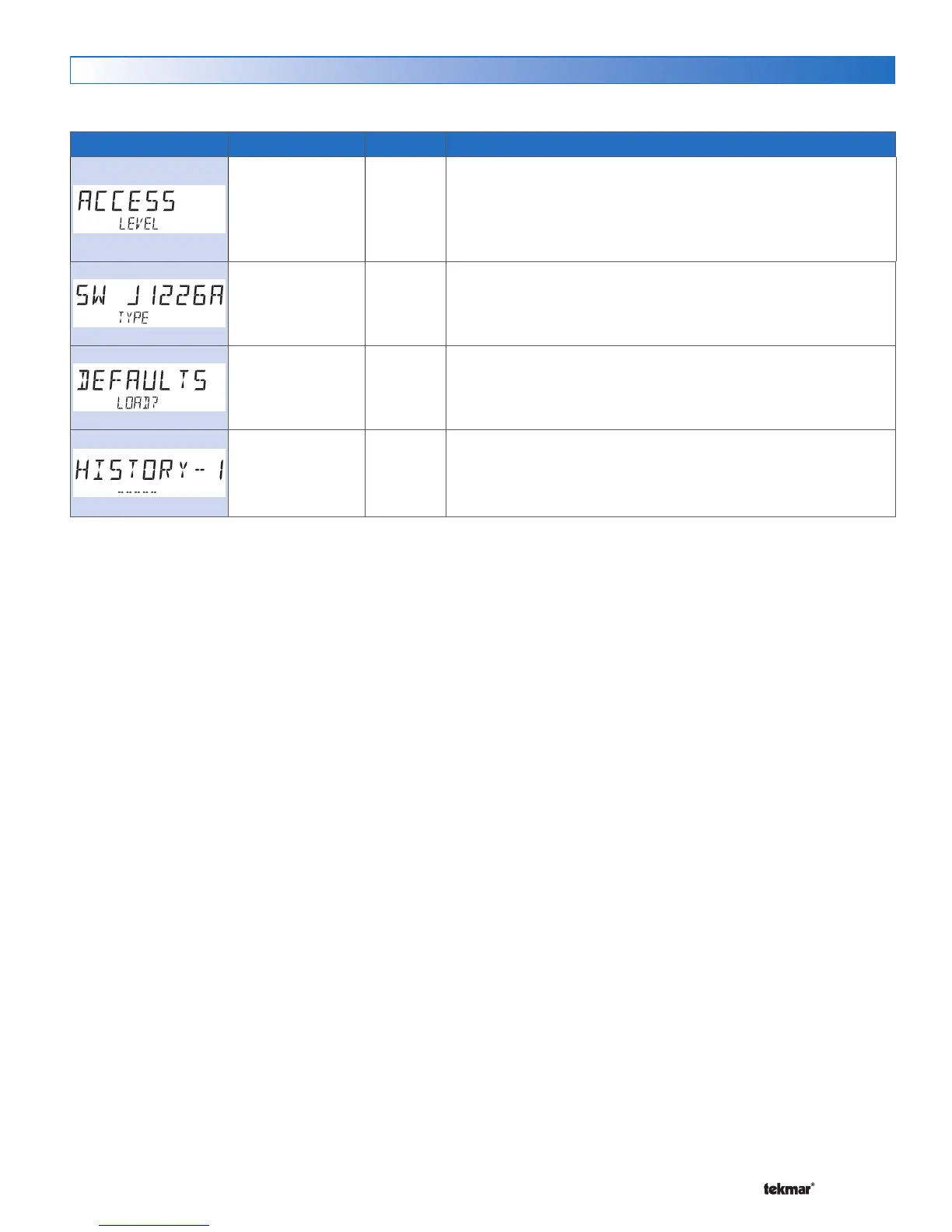
ACCESS LEVEL
Select the access level of the control, which determines which menus
and items are available.
Conditions: Adjustable only when control switch setting set to UNLOCK
or tekmarNet
®
system control switch setting set to UNLOCK.
Software J1226A
Type 654
User
Installer
SOFTWARE VERSION AND TYPE NUMBER
Select the access level of the control, which determines which menus
and items are available.
Not applicable Installer
FACTORY DEFAULTS
Loads the factory default settings. Press ENTER to load defaults.
See Troubleshooting
Guide
Installer
HISTORY - 1 THROUGH 5
Displays a history of any past errors that have occurred on the system.
Will clear after 30 days, or press Up and Down buttons for 1 second
to manually clear. The last 5 history items will display if present.


 To Next Page