2) n:1 mode
This mode enables one stroke to be dosed for every n pulses received from an outside source, for example from a water-meter
capable of sending pulses.
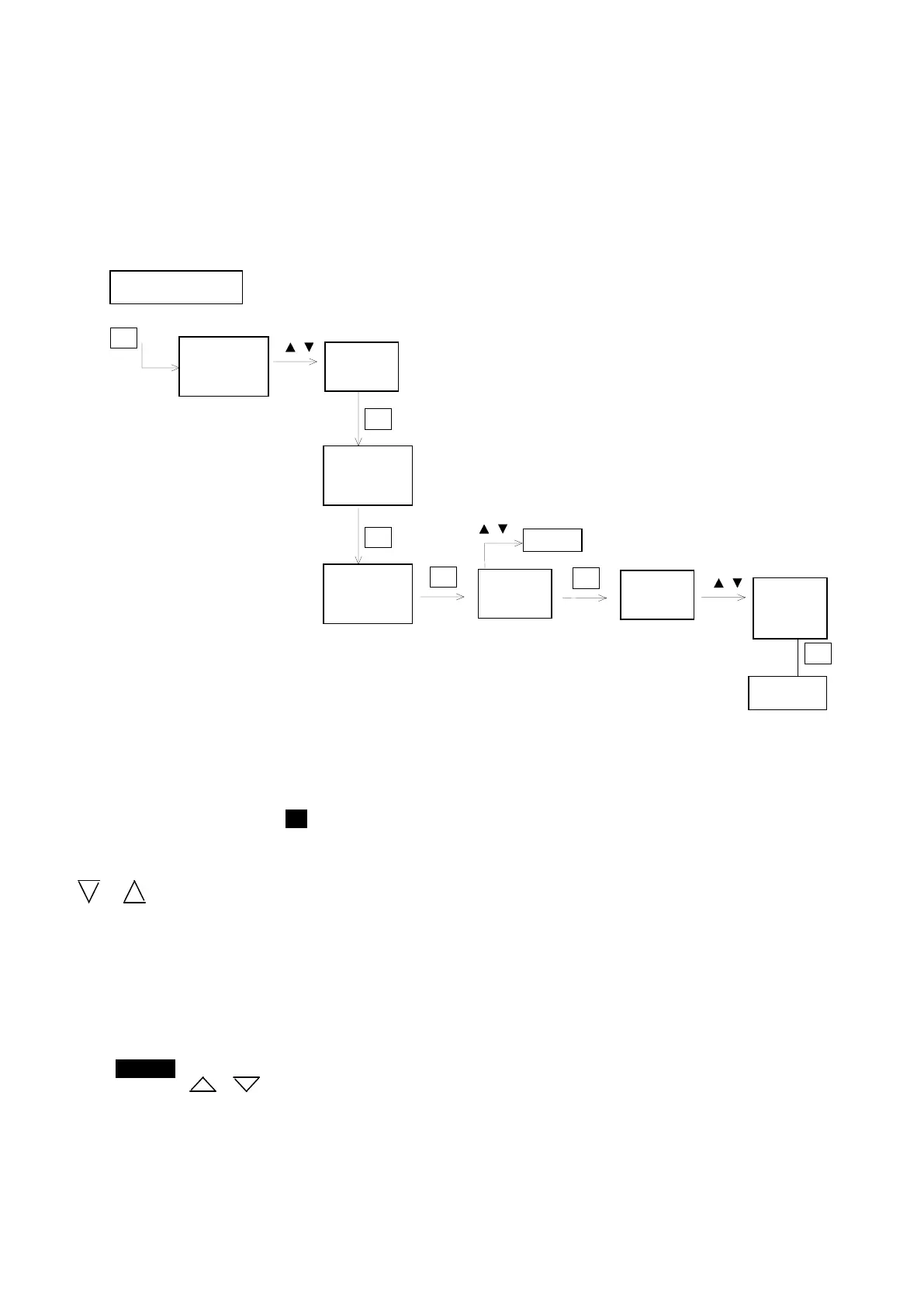
Press the Prog button and select the PROPORTIONAL MODE (see Programming).
On pressing the Enter key and the Prog key (see diagram), the n:1 mode is entered directly and the indication F n.1 will
appear on the display while the n:1 icon will flash.
If the Enter key is pressed, this mode is confirmed and the value of n will appear on the display. This refers to the number of
impulses received by the pump from the outside source after which the pump will provide a stroke. The g or
arrows can be used to increase or decrease this value respectively.
Example: If I have connected my pump to a water-meter of the CB1 range able to provide pulses (1 pulse/L), and I have
selected n=8, this will mean that for every 8 pulses received from the water-meter my pump will provide 1 stroke. That is to
say, for every 8 litres of water passing through the water-meter the pump will dose 1 stroke.
Once the value has been set, it must be confirmed by pressing the Enter key. Then it is possible to go on to set the Memory
function (see below).
The indication OFF (or ON) will appear on the display, to signal that the Memory function has been disabled (or enabled).
The Memory icon will flash.
The arrows keys or can be used to change the indication (ON or OFF).


 To Next Page