ALARM SIGNALS
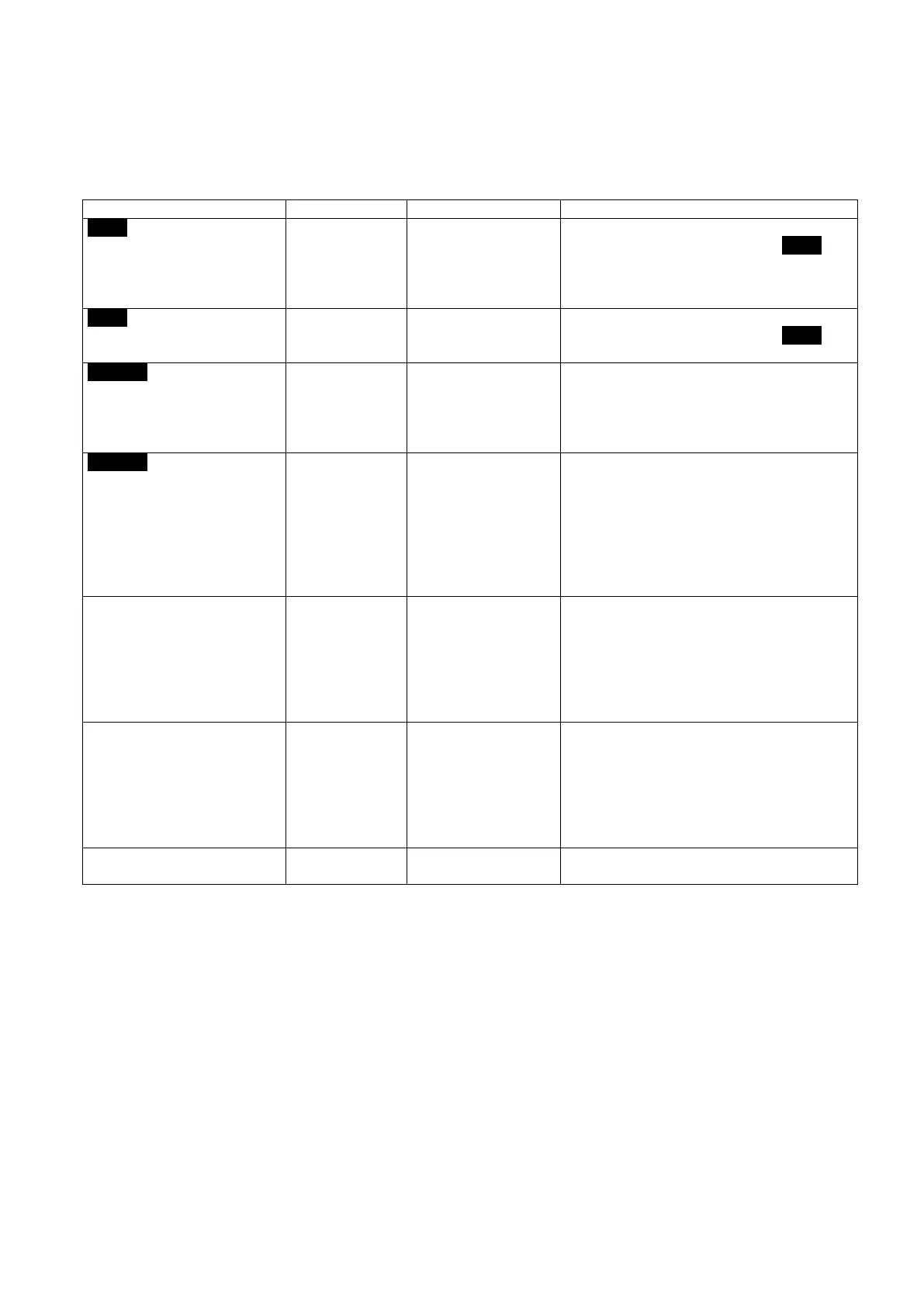
Level icon + Alarm led on
dosing has reached the
minimum level.
Resupply the dosing liquid.
When the liquid is resupplied, the Level icon
and the Alarm led turn off.
To re-start the pump press the START/STOP
Level icon light up + Alarm
led flashing
dosing has reached the
Resupply the dosing liquid.
When the liquid is resupplied, the Level icon
and the Alarm led turn off
The pump contains
one or more pulses
that will be dosed as
soon as possible
This icon stops flashing only when no more
pulses are stored in the memory (the icon will
stay on as this function has been activated)
If the dosing pump is switched off, this will
cause the stored pulses to be deleted.
Alarm led on
The storage capacity is
exhausted (the pump
has stored 65,535
pulses) and it is not
possible to store more
pulses.
This icon stops flashing only when no more
pulses are stored in the memory (any way it
will be light up due of the Memory function
is set on)
If the dosing pump is switched off, this will
cause the stored pulses to be deleted.
The led will switch off when the stored
pulses are less than 65,535.
Writing on the display ALL2
During the
programming the
Memory function was
set to OFF, and the
pump does not store
excess pulses (it is
under-dosing)
The writing ALL2 will disappear as soon as
the pump is ready to dose all external pulses.
Writing on the display t°C +
Alarm led on
The working
temperature of the
pum
p is too high (over
100°C for TEKNA
900 series, over 80°C
for TEKNA 600
series).
The writing t°C will disappear as soon as the
temperature goes down.
To re-start the pump press the START/STOP
key.
Writing on the display Err +
Alarm led on
Contact technical assistance.


 To Previous Page
 Loading...