29
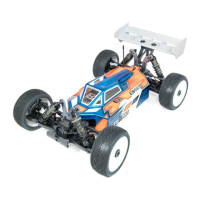
All Tekno RC vehicles are built out of the box with a neutral setup but are highly tunable to your individual driving
needs. Before you start changing your setup on the car itself, it’s best to ensure you’re getting the best setup out
of your radio. It’s easy to forget that a lot of simple tuning can be done right from your controller. To help with this,
we recommend that you are well informed about setting up your Steering End Points (EPA), Dual Rate (D/R),
Exponential Curves, and Servo Speed.
Start by setting your steering EPA such that the vehicle can reach ‘full lock’ while on the ground. Be careful not to
go too far with this setting as it may damage your servo. Drive the vehicle around the track. If you are turning into
pipes or losing traction out of a corner, you probably have too much overall steering throw. The simplest way to
reduce this is with Dual Rate. Reducing Dual Rate will turn down both the left and right side EPA proportionately
without having to adjust the EPA settings independently. D/R is usually pre-assigned to one of the trim buttons
on most mid-to-high level radios.
The next setting is ‘Expo’ or ‘Curve’. Expo does not change your EPA or D/R, it simply turns the wheels less around
center and ramps up to the end points as you reach full lock on the steering wheel. We would suggest starting at
-10%. If your vehicle still feels “twitchy” around center, dial in more negative expo to continue smoothing every-
thing out. If it starts to feel too numb around center, dial some out.
Another valuable and often overlooked radio adjustment is “Servo Speed”. Servo Speed allows you to slow the
steering servo down from the transmitter resulting in reduced twitchiness. We like to set this at around -10 to
start. If you find that it’s too lazy, increase the servo speed slightly and run a few more laps. Repeat as necessary
until the steering response feels natural without delay.
After setting the servo speed you might find that you need to go back and adjust the expo setting. This is normal,
it might take a few adjustments of each to achieve the proper steering “feel” to suit your driving style and track
conditions.
The last setting to look at would be your brake end point or brake dual rate. Having brakes set correctly can gain
you tenths on the track and improve your consistency. Set your brake dual rate to 80% and then set your end-
point so that the brakes are just strong enough to not allow
you to push your car forward on the bench during full
braking. Once on the track, this might be too strong or too weak of a setting depending on the available traction.
Start turning the brake dual rate up or down a few percentage points at a time until you achieve your desired “feel”.
Under maximum braking you’ll want your tires to be as close as possible to locking up without them actually doing
it. Keep in mind that this setting will change from track to track and even throughout the day as track conditions
can vary. Don’t forget that you can also use servo speed for your throttle and brake in the same way you did for
the steering.
With these five settings, you should be able to make your vehicle more consistent and easier to drive, lap
after lap, assuming the rest of the vehicle setup is close for your particular track. Of course there are many
other factors and setup options to tune on your vehicle, but sometimes all you need is a small radio adjust-
ment to keep you headed in the right direction.
Radio Adjustments and Information
Pistons with smaller holes work well for
smoother tracks with large jumps and pistons
with larger holes work well for rougher tracks
with less jumps. Smaller hole pistons will
typically use thinner oil than larger hole
ambient temperature so a change in viscosity might be
necessary with a change of 5°C or ~10°F.
Pistons
Sway bars are used to adjust a
vehicle's lateral grip by resisting
chassis roll. A thicker bar
decreases roll more than a
thinner bar will. More roll means
more grip and less roll means less grip. The front sway bar
stability in mid-corner and at corner exit.
Sway Bars
Softer springs will increase traction through the turns by
allowing more roll, slow down the responsiveness of the
will increase corner speed if traction is available and will
also tend to jump and land better. Once you find a set of
springs you like you will typically only change them for
Springs
LENGTH
COILS
WIRE DIA.
Setup Information
(continued)
Sway Bar Deadband Bushings
Sway bar deadband bushings allow you to
accurately set the amount of deadband your sway
bars have. In general, more deadband (larger
diameter bushings) work better on rough tracks
and less deadband (smaller diameter bushings)
work better on smooth tracks. Typically you’ll
want the bushing diameter to be ~0.3mm -
0.6mm larger than the swaybar’s diameter.


 To Next Page
 Loading...